Your application form, 100% configurable
Every event gets its own form: you define fields, sections, required answers, conditions and uploads yourself, without asking us. The crew applies from their phone, AI checks every application for missing and implausible data, and HR only sees what actually needs a decision.
Your own test environment in minutes. No credit card, ends automatically.

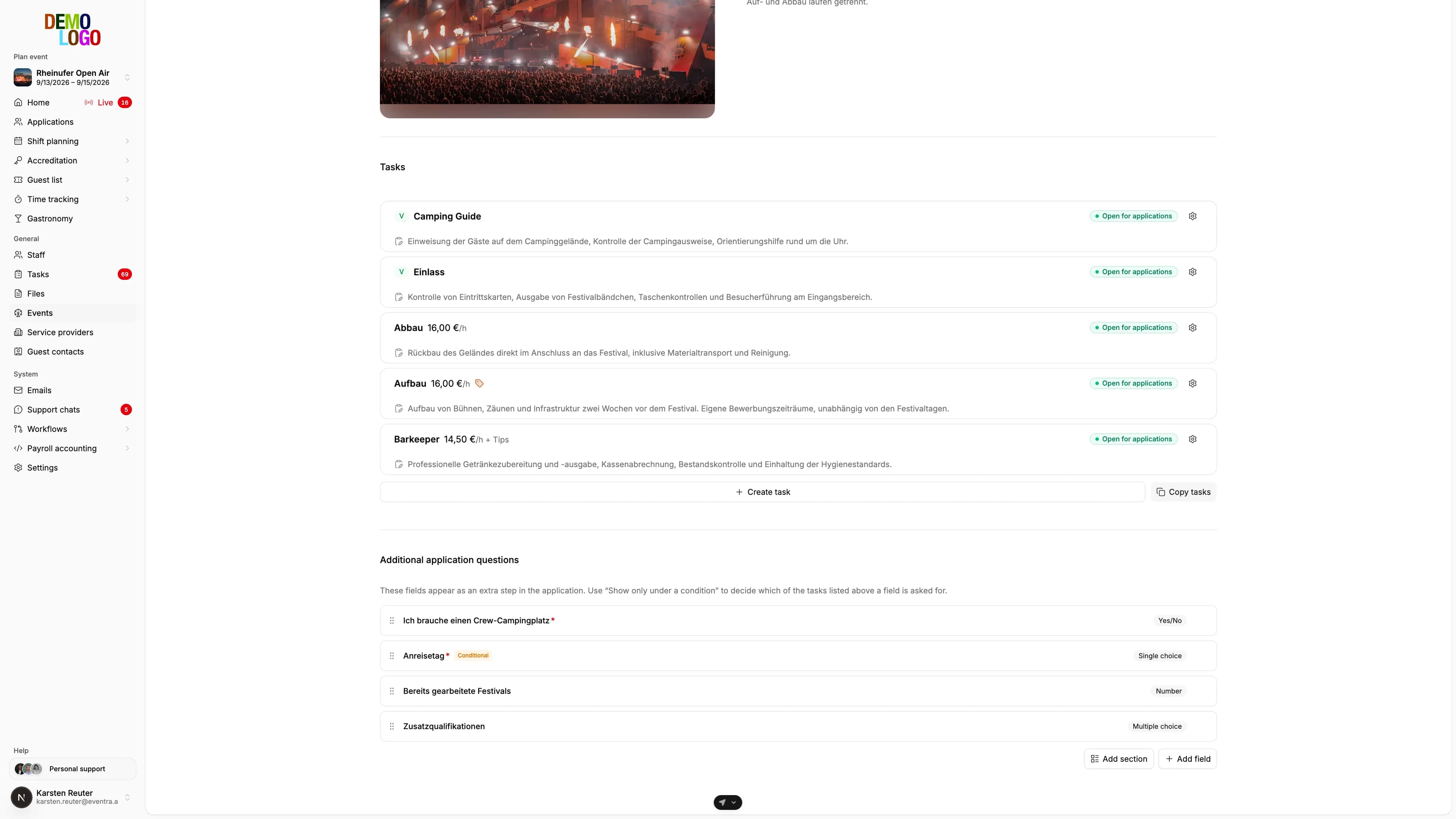
A form that asks your questions, and an AI that checks the answers
The application is the person's first record. You decide what the form asks; AI checks whether it is complete and plausible.
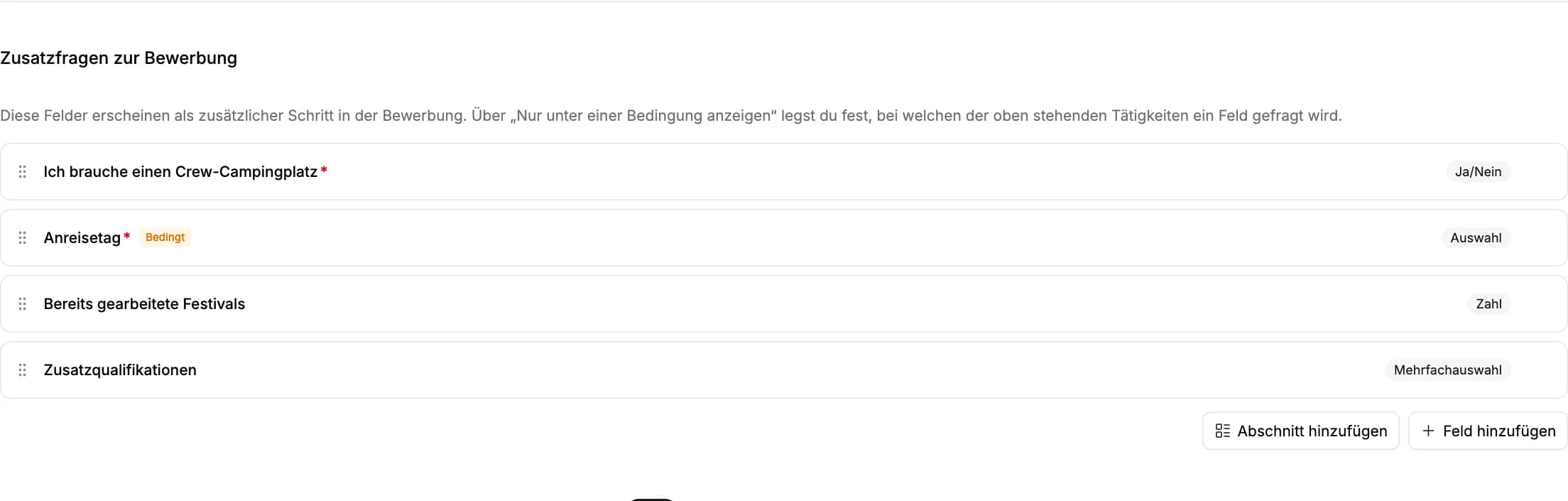
A form builder without limits
Text, number, select, multi-select, date, yes/no and file upload, grouped in sections. Fields only appear when a previous answer calls for them, and you mark each field required or not. Up to 80 fields per event, editable at any time.
- Your own fields, sections and order
- Conditional fields based on answers or tasks
- Uploads for ID, certificate or licence

AI checks every application for completeness
On arrival, AI compares the application with your form: a missing document, an unreadable upload, a date that does not match the ID or an IBAN that does not match the name is flagged, and the person is asked for it right in the app.
- Missing answers and documents per application
- Plausibility of ID, dates and bank details
- Follow-up requests to the crew without HR
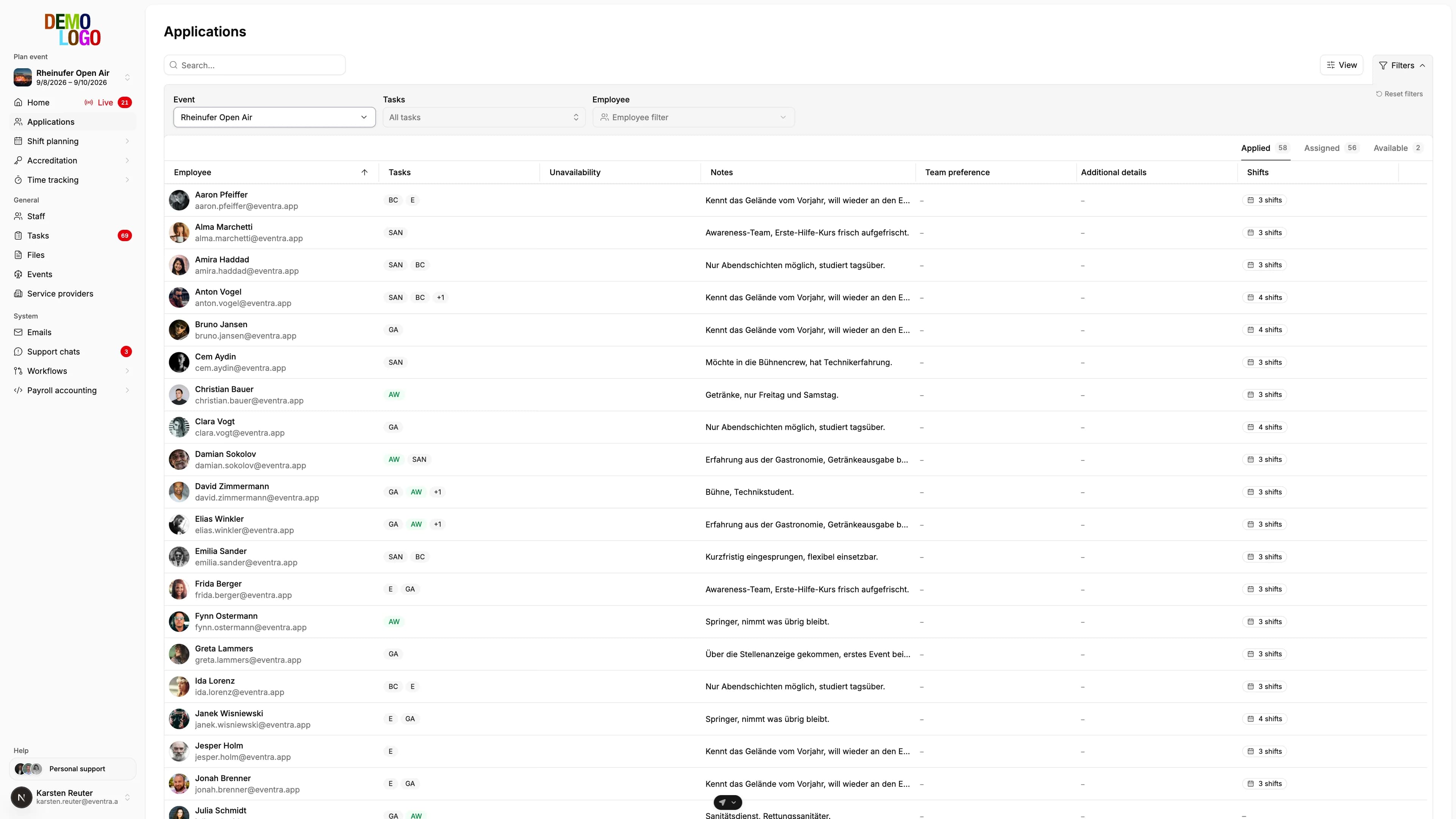
Review in one list
All applications in one table, with the AI check result as a column. Duplicates are flagged, team wishes read from free text. Accept, decline, waitlist, assign a qualification tag, without leaving the row.
- Filter by task, status and check result
- Duplicates flagged, merge with one click
- Waitlist for replacements
Complete and plausible before HR even opens the application
Every application is checked against your form: are all required answers there, is every requested upload readable, do name, date of birth and ID match, does the IBAN belong to the account holder? Whatever is missing or inconsistent, the person sees immediately in the app and supplies it. Exact duplicates by email and name are resolved on arrival; typos and double names are clustered by the model across the whole list. HR sees the finding on the application and decides.
- Completeness and plausibility per application
- Follow-up requests sent to the crew automatically
- Duplicates flagged, merging stays your click
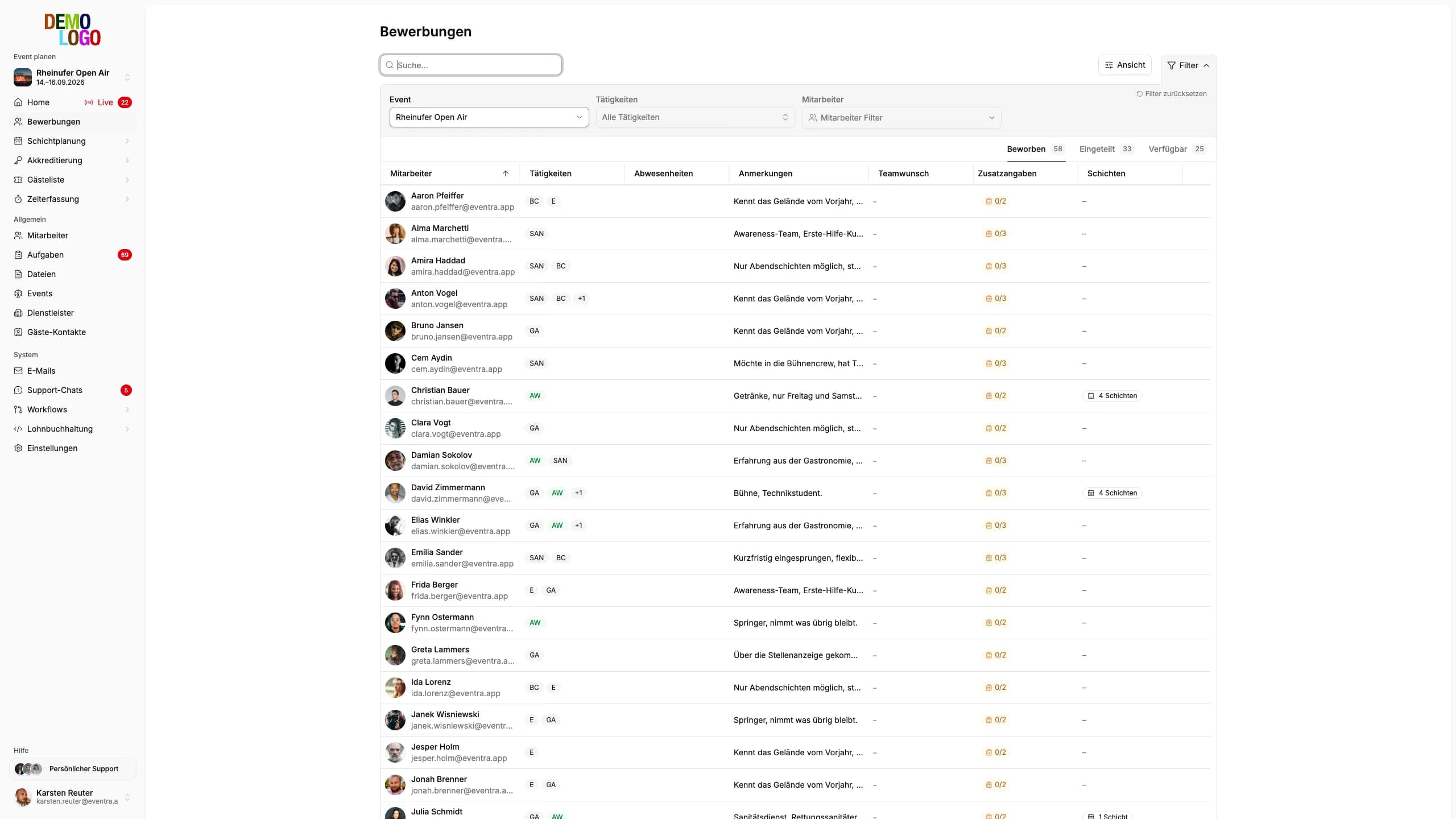
The crew fills in your form from their phone
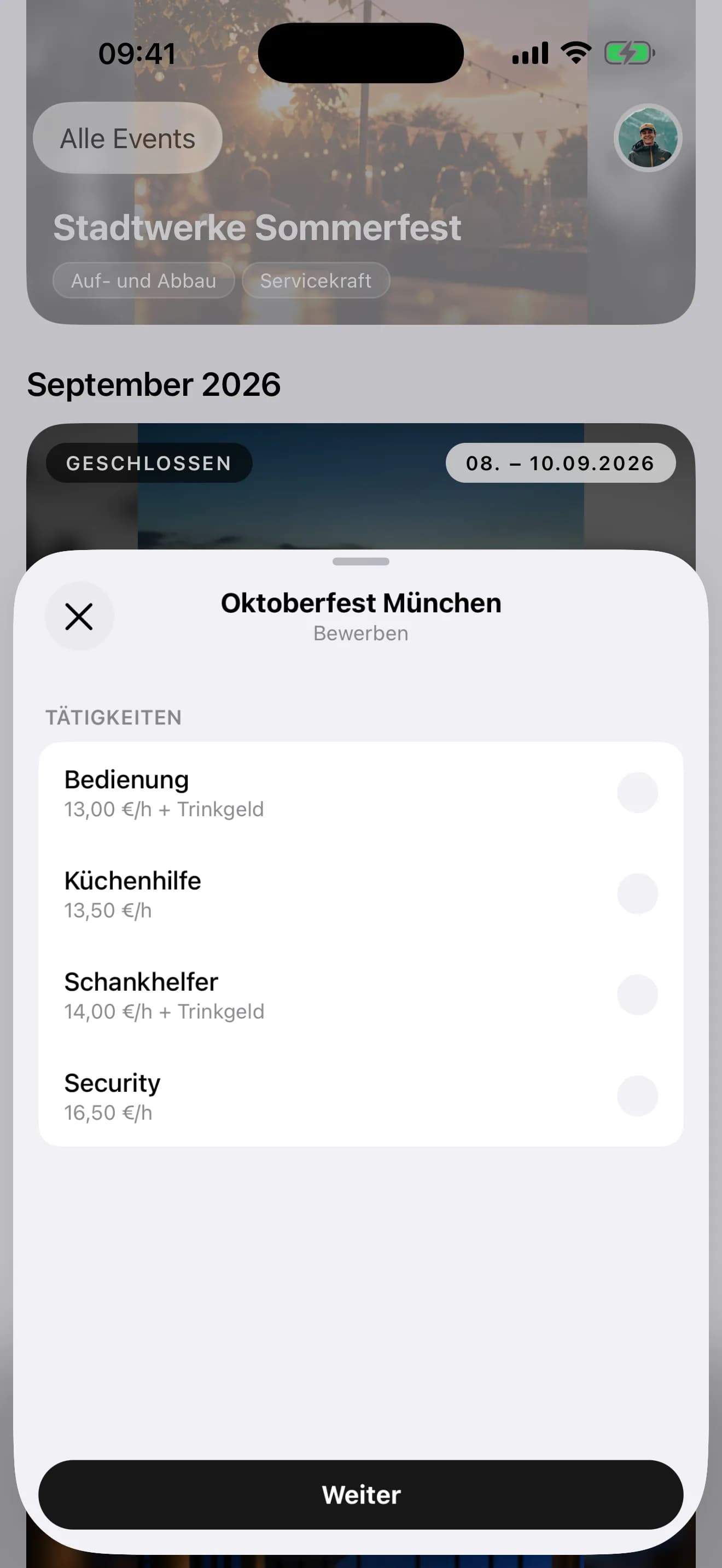
Applicants see exactly the fields you created, in your order and with your conditions. Uploads come from the camera, tax and bank details follow in the profile before the first shift starts.
- Your form, one to one in the app
- Upload ID and certificates with the camera
- Application status and open items visible at any time

From form to confirmation
The flow EVENTRA maps per event.
Build the form
Create fields, sections, conditions and required answers, share the link. No back-and-forth, no waiting.
Crew applies
In the app or the browser, with preferred tasks, availability and every upload your form requires.
AI checks the data
Missing answers, unreadable uploads and contradictions are flagged and requested from the person.
HR confirms and schedules
Checked applicants get qualification tags and become available in the shift plan.
What the application already brings
Data that no longer needs to be requested after confirmation.
- Form configurable
- 100%
- Application checked by AI
- Every
- Follow-ups by HR
- 0
- Applications
- ∞
Frequently asked questions about recruiting
Answered briefly, so you know what you will see in the demo.
How free is the application form really?
What does the AI check on an application?
Does the crew need an account to apply?
How does EVENTRA detect duplicate applications?
Who assigns the qualification tags?
Read next
Practitioner answers to the questions that come up next.
Season planning 2027: crew, budget and tools decided by January
Why staffing for the 2027 season is decided between October and January, which figures change at the turn of the year, how to derive the crew requirement…
ReadSofortmeldung for event staff: who needs it, when it's due, what it costs
The Sofortmeldung (immediate registration) under § 28a Abs. 4 SGB IV applies to hospitality, showman trade, trade-fair construction, security, and other…
ReadFestival staff planning in Excel: template, structure, and where it breaks
How to build a festival shift plan in Excel, which columns you actually need, which formulas check rest periods (Ruhezeit) and the 70-day limit, and above…
ReadApplication Management in Event Management: An Efficient Process for Successful Talent Acquisition
Read
See your application form in EVENTRA
30 minutes with the founder. We rebuild your form with your fields live and show what the AI checks on it.
Your own test environment in minutes. No credit card, ends automatically.
See pricing