Gate check-in, every deviation checked
Crew check in and out by QR code, supervisors scan offline and sync later. Every minute is on record and flows straight into the monthly closure, with breaks and surcharges from your time rules.
Your own test environment in minutes. No credit card, ends automatically.
Hours that hold up in front of the auditor and the crew
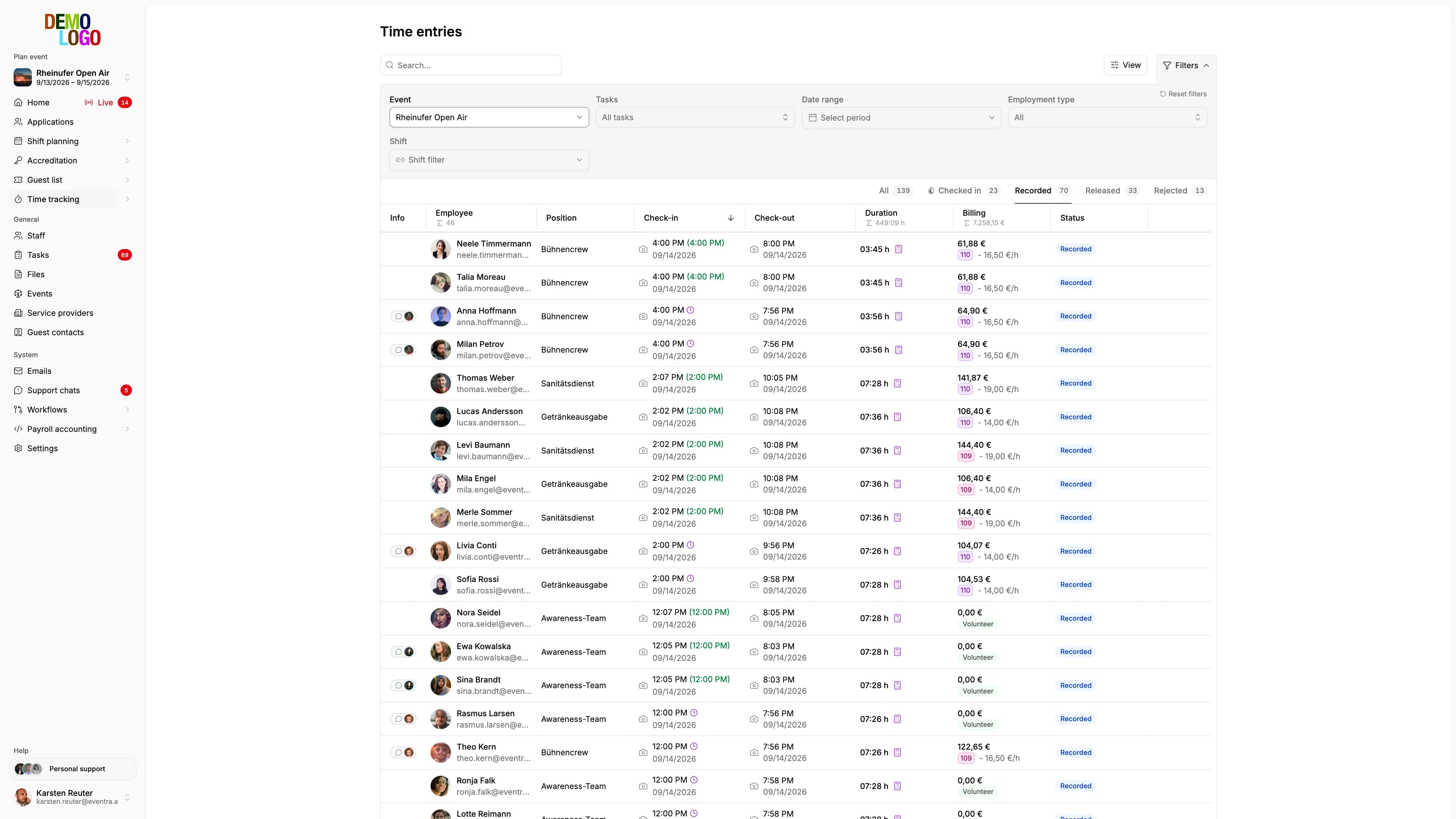
Every entry has a check-in, a check-out and a source. What ends up on the payslip follows rules you set once.
Every entry with its source
QR scan, supervisor check-in or manual correction: the list shows per person how the time came about and how far it deviates from the plan. Before approval the AI names the entries that need a second look.
- Check-in and check-out per shift
- Deviation from the plan visible
- Findings before approval, with evidence
Completeness at a glance
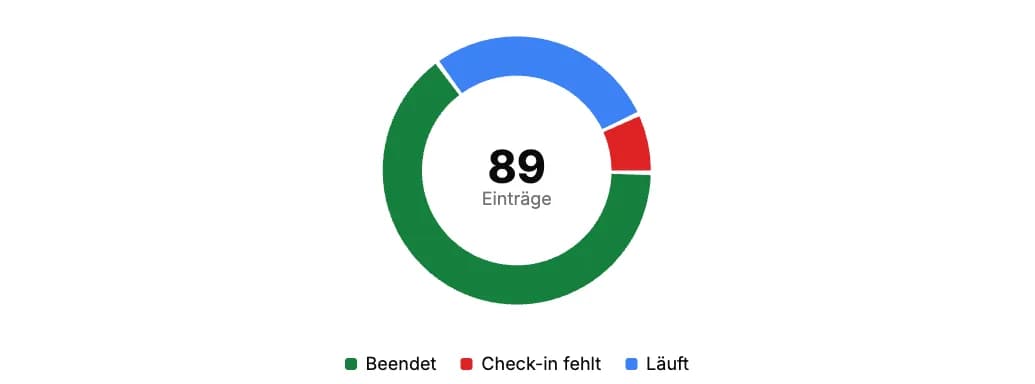
Missing check-outs and open entries sit together per area. Nothing goes into the monthly closure incomplete.
- Open entries per area
- Check-out reminder to the crew
- Approval per shift or per day
Limits calculated from the hours
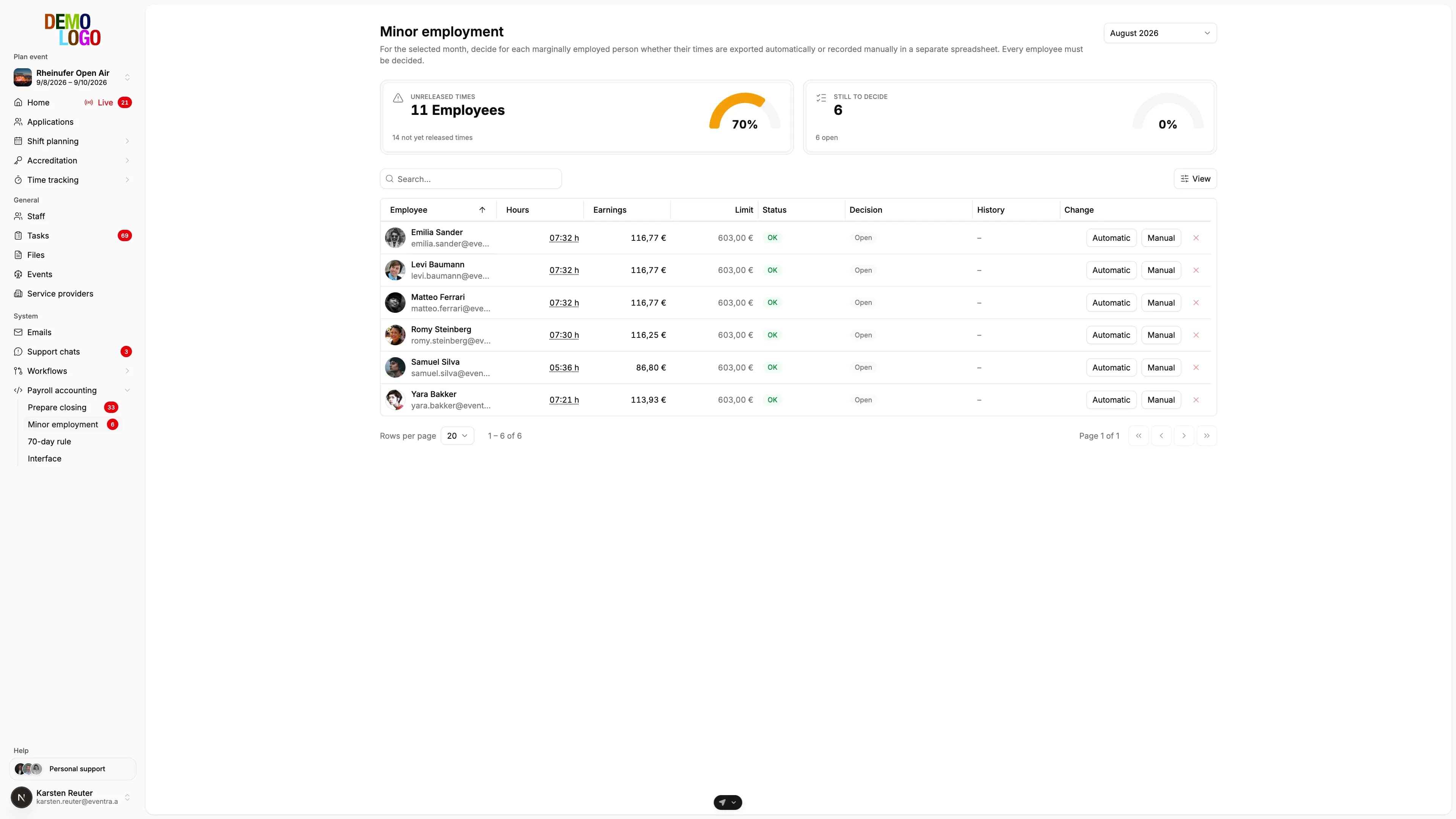
Minijob limit per month and 70-day limit per year are calculated from recorded hours, not from the plan.
- Minijob limit per person and month
- 70 days across all events
- Warning before the export
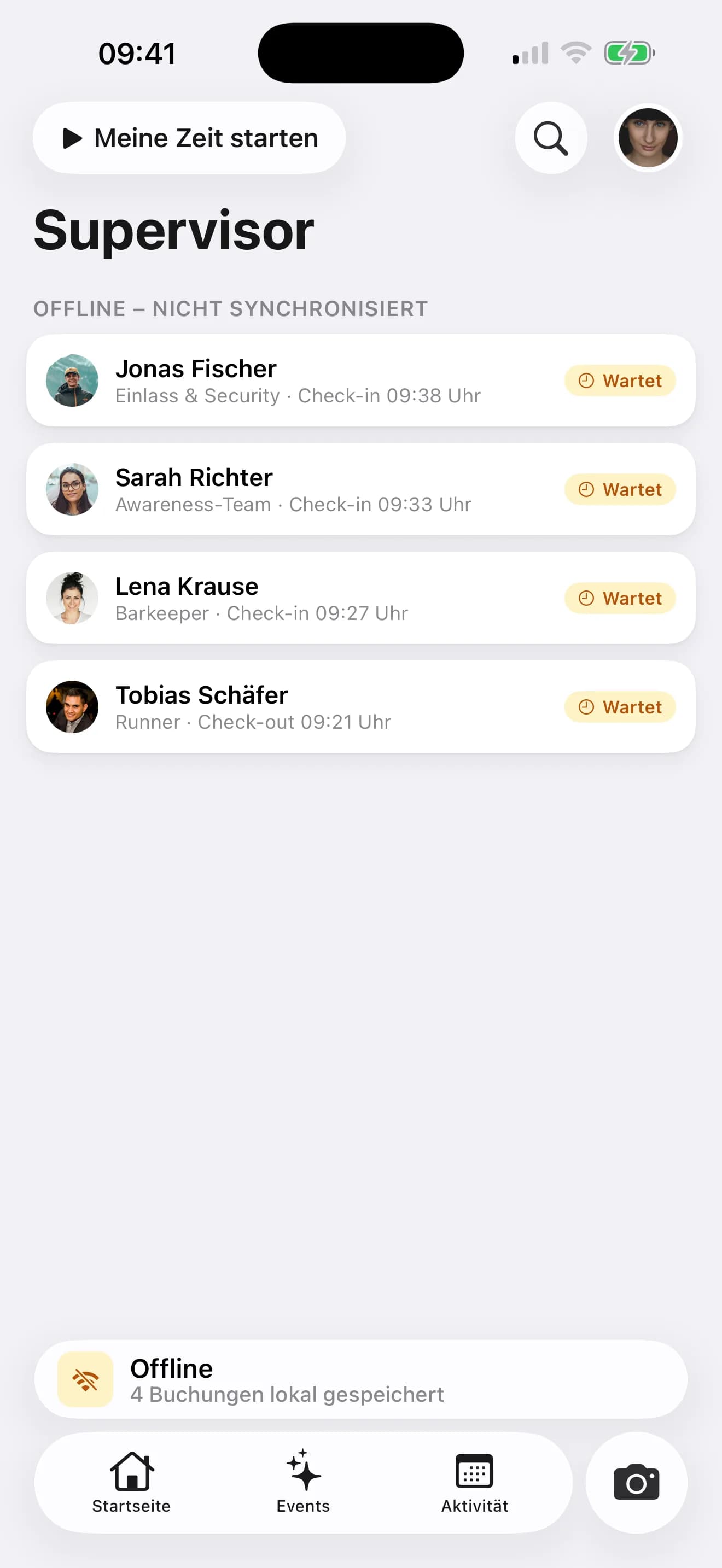
The supervisor scans, in airplane mode too
Crew show their QR code, the supervisor scans and confirms event and task. Without a signal, check-ins are queued on the device and synced when the connection returns.
- Scan by camera, confirm by swipe
- Offline queue on the device
- Currently checked-in crew in one list

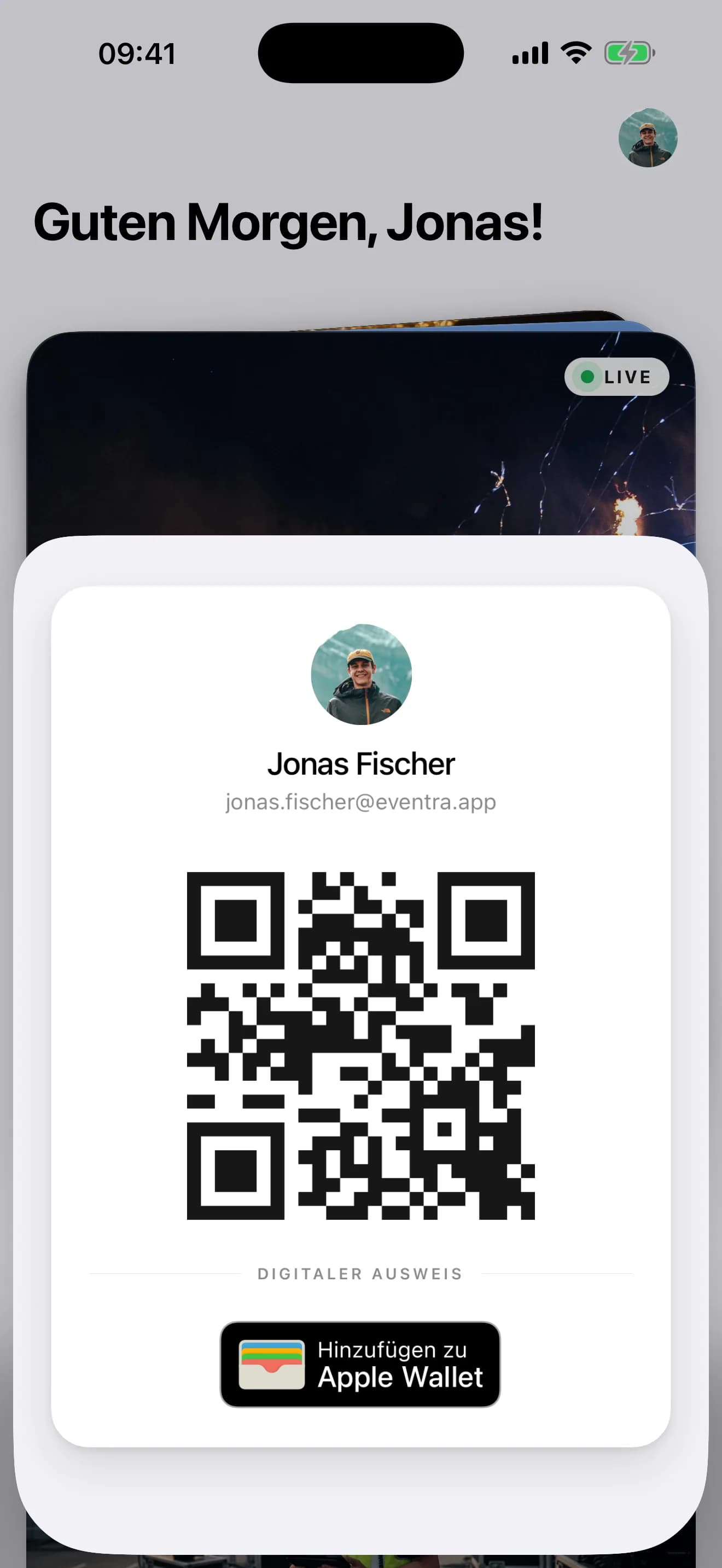
The pass is the QR code
Every person has their personal QR code in the crew app and, if you like, in Apple or Google Wallet. The same code works for check-in, check-out and handing out catering or parking passes.
- Personal code per person
- Apple and Google Wallet
- Self check-in where you allow it
The deviations are read before you approve
Every entry sits in the list with its deviation from the plan. Before approval EVENTRA computes the markers per entry — missing break, overlap, night work, start and duration against the plan —, and the model names the entries that need a second look, with evidence and sorted by urgency. You correct with a reason or approve.
- Markers per entry, computed without a model
- Findings with evidence, sorted by urgency
- Approval stays your click, with history
From the scan to the approved hours
What happens between the gate and the monthly closure.
Check-in
QR scan by the supervisor, self check-in or terminal, depending on the area.
Apply rules
Breaks, rounding and surcharges from your time rules, configurable per task.
Review and correct
Deviations from the plan visible, AI findings with evidence, corrections with history and reason.
Approve
Approved hours flow into the monthly closure and the export.
What every recorded minute brings
The facts stored in the time entry.
- Check-in paths
- 3
- Scan without signal
- Offline
- Accuracy
- 1 min
- Every correction
- History
Common questions about time tracking
Answered briefly, so you know what you will see in the demo.
Does check-in work without mobile coverage?
How do breaks and rounding get into the hours?
Can the crew see their own hours?
What happens with a missing check-out?
Read next
Practitioner answers to the questions that come up next.
Time-tracking obligation at festivals: what applies since the BAG ruling, and how to track 800 crew
Since 2022, employers have had to record the entire working time; for Minijob workers and casual staff, that already applied earlier.
ReadRest periods at events: the 11 hours, the exceptions, and the 4 am strike
The Working Hours Act (Arbeitszeitgesetz) requires 11 hours of rest (Ruhezeit) between two shifts.
ReadSofortmeldung for event staff: who needs it, when it's due, what it costs
The Sofortmeldung (immediate registration) under § 28a Abs. 4 SGB IV applies to hospitality, showman trade, trade-fair construction, security, and other…
ReadWorking Time Documentation for Multi-Day Events: Legally Compliant Recording of Rest Periods
Read
See the check-in in EVENTRA
30 minutes with the founder. We scan live, in airplane mode too.
Your own test environment in minutes. No credit card, ends automatically.
See pricing