BookZuck POS and crew planning: POS codes come out of the shift confirmation
How the BookZuck integration in EVENTRA turns a confirmed bar shift into a POS account with a role and a login code, what the crew receives by email, and what is left for the HR team to do on event day: almost nothing.
In het kort
- Each task in an event is mapped once to a POS role: seller, bar head or dispensing. From then on, anyone whose shift on that task is confirmed has an account in the POS and a code in their inbox.
- The code is six digits, issued per person and sent by email. The crew can look it up in their profile at any time. Nothing is typed over, nothing is passed around on WhatsApp.
- The per-event overview shows account, code and delivery status for every person. Missing accounts, missing codes and drifted roles are synced with one click.
- BookZuck Nova Booking Server API
- EVENTRA gastro module
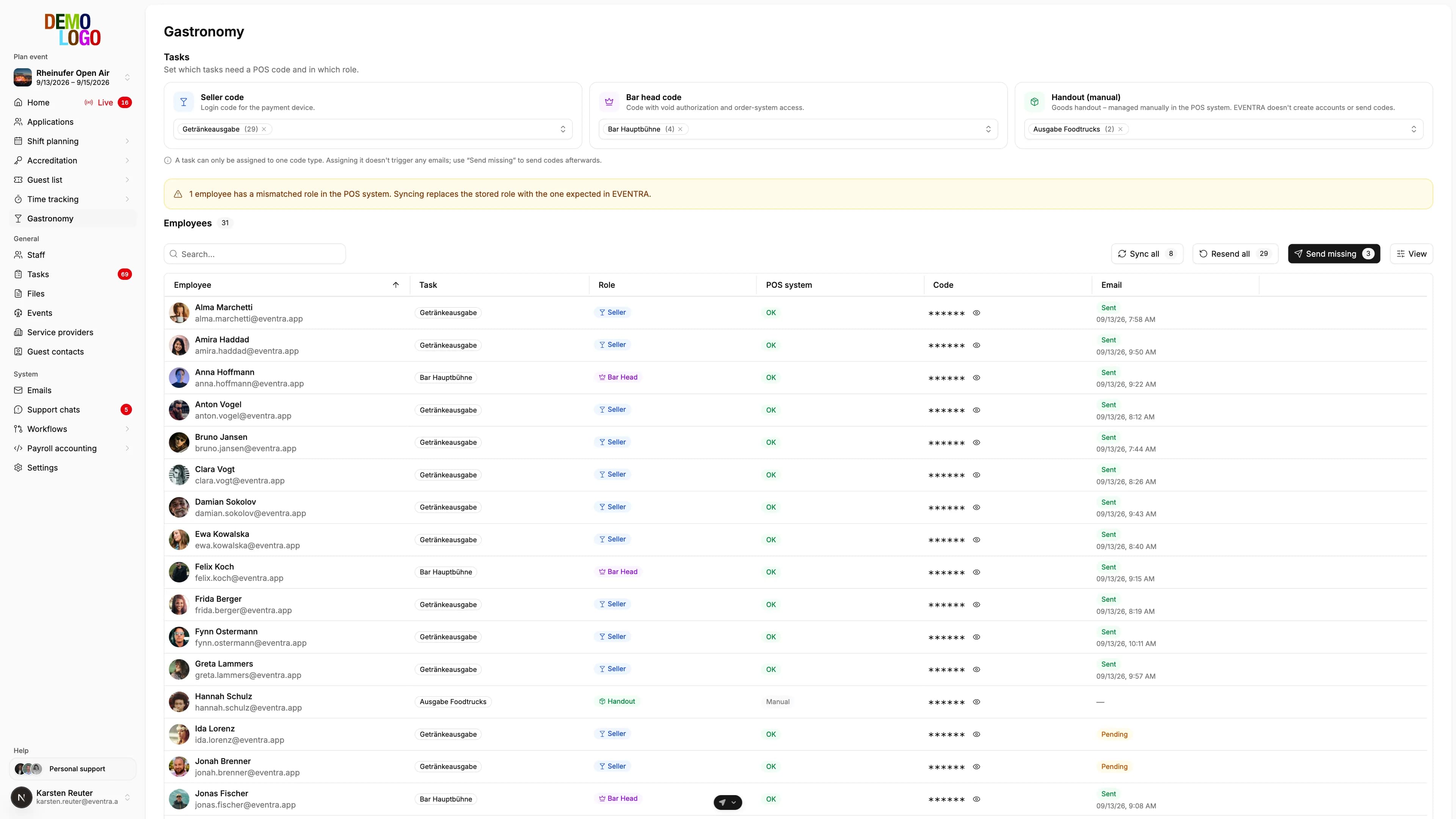
At an open air with 30 people on the drinks stations, 3 pm decides whether the bar runs at 5 pm: every person needs an account in the POS, the right role and a code to log in on the payment device. Until now that meant pulling a spreadsheet out of the planning, creating accounts in the POS, issuing codes, distributing them on WhatsApp and, on event day, hunting for the three people without one. The BookZuck integration in EVENTRA folds that chain into the shift confirmation: whoever gets a shift confirmed on a bar task has an account and a code. No list, no message, no rework.
Tasks get a POS role
The only manual step happens once per event: every task that needs a POS code is mapped to a role. There are three:
| Role | What the person can do on the device | Who maintains the account |
|---|---|---|
| Seller | Log in on the payment device, sell | EVENTRA |
| Bar head | Sell, void, access the ordering system | EVENTRA |
| Dispensing | Hand out goods | POS, by hand |
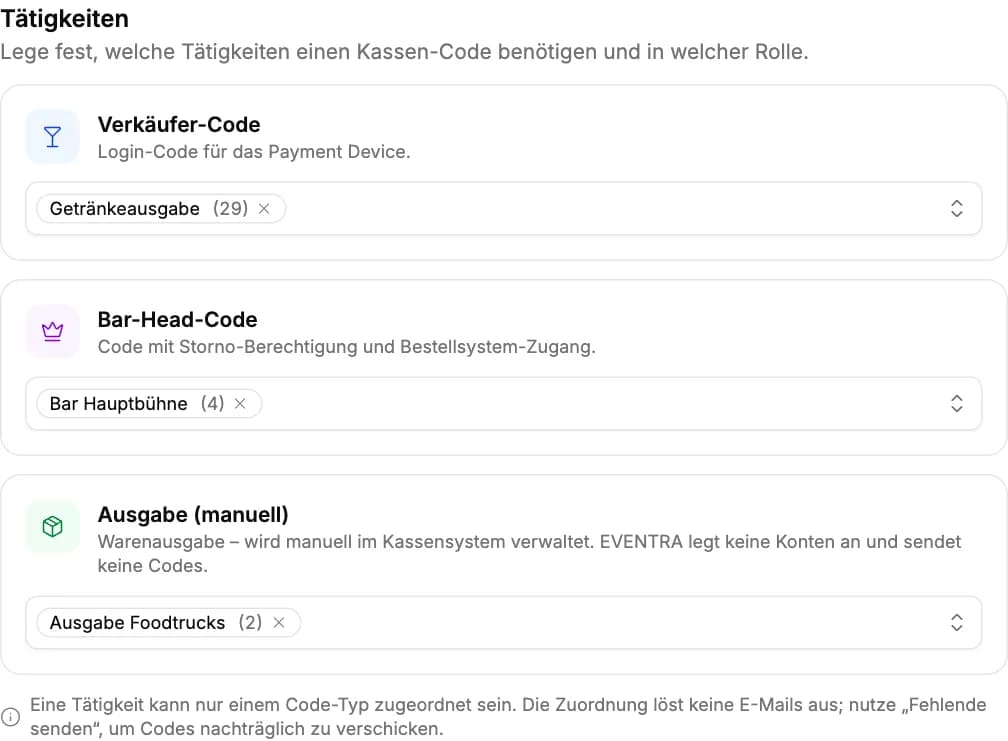
A task has exactly one role. If a person holds shifts on several tasks, the highest one wins: anyone scheduled as bar head anywhere gets the bar-head account, even if they are on a drinks station the next day. One account per person, no duplicates.
The confirmation creates the account
From the mapping on, everything runs through the normal planning process. As soon as the HR team confirms a shift on a mapped task, this happens in the background:
- Find the account. EVENTRA asks the POS for the person's login email. If the account exists, it is reused.
- Create the account. If it is missing, it is created: name, login email, role. The crew gets no backend access and no dashboards; the account can do only what the role allows.
- Issue the code. A six-digit code that is still free in the POS is assigned to the account.
- Send the email. The person receives the code, the event, the date and the notes for their role, in their language.
The confirmation does not wait for the POS. Delivery runs as a background job and the HR team sees the shift as confirmed immediately. If the POS happens to be unreachable, the sync catches the step up later.
The per-event overview
Under the event there is the Gastro page. It lists every person with a confirmed shift on a mapped task, their role and three states: is there an account in the POS, does it have a code, has the current code been sent.
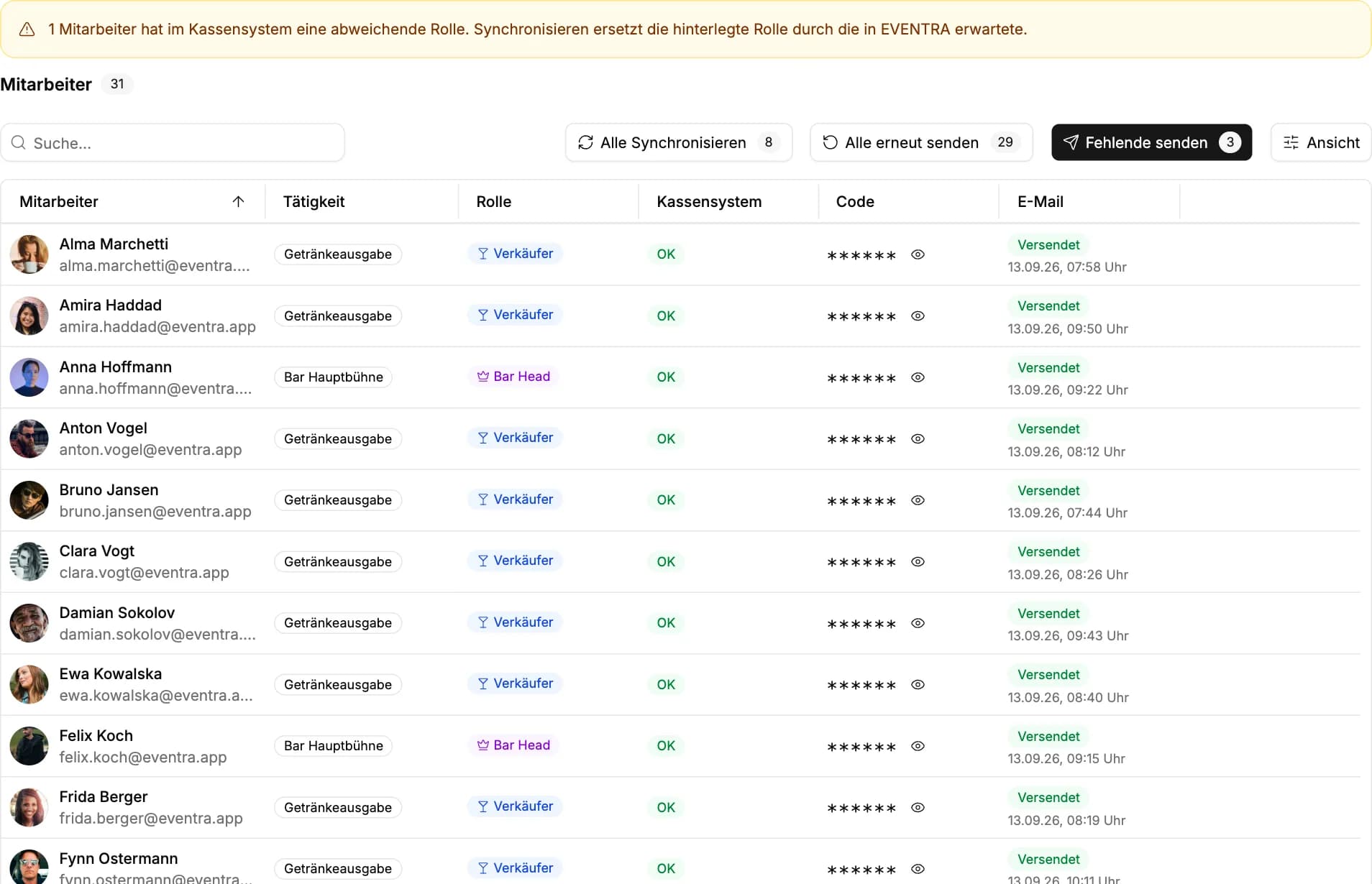
The table reads live from the POS. Codes are deliberately not cached: what the column shows is what works on the device. Three actions cover everything that can still be open on event day:
- Sync all creates missing accounts, issues codes to everyone without one, replaces drifted roles with the one EVENTRA expects and sends the emails to everyone who has not received their current code yet.
- Send missing sends only the outstanding emails and leaves the POS untouched.
- Resend all sends every person their code once more, for instance when the first wave went out the day before and half the crew cannot find it.
If a role in the POS differs from the one in EVENTRA because someone changed an account there by hand, the page shows a warning above the table. Syncing makes EVENTRA the system of record. Whoever wants to grant rights in the POS does so through the task in the planning, not through the account.
What the crew receives
The email is short: greeting, event and date, the code large in the middle, the notes for the role. A bar head additionally reads that their code voids and opens the ordering system. The sender is the organiser; replies land at its support address.
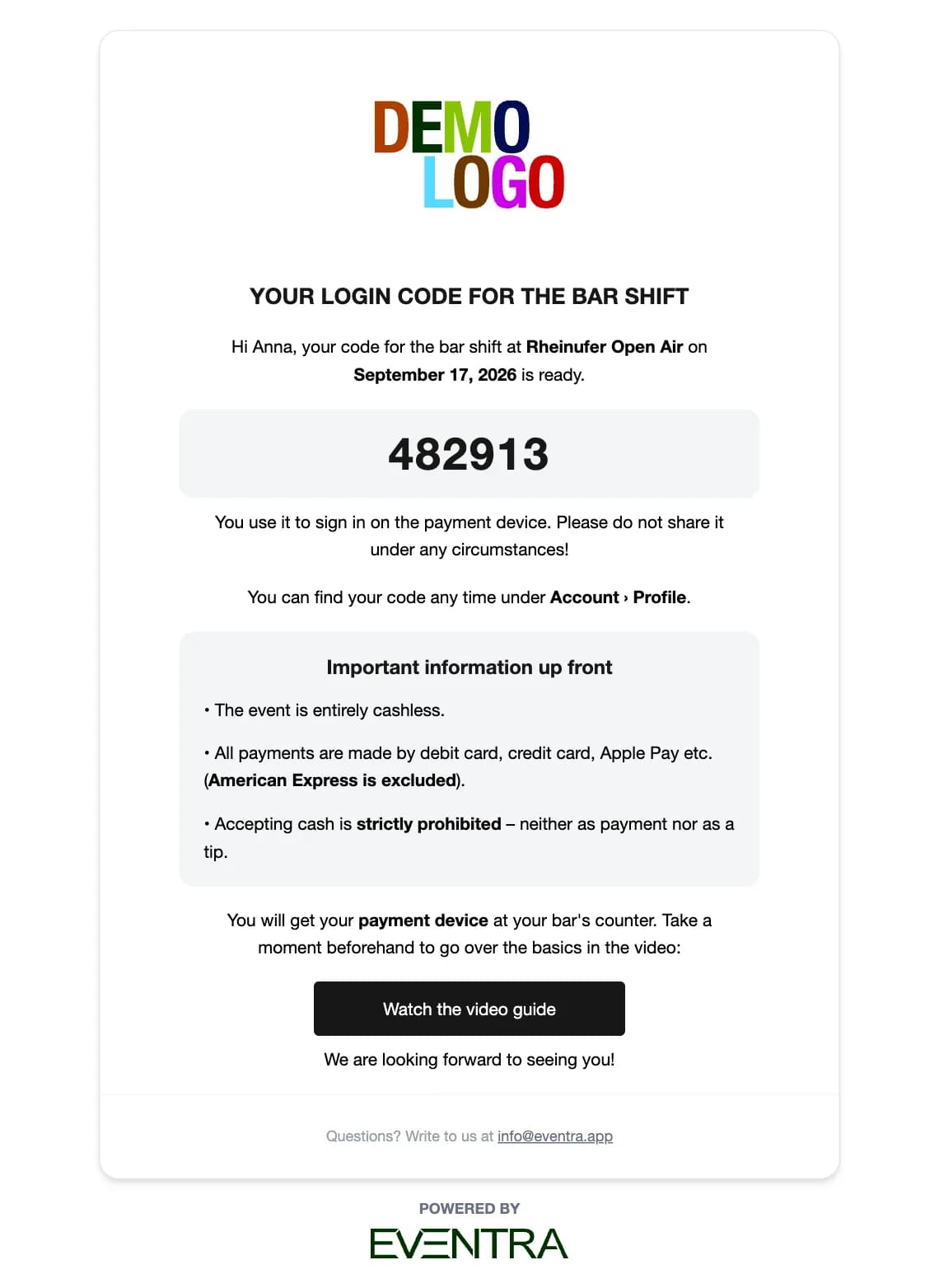
The code is also shown in the profile of the EVENTRA app, hidden until the person taps it. "What was my code again?" answers itself, without searching the inbox in the queue in front of the beer truck.
The organiser maintains the email copy in the settings, per role and per language, with a preview and a test send to their own address. A block left empty drops out of the mail; the subject is always set.
What deliberately does not happen
- Dispensing accounts are not created by EVENTRA. Dispensing is maintained in the POS; the assigned people still appear in the overview for oversight.
- POS credentials are not stored in the database. They are set per organiser as environment variables; every installation has its own base URL and its own role ids. One organiser's address can never end up in another's requests.
- Codes are not stored. EVENTRA keeps only a hash of the last code sent, to know whether the current version has gone out. The code itself lives in the POS.
- Deleting in the POS is not done by EVENTRA. An account that exists stays; access on the device is controlled by the POS.
The flow on event day
- The day before: all shifts are confirmed, the overview shows an account, a code and "Sent" for every person.
- Last-minute replacements: assign and confirm the shift in the planning, the code is in the inbox two minutes later.
- Someone cannot find the email: open the profile, tap the code, or resend the row from the overview.
- After the event: nothing. The accounts stay for the next event, the codes are reused or reissued at the next confirmation.
Anyone still distributing POS codes from a list saves more than the hour the day before with this integration. They save the three people standing at the bar at 5 pm without a code.