DATEV LODAS and Lohn und Gehalt: getting time-tracking data to the payroll office without retyping it
Which files DATEV LODAS and DATEV Lohn und Gehalt expect for movement data and master data, how Lohnarten (wage types), Personengruppen (person groups) and shift premiums arrive there, and what an export from time tracking needs to deliver so the payroll office has nothing left to redo.
In het kort
- DATEV runs two payroll programs with two formats: LODAS expects text files with fixed record layouts for master data and movement data, Lohn und Gehalt has its own import files with personnel number, wage type, date and value. The export has to match the program your payroll office actually runs.
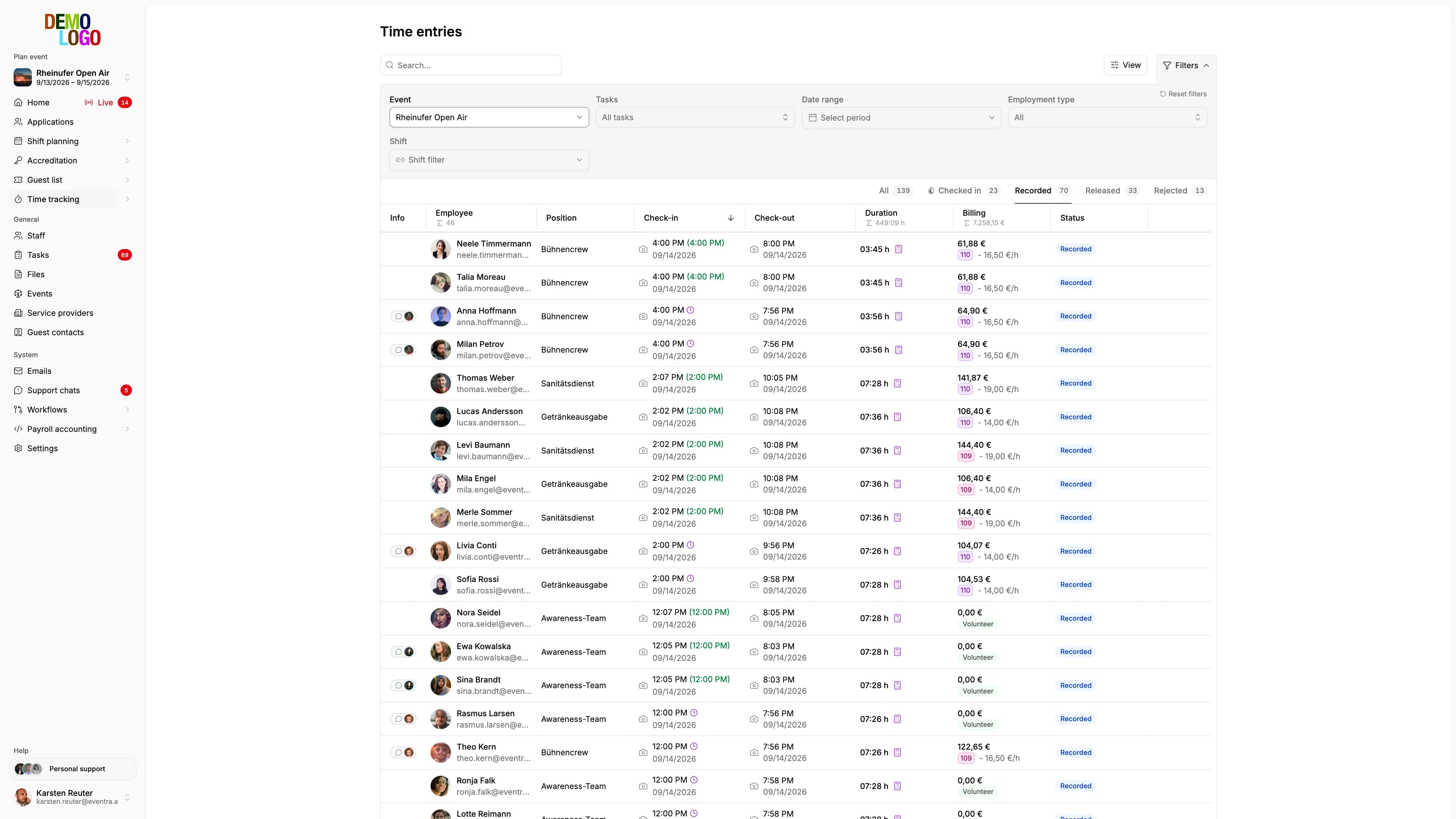
- Time tracking becomes hours per wage type (Lohnart) and person: base pay, night premium, Sunday premium, public-holiday premium. The payroll office sets the wage-type numbers; the export has to adopt them, not invent its own.
- New people need master data: person group (Personengruppe) 109 or 110, tax ID, health insurer, bank details, start date. If one of these is missing, the payroll office retypes it by hand, no matter how good the hours are.
- DATEV-Schnittstellenbeschreibung LODAS (ASCII-Import)
- DATEV-Schnittstellenbeschreibung Lohn und Gehalt (Import Bewegungsdaten)
- DEÜV-Personengruppenschlüssel

DATEV runs two payroll programs that expect different import formats: LODAS reads text files with fixed record types for master data and movement data, Lohn und Gehalt reads its own import files with personnel number, wage type (Lohnart), date and value. For an organizer with 800 crew, that means: the export from time tracking has to produce exactly the format of the program the firm (Kanzlei) uses for that client, and it has to deliver the master data for new people alongside the hours. Otherwise the payroll office retypes 800 people, and the bill for that arrives in October.
Two programs, two formats
| DATEV LODAS | DATEV Lohn und Gehalt | |
|---|---|---|
| Import | Text files (ASCII) with a fixed record layout, Windows-1252 character set | Import files per DATEV specification, movement data and master data kept separate |
| Master data | Record type for personnel master, tax, social insurance, bank, start and end dates | Master-data import with a defined field catalog |
| Movement data | Hours or amounts per wage type and pay period | Hours or amounts per wage type, date, personnel number |
| Typical user | Tax-advisor firms (Steuerberaterkanzleien) | Firms and companies with their own payroll department |
Both formats identify the person by the client's personnel number. It has to be the same in time tracking as in the payroll program, or duplicates appear.
What time tracking becomes
Check-in and check-out produce time pairs. Rules turn these into hours per wage type:
- Base hours: duration minus breaks.
- Night premium: the share between 11 pm and 6 am, tax-free up to 25 percent of base pay, and up to 40 percent for the portion between midnight and 4 am when work starts before midnight.
- Sunday premium: the share worked on Sunday, tax-free up to 50 percent.
- Public-holiday premium: tax-free up to 125 percent, up to 150 percent on Christmas Day and May 1.
- Other: standby, travel costs, meal allowance, depending on the contract.
Every line in the movement-data record is: personnel number, wage type, pay period, hours or amount. The wage-type numbers come from the firm's own catalog. An export that invents its own numbers gets rejected on import, or mapped to the wrong thing.
Master data for new people
With event staff, most people are new every month. Without master data, the payroll program can't produce a payslip at all:
- Personnel number, name, date of birth, address, nationality
- Tax ID, tax bracket or flat-rate taxation, church-tax flag
- Social insurance number, health insurer, person group (Personengruppe: 109 Minijob, 110 short-term/kurzfristig, 101 subject to social insurance), contribution groups
- Bank details
- Start of employment, end date for fixed-term contracts, exit date after the event
This data has to come from the person, not from the organizer. An application process that makes tax ID, health insurer and IBAN required fields, and validates the social insurance number, delivers the master-data record complete. Anything else is chasing people by email in October.

The month-end close
The sequence that works without rework:
- Release the hours. Every time entry is confirmed, breaks are deducted, conflicts are resolved.
- Apply the rules. Premiums come from the time rules, not from manual work.
- Check master data. Anyone new has all required fields. Anyone switching, say from short-term to Minijob, has a change date.
- Export. Master data and movement data for LODAS or Lohn und Gehalt, per client, per month. The export is archived with date and content.
- Transmit. As a file to the firm, or via the DATEV API. The firm imports it, runs payroll, and reports back what's missing.
- Exits. After the event, short-term employees are deregistered. Anyone returning next year gets a fresh entry.
What an export has to deliver
- The right format for the right program, with the Windows-1252 character set for LODAS so umlauts survive.
- The firm's own wage-type numbers, configurable, not hardcoded.
- Person groups and contribution groups derived from the person's employment type.
- Master data only for people who are new or changed, so the payroll office doesn't re-check 800 unchanged records.
- A history: which export was generated when, with which people and totals. In an audit, that's the proof that the hours and the payroll line up.