Guest list: companions on one ticket, duplicate warning, invitations on autopilot
What landed in the EVENTRA guest list in September: plus-one guests sit on the inviter's ticket, the list warns about duplicate guests, contingents can send invitations by themselves, and every invitation of an event lives in one table with charts.
In het kort
- One invitation, one ticket, several people: companions are named on the inviter's ticket, in the wallet pass and at the gate. Check-in still happens per person.
- When a guest is added, the list warns if the email address or the name is already on it. If you really mean a second person, you add them anyway.
- Contingents can send invitations automatically as soon as a guest is entered. The feature can be switched off per organiser and is off by default.
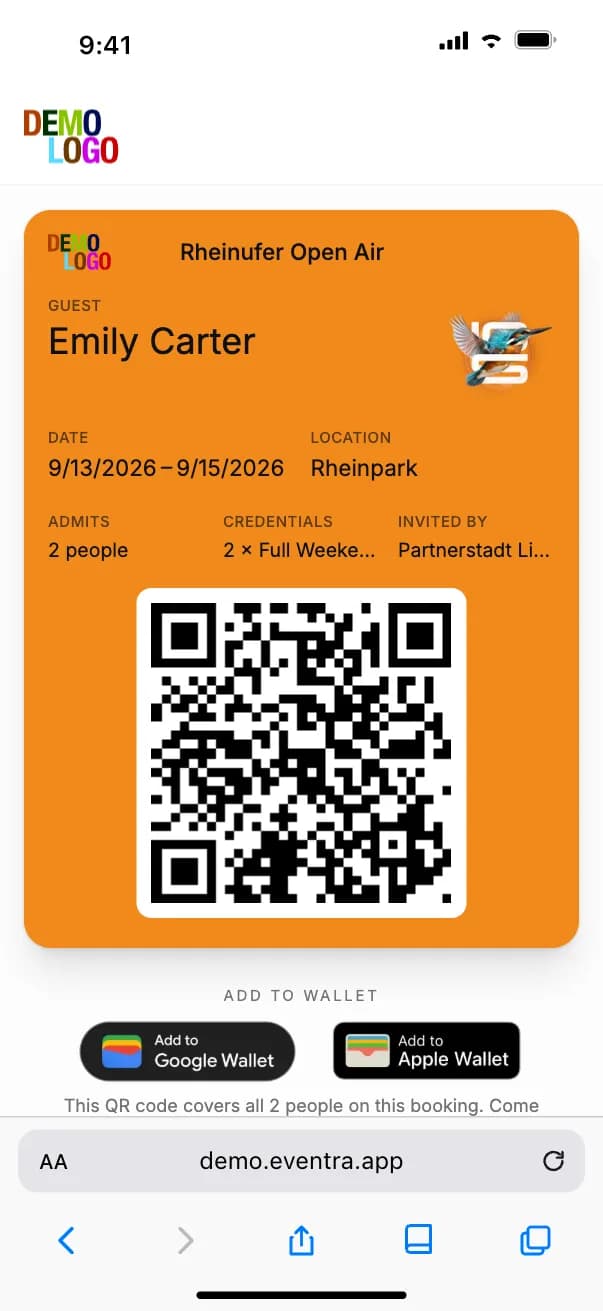
Until August the guest list was a tool that thought per person: one invitation, one ticket, one check-in. For sponsors, partners and press contacts who come as a pair that meant two entries, two tickets and two follow-ups when the companion changed. The changes of early September turn that around: the invitation is the unit, the ticket belongs to the inviter, and whoever comes along is named on it.
Companions on one ticket
A guest with a plus-one gets one ticket carrying both names, in the web ticket and in the wallet pass. The companion needs neither their own email address nor their own ticket; they walk through the gate with the inviter. What stays per person is the check-in: the gate dialog lists every person on the ticket separately, each with their own tick. If the companion arrives an hour later, they are checked in then, without regenerating the ticket.
For wallet passes this has a second effect: one pass per invitation means fewer passes in circulation and fewer questions about which pass belongs to whom. Since the update, Apple Wallet passes group their information and surface on the event days the ticket is valid for.
Warning on duplicate guests
When a guest is added, the list checks whether the email address already exists. If there is no address, it checks the name. If either matches, a warning appears with the existing entry. The guest is still added if that is what you want: two people called Max Müller remain two people. The warning replaces what used to be a visual scan of the list the evening before the event.
Invitations send themselves
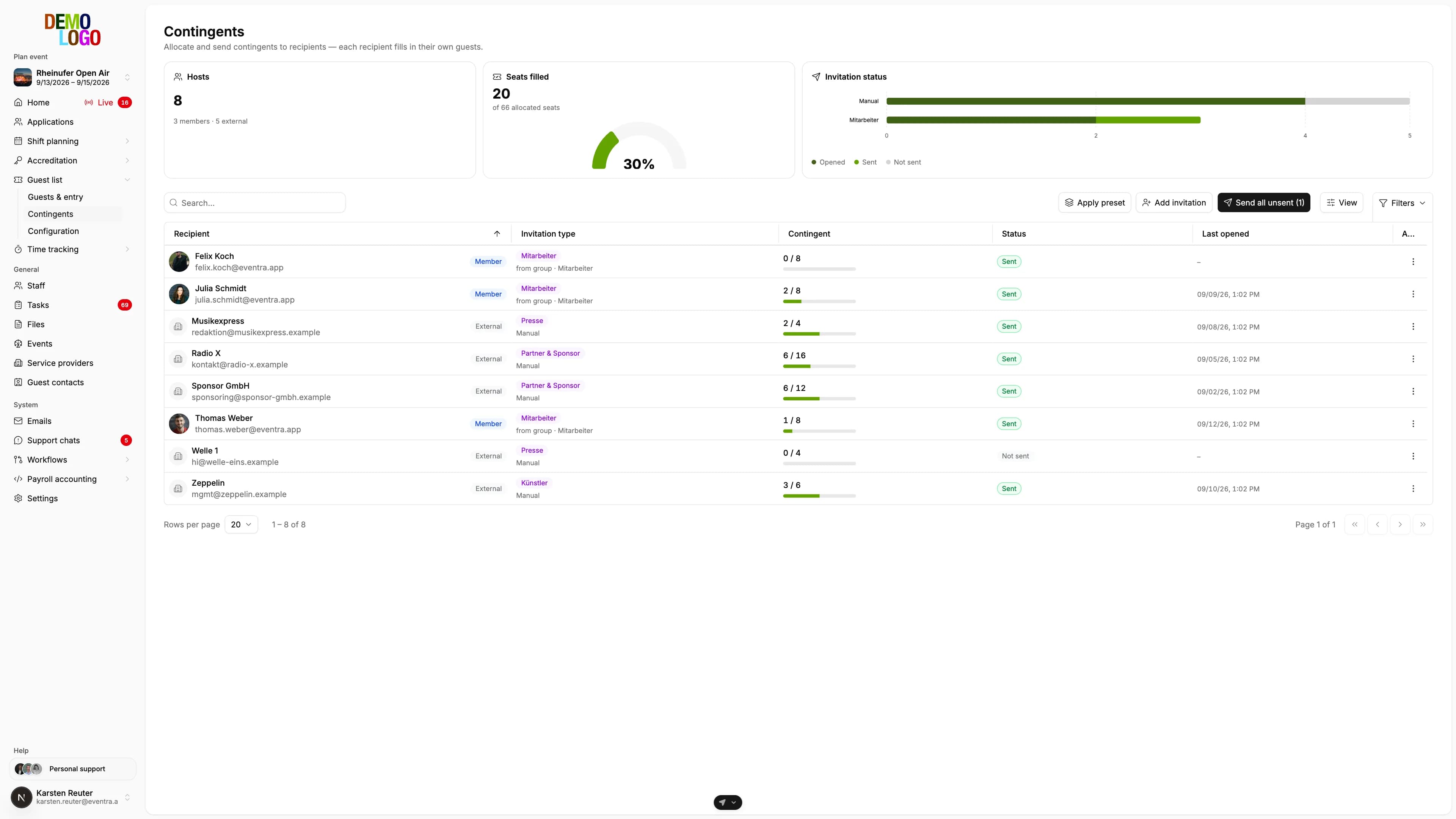
Contingents, the guest-list shares per partner, sponsor or department, used to send invitations only on request. Now each contingent can be set so that every guest entered receives their invitation automatically, immediately or at a fixed time. The feature can be switched off for the whole tenant and is off by default, because an invitation that leaves too early is harder to take back than one you trigger by hand.
Alongside, the text colour on the ticket is selectable: automatic by background, light or dark, once per organiser with an override per event. A ticket on a dark key visual stays legible without anyone touching the colour in code.
Every invitation in one table
Since 7 September the invitations of an event sit in one table instead of grouped by source. Above it are two charts: status (open, accepted, checked in) and source (which contingent). A click into a chart filters the table. Whoever wants to know on event day how many sponsor guests have not arrived yet clicks once.
What has not changed: at the gate the guest list records the check-in only. Whether and where a guest has paid stays with your ticketing or the box office; EVENTRA knows who is in.