Fill plan: one click, and the AI staffs the whole area
Since 15 September EVENTRA fills an area with one click: the AI gathers the free applicants, checks qualification, availability, rest periods and limits, and places a ghost card with reason and confidence on every open shift. How the run works, what you can weight, and why nothing is booked without your click.
In het kort
- “Fill plan” staffs every open shift of an area and its sub-units in one run: rules filter the applicants, the model picks one person per shift and states reason and confidence, and the proposals land in the plan as ghost cards.
- The soft criteria are yours: team wish, favourites, requested task, rating, distance and load spread can be ranked decisive, important or secondary, or switched off, as the organisation default and per run.
- Nothing is booked until you accept. “Accept all” takes only proposals without a warning; a missing qualification or a rest period under eleven hours stays for individual review.
- § 5 ArbZG
- Art. 22 GDPR
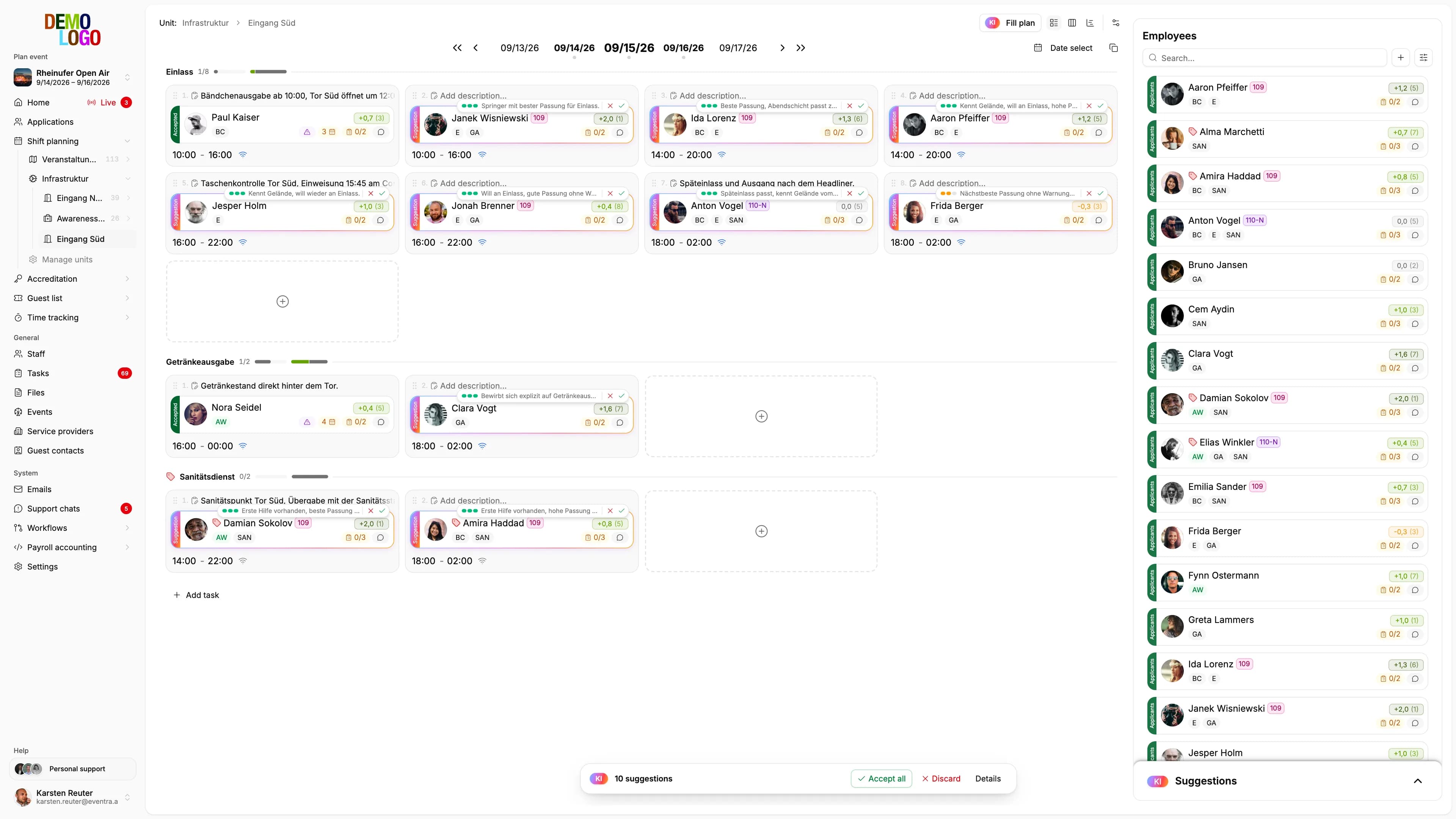
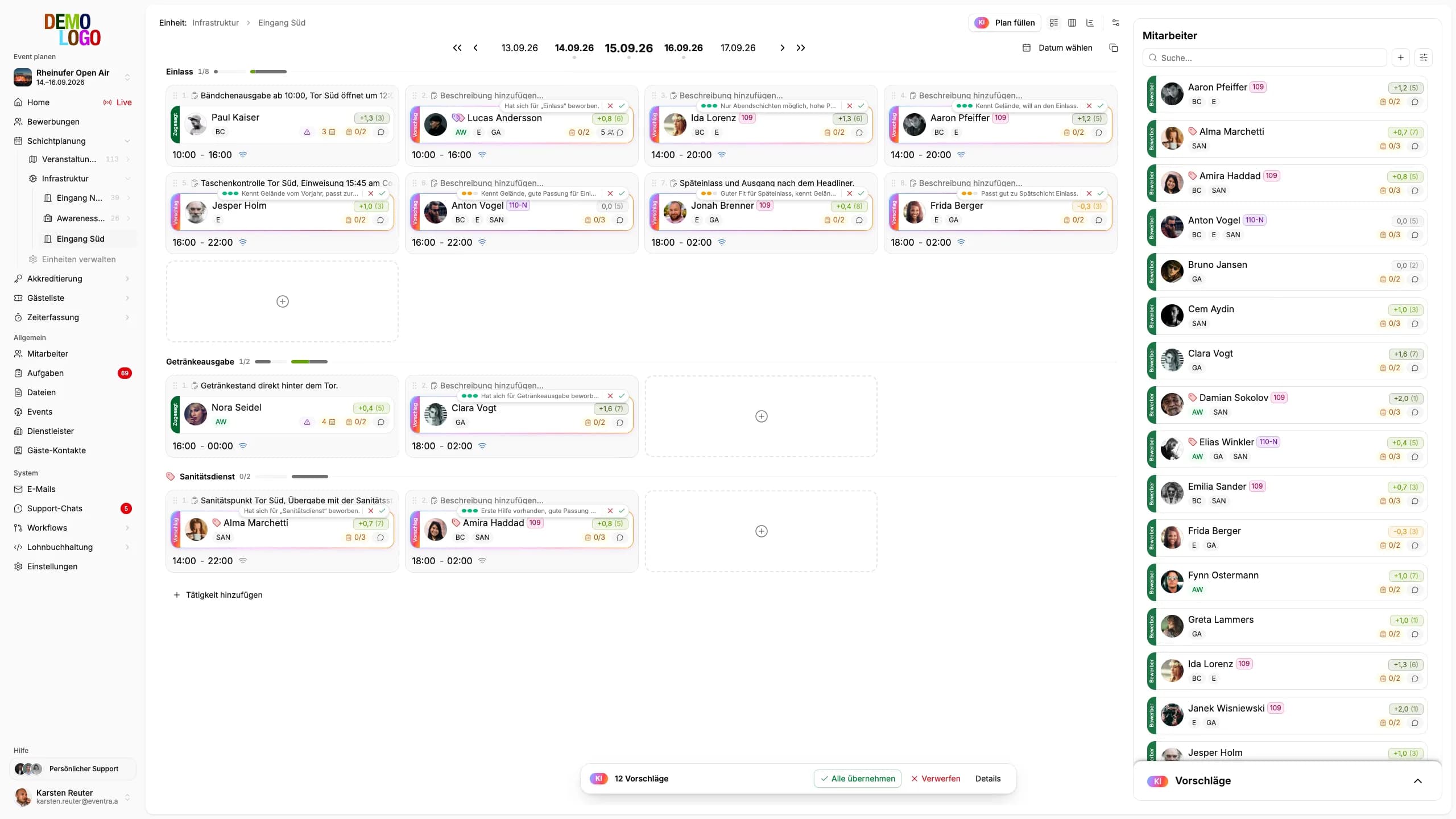
Until now the AI in EVENTRA asked after every drag and drop who would fit next. Since 15 September it turns the flow around: you pick an area and a date range, click “Fill plan”, and every open shift gets a proposal. Ten shifts, one click, a few seconds. What happens in between is not magic but three steps in a fixed order.
One run in three steps
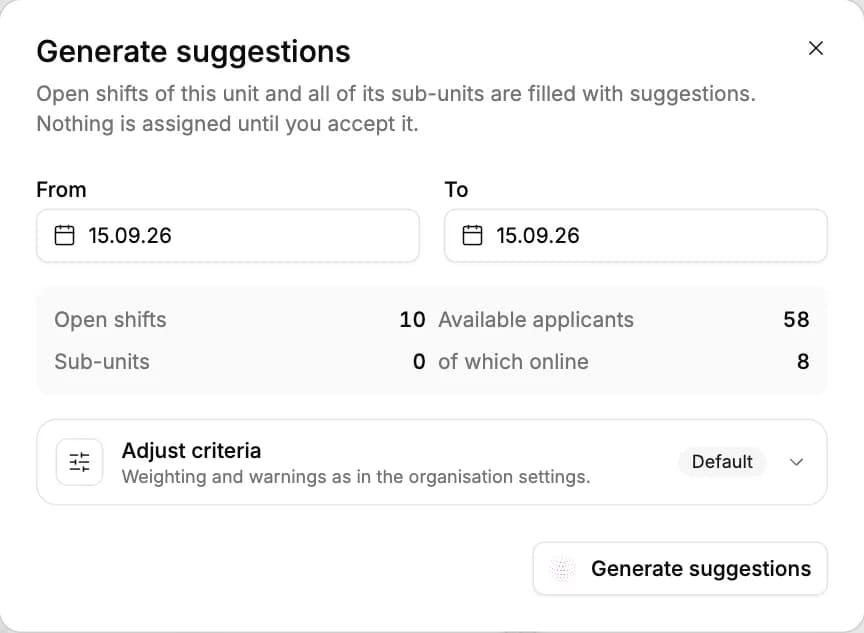
The button opens a dialog with the date range and four numbers: open shifts, available applicants, sub-units, of which online. The numbers are the first benefit; they tell you whether the run is worth it before it starts.
Gather. EVENTRA loads every application of the event and checks it against every open shift with rules that need no model: Is the person available that day? Do they already have a shift on that calendar day, in any event? Did they apply for paid work only while the shift is unpaid? Whoever fails here never reaches the model. Whoever remains gets a pre-score from your criteria and warnings that travel along instead of excluding: missing qualification, rest period under eleven hours per § 5 ArbZG, incomplete personnel data, minijob limit.
Plan. For each shift the model sees the best twenty candidates with pre-score, wishes, qualifications and the text of their application, plus the rules in your weighting. It picks one person per shift and writes one sentence about it. A day is cut into batches of at most ten shifts that run in parallel; teams that want to work together stay in the same batch so the model can place them together.
Write. Each batch lands in the plan as soon as it is done, as a ghost card on the shift: person, reason, confidence high, medium or low, plus the warnings from step one. If a shift is still empty after the last batch although someone could legally take it, a deterministic follow-up pass looks for a swap that fills it without emptying another. The model decided nothing there; the row is marked as a rule-based proposal.
What you weight, and what is fixed
Four checks are rules and not negotiable: availability, double booking on the same day, paid versus unpaid work, blacklist. The warnings are rules too, except that they show instead of exclude. Everything else is preference, and preferences belong to the organisation. Under Settings → AI planning you rank eight criteria in three tiers or switch them off:
| Criterion | What it does |
|---|---|
| Fit | Qualification and requested task against the shift; always decisive |
| Team wish | Whoever is named together in the application text is proposed together |
| Favourites | People marked as favourites first |
| Requested task | The task ticked in the application |
| Rating | Ratings from earlier deployments |
| Distance | Home address against venue, one point per 25 kilometres |
| Work type | Paid or volunteer, when both are offered |
| Load spread | Spread deployments evenly instead of the same names three times |
Decisive beats important, important beats secondary; within a tier the criteria count equally, and fit breaks ties. That is deliberately coarse. We had built a weighting with percentages and dropped it again: nobody could explain what 15 percent distance against 20 percent team wish means. Three tiers anyone can defend in the planning meeting.
The setting is the organisation default. In the dialog it can be changed for one run without touching the default; the run remembers what it was ranked by.
Accept, discard, review
The bar at the bottom counts the proposals and separates them: with warning, not fillable. “Accept all” takes only cards without a warning; the others stay until you look at them one by one. If you prefer to review the proposals as a list, open “Details”: the same cards with filters for warnings and open shifts, with accept and discard per row.
Accepting assigns the person to the shift, on the same path as a drag and drop: if the shift has been staffed differently in the meantime, the proposal lapses instead of overwriting; if the shift is online, the notification goes out immediately. If a shift is edited, moved or staffed by hand between run and click, its card lapses; a proposal does not outlive the shift it describes.
More on why the click is not a formality is in the article AI shift planning for events.
What the model sees, and where it runs
For staffing proposals the model sees names, qualifications, wishes and the text of the application. Without names the proposal could not be reviewed. The call runs through Amazon Bedrock in the EU; inputs are not used for training. Every run reserves an amount from the organisation's AI budget beforehand and books the actual tokens afterwards; if the month's budget is exhausted, no run starts, and the bar says so.
What the run does not do
It does not plan across areas you did not select, and it does not move an existing assignment. It does not fill a shift for which nobody meets the rules; the row then says why. And it does not start twice for the same area: as long as proposals are up for decision, the button is locked until you have accepted or discarded.