Live board in the crew app: team leads see their crew, gaps and check-ins at the post
Since 8 September team leads have the live board in the crew app: who is checked in, who is missing, which shift starts next, right at their area. Plus team leads on the area, support replies as push and an app icon that counts open shifts.
In short
- The live board is now in the app: team leads see their crew, the check-ins and the day's gaps at the post, without a laptop and without radioing the control room.
- Team leads can be assigned to every area. The crew sees in the app who is responsible on site, and the control room knows whom to call.
- Replies from HR support reach the crew as push, with their own category in the settings. The number on the app icon counts messages, support replies and shifts still waiting for confirmation.
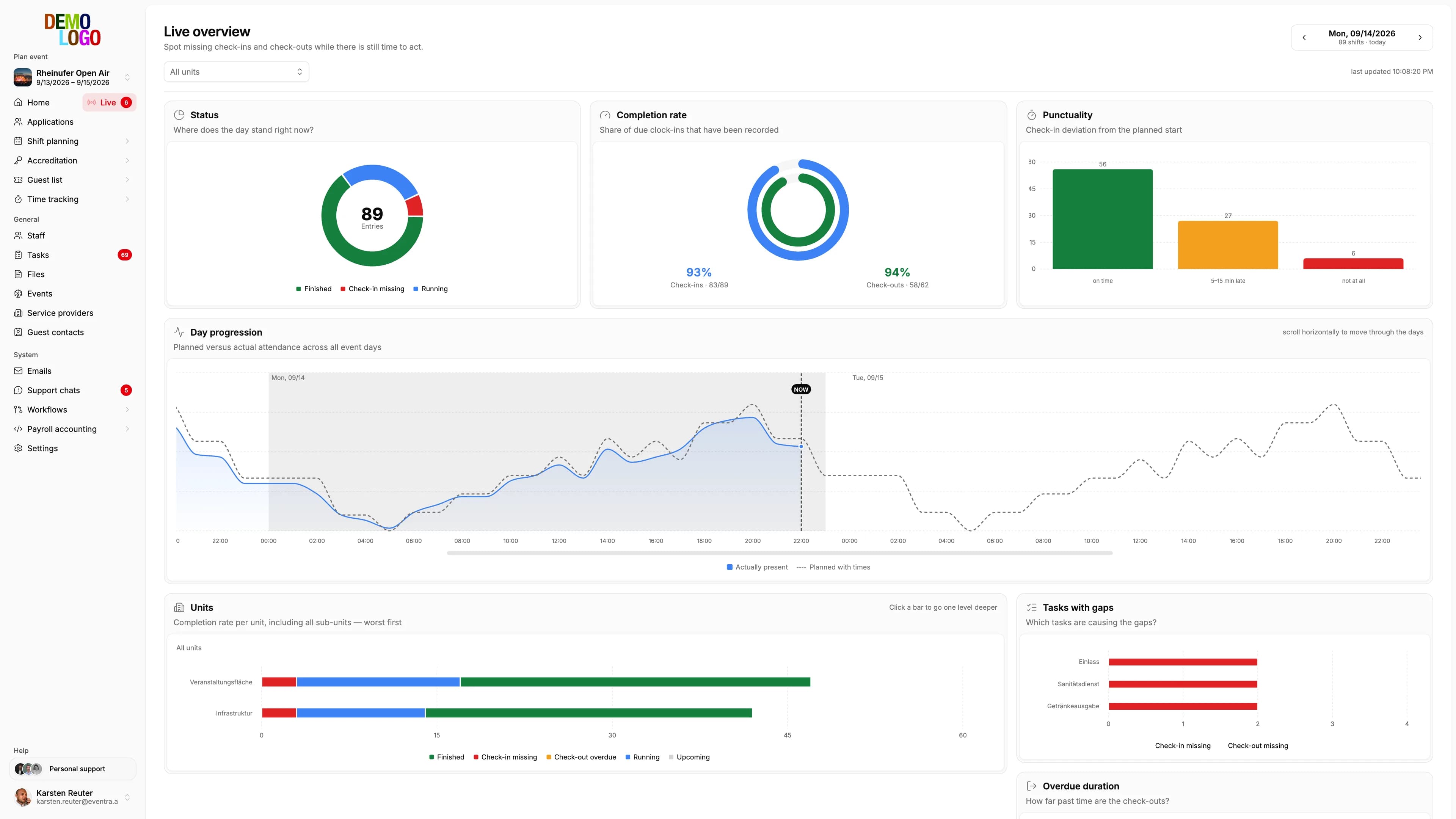
The live overview in the web has shown the operations lead for a while who is checked in, who is missing and which area is short. At the post none of that arrived: team leads had the app for scanning but no view of their own area. The update of 8 September closes the gap and builds the chain around it: team leads on the area, push for support, an app icon that says what is open.
The live board at the post
A team lead opens the team section in the app and sees their area for the day: the shifts in the order of the day, per shift the assigned people with check-in status, and the gaps, meaning shifts nobody has checked in for although they have started. The numbers are the same as in the live overview in the web, reduced to the one area.
What the board does not do: it does not replan. Refilling, moving shifts and handling cancellations stay in the web with the planners. The board is the view, not the tool; a team lead who sees a gap calls or writes in the chat.
Team leads on the area
So the board knows whom to show what, team leads can be assigned to every area since 8 September, several per area. The assignment has a second effect: the crew sees in their shift who is responsible on site, by name. With 40 areas on a site that is the question otherwise asked over the radio.
Support replies as push
The support chat in the app, through which the crew asks the HR team questions, had a blind spot: the reply came, but nobody noticed. Replies from HR support now go out as a push notification, with their own category in the app settings so they can be turned off separately from shift changes. On Android the chat has its own notification channel that appears as heads-up.

The app icon counts what is open
The number on the app icon used to be the count of unread feed messages. Now it counts three things: new messages, support replies and shifts assigned to the person that still need confirming. A 3 on the icon means something is waiting that only this person can do.
Smaller things from the summer
Two changes from August belong to the same topic. The live overview in the web got filter chips: every click into a chart becomes a removable filter, and several filters combine. And since 7 August recorded hours are matched to the right shift when they are saved, not only when the list is opened. What a team lead scans is in the right place on the board seconds later.