Automating payroll for event staff: from check-in to the payroll office
How payroll for temps, mini-jobbers and short-term employees at festivals and events gets automated under German law: master data from the person, hours from the check-in, supplements from rules, limits checked before the export, a file for the payroll software. And what stays with the payroll office.
In short
- Everything before the payroll software can be automated: master data the person enters themselves, hours from the check-in, supplements and wage types from rules, the check of the 70-day and Minijob limits, and the import file for DATEV or StoTax.
- What stays with the payroll office is wage tax, the social-insurance notifications and the decision on how a borderline case is settled. The software supplies the hours, the person group and the evidence for that, not the payslip.
- With 300 temps a month the difference is not computing time but the source of errors: every hour that is retyped is an hour that can be wrong. Automation removes the retyping, not the payroll office.
- § 3b EStG
- § 41 EStG
- § 8 SGB IV
- § 28f SGB IV
- § 17 MiLoG
- § 3 MiLoG
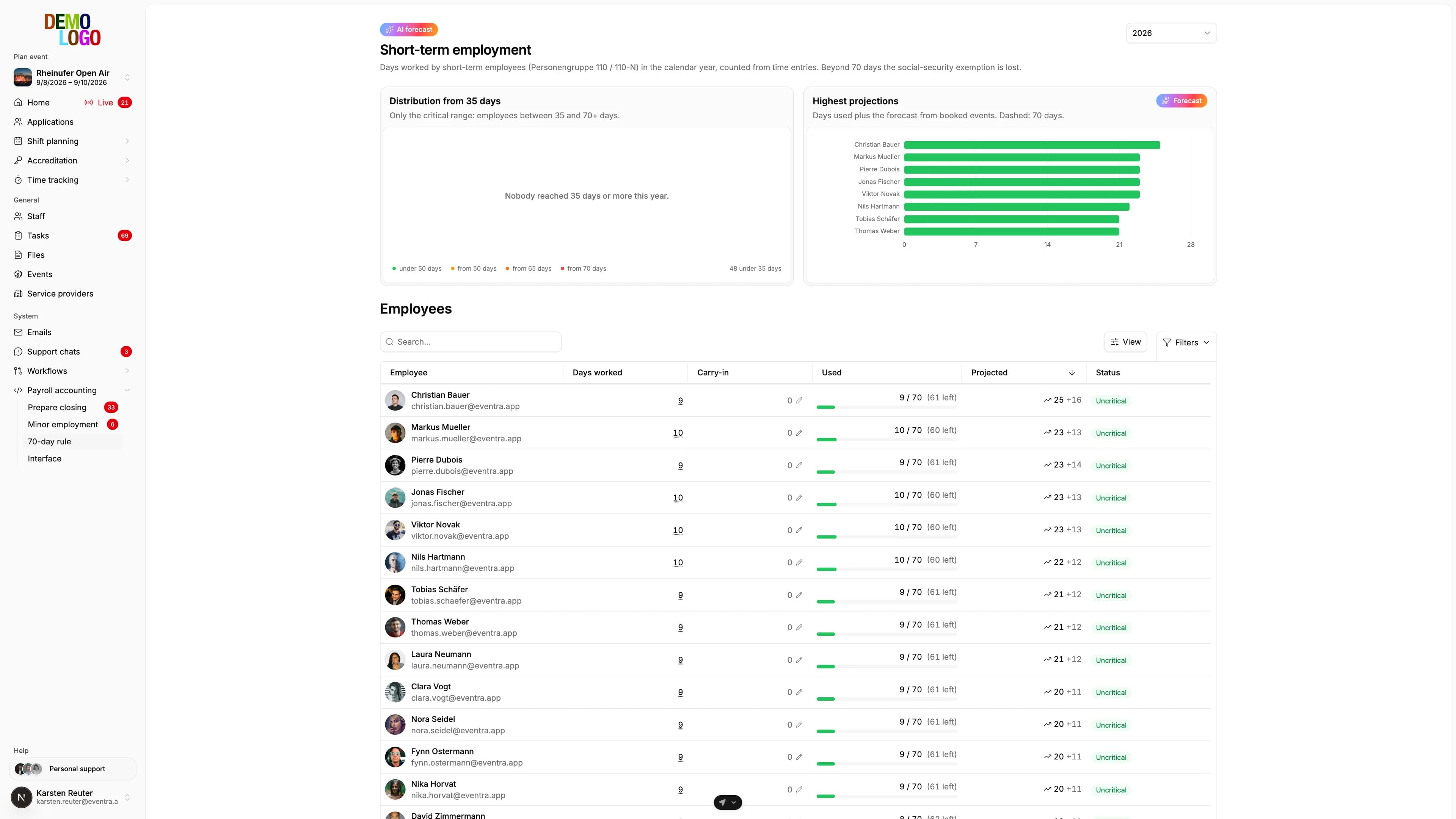
Automating payroll for event staff does not mean replacing the payroll office. It means automating everything that happens before the payroll software: master data, working hours, supplements, person groups, statutory limits and the import file. With 300 temps for a festival weekend, that part is the problem, not the payroll run itself. The payroll software processes 300 people in minutes. Getting those 300 people from Excel, WhatsApp and timesheets into the payroll software takes days, and every retyped hour can be wrong.
The seven steps from check-in to payslip
| Step | Manual | Automated | Who decides |
|---|---|---|---|
| 1. Capture master data | HR retypes from application and personnel form | The person enters it, mandatory fields and check digits in the form | Software checks, person supplies |
| 2. Set the person group | HR decides per person from memory | From employment type and pay: 101, 109 or 110 | HR decides, software proposes |
| 3. Record working time | Timesheet, team-lead list, Excel | QR check-in per person and day, offline included | Software records, supervisor approves |
| 4. Supplements and wage types | HR calculates night, Sunday, holiday per person | Time rules assign every hour to a wage type | Payroll office defines the rule, software applies it |
| 5. Check limits | Nobody, until the audit comes | 70-day and Minijob limit per person before the export | Software warns, HR decides the borderline case |
| 6. Create the file | Excel export, re-entered at the payroll office | Import file in the payroll software's format or API push | Software |
| 7. Run payroll and notify | Payroll office | Payroll office | Payroll office |
Six of the seven steps can be automated. The seventh stays where it is and gets faster through the first six, because nothing has to be queried any more.
Steps 1 and 2: master data from the person, person group from the facts
For payroll, the office needs per person: name, address, date of birth, nationality, tax ID, health insurer, social-insurance number, bank details, start date and the person group. With temps, a large share is new every year. Whoever retypes this from application emails produces the errors the payroll office later sends back: transposed digits in the IBAN, a tax ID with ten instead of eleven digits, a date of birth without a year.
The automation here is a form the person fills in themselves, with mandatory fields and check digits for IBAN, tax ID and social-insurance number. The social-insurance person group follows from two questions: is the employment limited to 70 working days or three months a year and not the person's main occupation, then person group 110, short-term employment. Is regular pay below the Minijob limit, 603 euros a month in 2026 under § 8 (1) no. 1 SGB IV, 633 euros from 1 January 2027, then 109. Otherwise 101. The software can propose this; HR has to decide, because "main occupation" depends on the person's status. The details are in Short-term employment and the 70-day rule, Minijob limit 2026 and the handbook entry on Minijobs at events. If the person works at the bar, in security or in trade-fair construction, the payroll office needs the same data before the first shift, for the Sofortmeldung.
Step 3: hours from the check-in instead of the timesheet
Recording working time is not optional for event staff. For mini-jobbers, § 17 MiLoG requires start, end and duration of daily working time, recorded by the seventh day afterwards and kept for two years. For short-term employees, the number of working days decides the status. And the minimum wage under § 3 MiLoG applies to everyone and can only be proven if the hours are right.
A timesheet meets the obligation on paper and fails in practice: it is filled in from memory in the evening, rounds to full hours and knows no break. A QR check-in at the post records arrival, break and departure to the minute per person and day, without a network too, as in EVENTRA time tracking. The supervisor approves, not HR. What the time-recording obligation at festivals requires in detail is covered there.
Step 4: supplements from rules, not from the calculator
Night work, Sunday and public holidays are the normal case at events. Under § 3b EStG, supplements up to 25 percent for night work between 8 pm and 6 am, up to 40 percent between midnight and 4 am if work started before midnight, up to 50 percent for Sunday work and up to 125 percent for public-holiday work are tax-free. The condition is a record of the hours actually worked at those times. A flat night supplement without an hours record is taxable.
Automated means: the payroll office defines the time rules once, night time, Sunday, public holiday, break deduction, rounding, and every recorded hour lands in the matching wage type. A check-in from 10 pm to 6:30 am becomes 2 hours of basic pay with a 25 percent night supplement, 4 hours with a 40 percent night supplement, 2 hours with 25 percent and half an hour without a supplement, minus the break. The wage-type numbers come from the payroll office's catalogue so the file imports without mapping. Whether and how much of it is tax-free is calculated by the payroll software.
Step 5: limits before the export, not after the audit
Two limits decide social insurance for event staff: 70 working days or three months in the calendar year for short-term employees, 603 euros a month for mini-jobbers, 633 euros from 2027. Both get breached in everyday operations without anyone noticing, because one counts across all events of the year and the other across all employers. The consequence is back payment of social-insurance contributions for the whole employment, plus a late-payment surcharge.
The automation counts per person: working days from recorded hours across all events of the year, planned days from the shift plan as a forecast, the month's pay against the Minijob limit. Whoever would breach the limit by the end of the season appears in the list before the export, not after the audit. What the software cannot decide is the borderline case: whether a person who was over the limit in July with 640 euros had an unforeseeable overrun or a regular one is decided by HR with the payroll office. The software documents the decision with a date.
Step 6: the file the payroll office imports without a query
The difference between an Excel export and an import file is the query. The payroll office receives Excel and retypes it. A file per DATEV record description for LODAS, an import file for Lohn und Gehalt or a StoTax CSV the payroll office imports. Three things have to be right for that:
- Master data and movement data separated. Master data only for new and changed people, movement data as hours or amounts per person, wage type and payroll month.
- Mandatory fields checked before the export. A missing personnel number, IBAN or tax ID is reported before the export and requested from the person in the app, not by email from the payroll office.
- Leavers included. Short-term employees get a leaving date after the event; a return next year is a new entry. Without leavers, the people keep running in the payroll software.
Which formats DATEV LODAS and Lohn und Gehalt expect exactly is in DATEV LODAS import from time tracking, and how the direct handover without a file works is in the article on the DATEV interface and DATEV data service.
Which payroll programs accept the data
| Payroll program | Typical user | Import | Route from EVENTRA |
|---|---|---|---|
| DATEV LODAS | Tax-advisor firms | ASCII file with record description, payroll run in the DATEV data center | Import file or DATEV data service |
| DATEV Lohn und Gehalt | Firms and companies with their own payroll department | ASCII import with a vendor format read in once | Import file or DATEV data service |
| StoTax | Tax-advisor firms | CSV import file | Import file |
The same principle applies to other payroll programs: what's needed is an import in the program's format, with the payroll office's wage-type numbers, not an Excel list. Ask your payroll office first which program it runs for your client, and only then ask the software whether it produces that format. All EVENTRA formats are listed under export.
Hospitality, part-time and Midijob: the special cases
Not everyone at a festival is a casual worker. Three groups run differently in payroll:
- Part-time and casual staff in hospitality. Anyone running bar and catering in-house is subject to the Sofortmeldung in the hospitality business unit. Payroll itself follows the employment type; the night, Sunday and public-holiday premiums are the same as for stage crew.
- Midijob. If regular pay is above the Minijob limit but at most €2,000 a month, the transition range with reduced employee contributions applies: from €603.01 in 2026, from €633.01 in 2027. Person group 101; the payroll software does the calculation.
- Permanent crew. For them, working time matters most: rest periods, breaks and compensation under the Working Hours Act. What typically breaks at festivals is covered in rest periods at events.
What changes in 2027
| 2026 | from 1 Jan 2027 | |
|---|---|---|
| Minimum wage | €13.90 | €14.60 |
| Minijob limit | €603 a month | €633 a month, €7,596 a year |
| Midijob transition range | €603.01 to €2,000 | €633.01 to €2,000 |
| Short-term employment | 3 months or 70 working days | unchanged |
| DATEV LODAS, Lohn und Gehalt | Year-end version 2026/27 with the update at the end of December 2026, no separate main release |
For automation that means: hourly wages below €14.60 have to be adjusted before the first January shift, and anyone planned as a Minijob worker is checked against the new limit. A reform of the Working Hours Act with a weekly instead of a daily maximum and mandatory electronic time recording so far exists only as a ministry draft (Referentenentwurf) from June 2026 and has not been passed. Anyone already recording by check-in today is prepared for both.
What stays with the payroll office
| Task | Stays with the payroll office because |
|---|---|
| Wage tax and tax exemption of supplements | § 3b EStG calculates on the basic hourly wage; only the payroll software has all pay components |
| Social-insurance contributions and DEÜV notifications | Registration, deregistration, annual notification go from the payroll software to the health insurer |
| Flat-rate tax for short-term employees | 25 percent under § 40a (1) EStG or individual tax, decision per person with the tax adviser |
| Borderline cases | Unforeseeable overrun of the Minijob limit, main-occupation status in short-term employment |
| Wage account and retention | § 41 EStG, six years after the last entry; the software supplies the export history as evidence |
Automation changes what the payroll office receives, not what it does. Instead of an Excel sheet with 300 rows and twelve queries, it gets two import files and a list of borderline cases with evidence. How payroll offices work with EVENTRA is on the page for payroll offices, and the basics are in the handbook entry on payroll for event staff.
What that means with 300 temps
| Manual | Automated | |
|---|---|---|
| Capture master data | Retype 300 personnel forms, 2 to 3 days | 0 hours, the person enters it |
| Record hours | Collect and transfer timesheets, 2 days | 0 hours, approval by the supervisor |
| Calculate supplements | Per person, 1 day | 0 hours, from rules |
| Check limits | Not at all, or in Excel, 1 day | List per person, 1 hour for the borderline cases |
| File for the payroll office | Excel, re-entered at the payroll office | Import, 0 queries with complete master data |
| Sources of error | Every retyped digit | Borderline cases that HR decides |
The figures are experience values from festivals with 300 to 800 crew; yours depend on how many people are new each year. The core stays: the automation does not save the payroll software's computing time, it saves the week before.