The guest list that fills itself
You set an allocation per host, the host enters their guests through a link, the ticket lands in the wallet, and at the door every person is scanned individually. Sponsors, press, artists and the crew's families, in one list.
Your own test environment in minutes. No credit card, ends automatically.

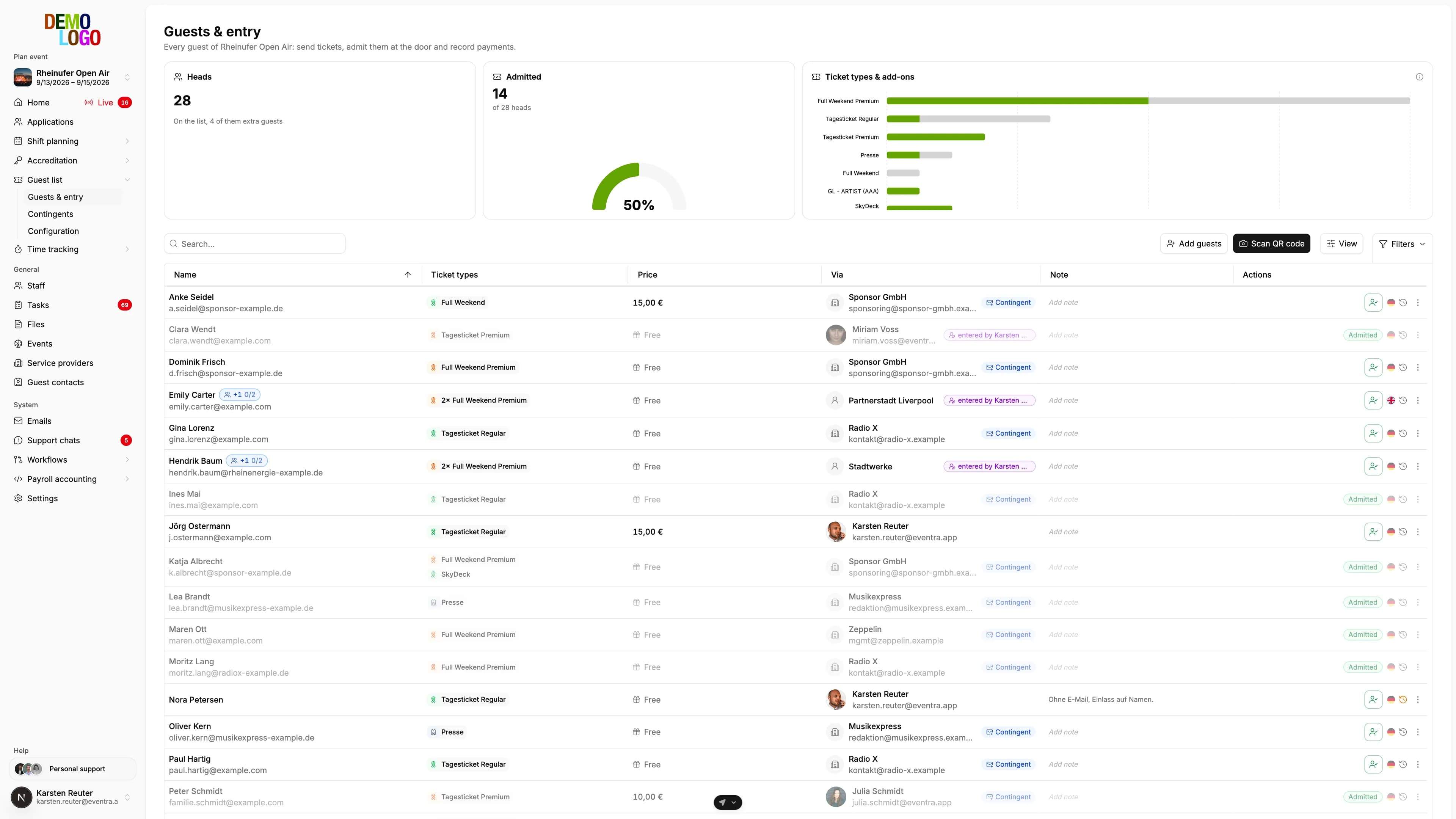
Visitor management for your event, from invitation to admission
Three things that otherwise live in three spreadsheets: who may invite how many, who is actually coming, and who is already in.
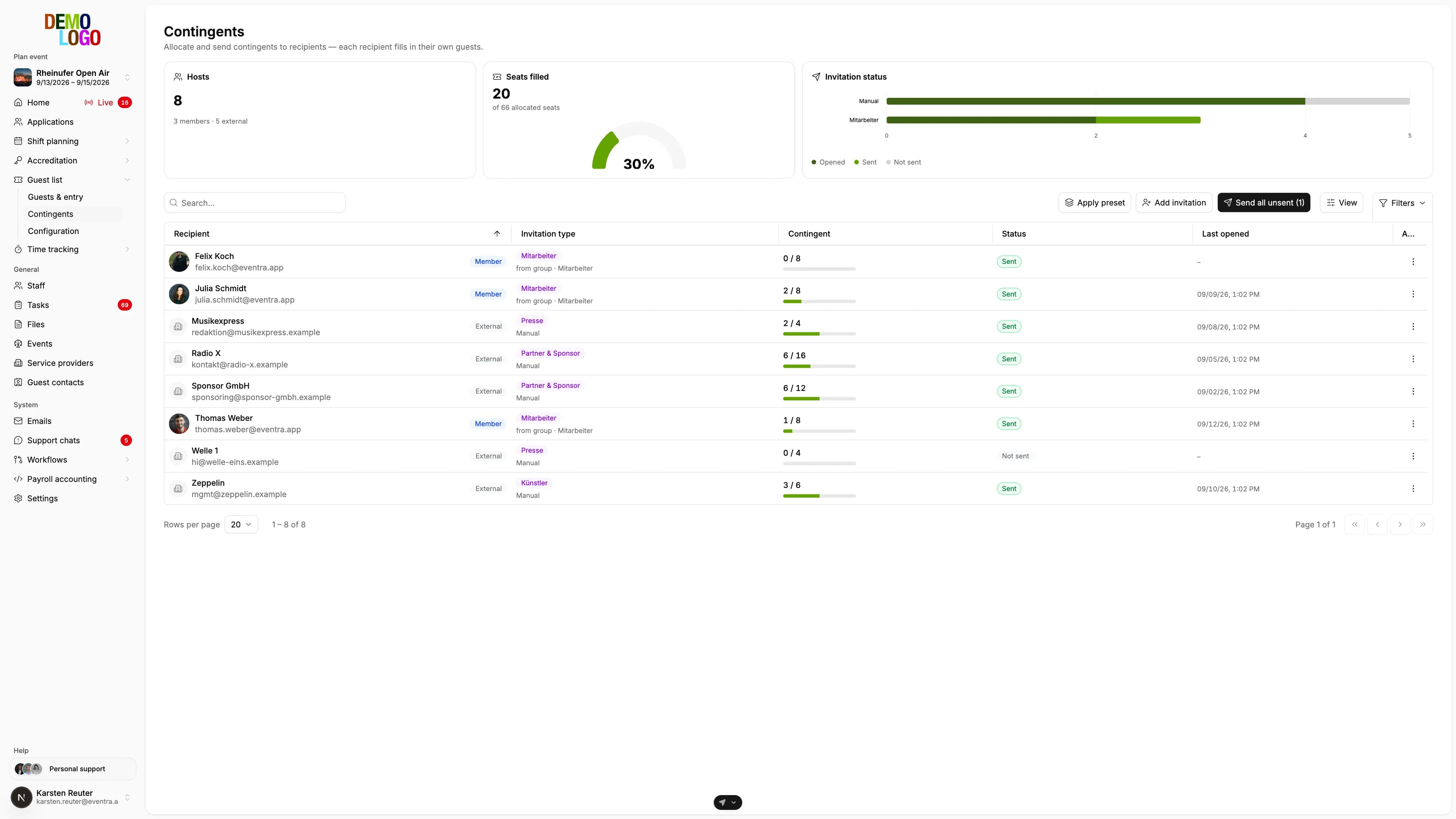
Allocations per host
Every invitation type has ticket types, quantities and prices. Sponsor GmbH gets four Full Weekend Premium for free and six Full Weekend at 15 euros, the press two press bands. Saved as a template, reused for the next event.
- Ticket types with colour and short code
- Quantity and price per line
- Templates per invitation type
Hosts enter their own guests
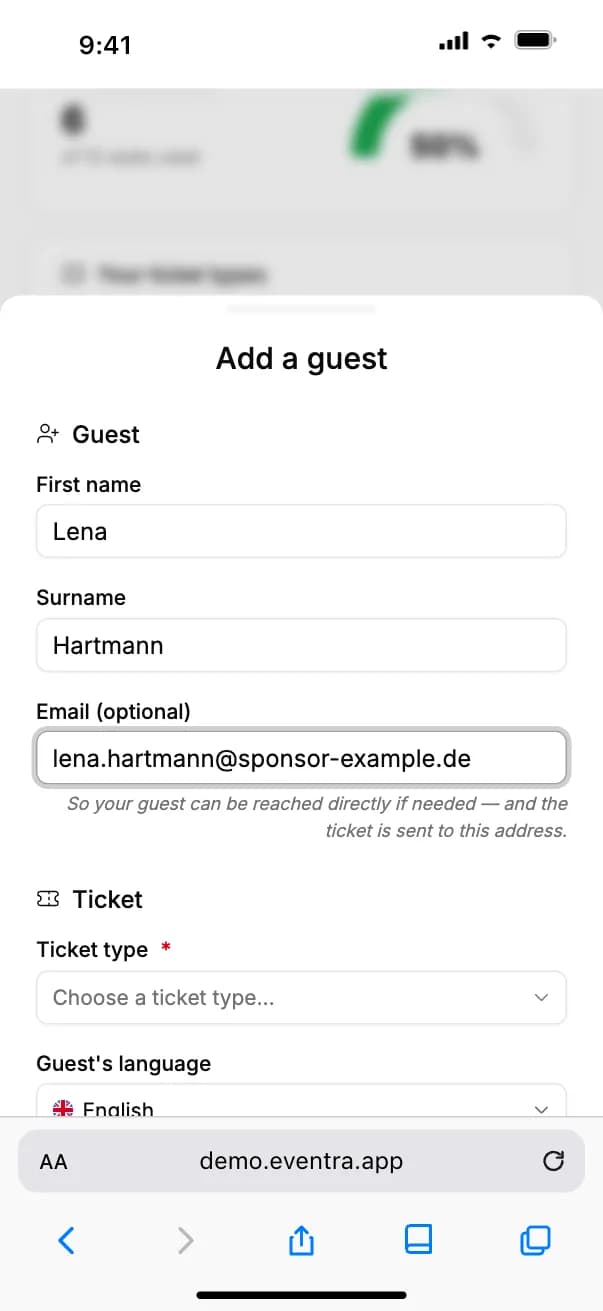
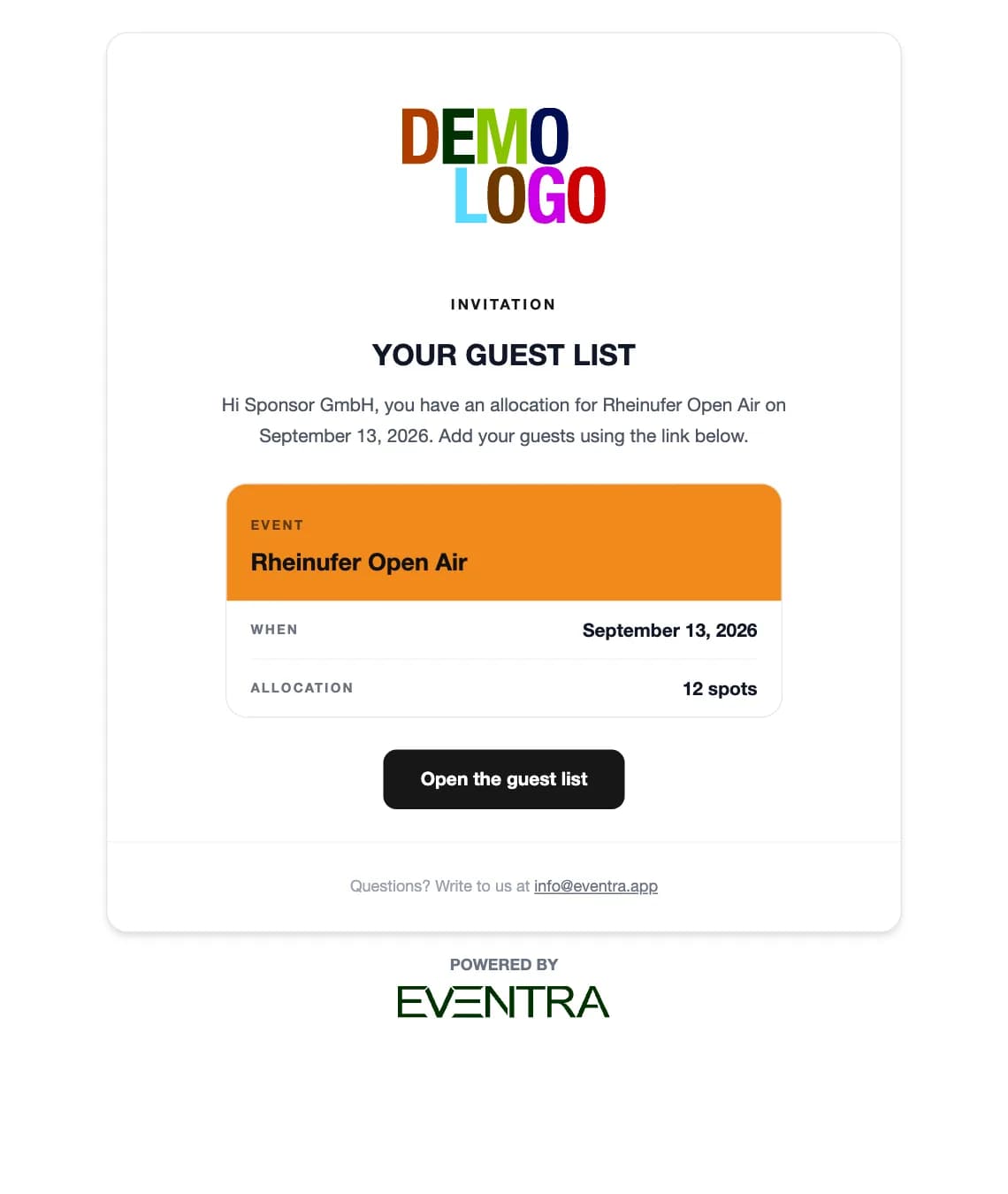
The host receives a mail with a link, sees their allocation and enters names and addresses, one by one or as a pasted list. What they fill in, you see immediately, remainder included.
- Invitation mail on the scheduled date
- Paste a list instead of typing a form
- Remainder visible per line
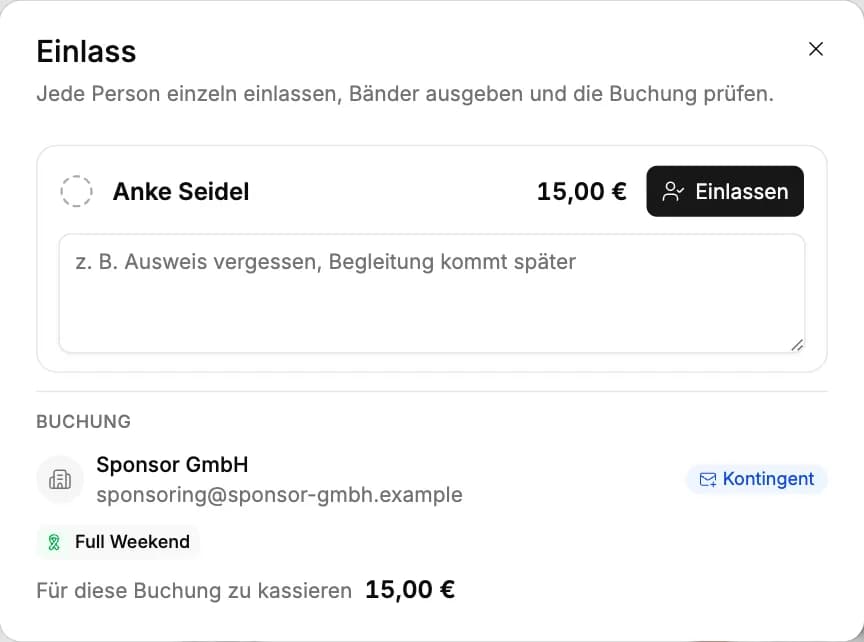
Admission per person
At the door the QR code is scanned or the name searched. Every person is admitted individually, including the companion on the same ticket. Whoever is already in shows green in the list.
- Scan or name search
- Admit companions one by one
- Amount due visible at the door
One guest, one ticket, even if three people invite them
The sponsor invites the mayor, the press has her on their list too, and the crew knows her privately. On entry, EVENTRA checks email and name against the event's entire list and warns the host before the second ticket goes out. Beyond that, the model reads spellings and abbreviations, flags the pair, and you decide whether it is one person. At the door the scan then sees one booking, not three.
- Warning on entry, not at the door
- Email, name and spelling across all hosts
- Merge with one click, allocation stays correct

Who may invite how many sits in one table
Every invitation is a row: host, invitation type, allocation per ticket type, filled and open, sent and opened. An allocation can be adjusted per invitation without touching the template. Who has not opened their link yet, you see two weeks before the event, not at the door.
- Sent, opened, filled per invitation
- Allocation adjustable per invitation
- Delegate part of it as a sub-invitation

The ticket sits in the wallet, companions included
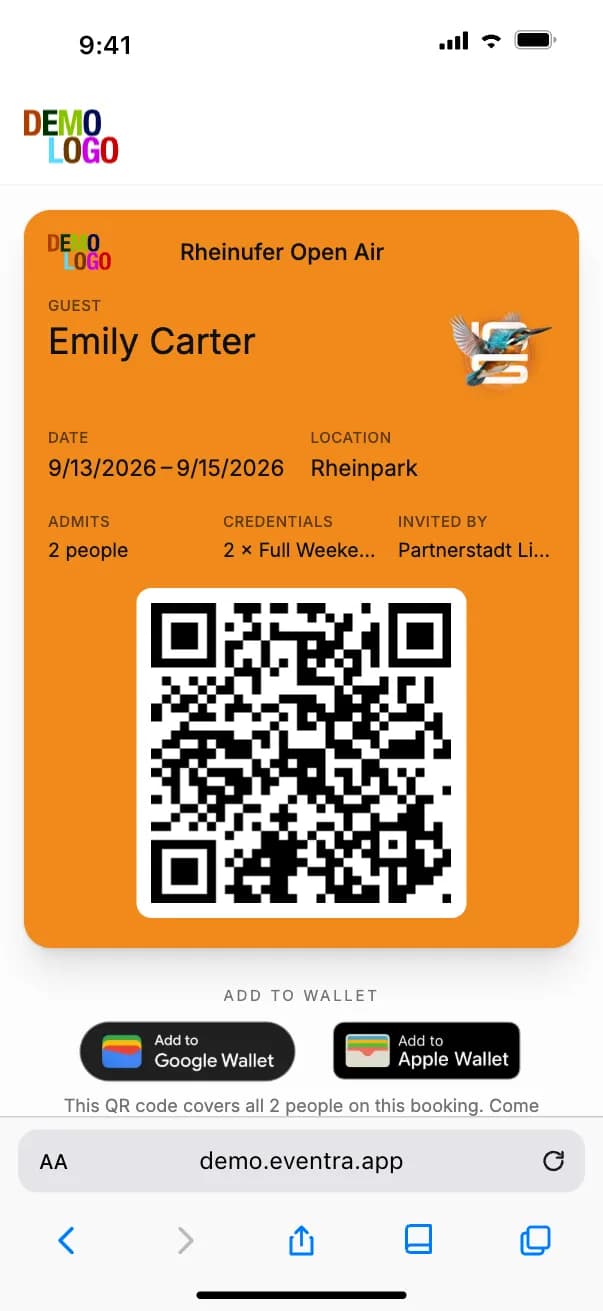
Every guest receives their ticket by mail: as a page in the browser and as a pass for Apple Wallet and Google Wallet, in your event's design. Companions are on the same ticket, with one QR code for the whole booking. At the scan, the door sees who of the group is already in.
- Apple Wallet and Google Wallet
- One QR code for the whole booking
- Event colour and artwork per event
How the guest list runs up to the door
Four steps, of which HR does only two.
Create ticket and invitation types
Full Weekend, day ticket, press, add-ons like camping or SkyDeck. Once per tenant, for all events.
Assign allocations
One invitation per host with quantity and price per ticket type, from a template or by hand.
Hosts enter guests
The link goes out on the scheduled date. Duplicates are flagged on entry, the ticket goes to the guest automatically.
Scan at the door
QR code or name, person by person. The statistics count who is in and what is still open.
What the guest list settles before the door
The numbers that are otherwise missing in the evening.
- Per host
- 1 link
- Wallets
- 2
- QR code per booking
- 1
- Admission rate
- Live
Frequently asked questions about the guest list
Answered briefly, so you know what you will see in the demo.
What is guest list software for events?
How does visitor management with allocations work?
Can hosts enter guests without a login?
What happens when the same guest is invited twice?
How does the ticket reach the guest?
Does admission work with prices too?
Read next
Practitioner answers to the questions that come up next.
Guest list: companions on one ticket, duplicate warning, invitations on autopilot
What landed in the EVENTRA guest list in September: plus-one guests sit on the inviter's ticket, the list warns about duplicate guests, contingents can…
ReadEvent accreditation: process, background checks and software
How accreditation works at festivals, stadiums and large events: allocations per contractor, data capture by the companies themselves, the reliability…
ReadBookZuck POS and crew planning: POS codes come out of the shift confirmation
How the BookZuck integration in EVENTRA turns a confirmed bar shift into a POS account with a role and a login code, what the crew receives by email, and…
Read
See a guest list that is already filled
30 minutes with the founder, with allocations, wallet ticket and the door of a real festival day.
Your own test environment in minutes. No credit card, ends automatically.
See pricing