A shift plan across every stage and day
Areas, tasks and shifts per event day in one grid. Rest-period conflicts and Minijob limits show while dragging, express shifts fill large areas in seconds, team leads see their crew in the app.
Your own test environment in minutes. No credit card, ends automatically.

Plan like a stage manager, check like a payroll office
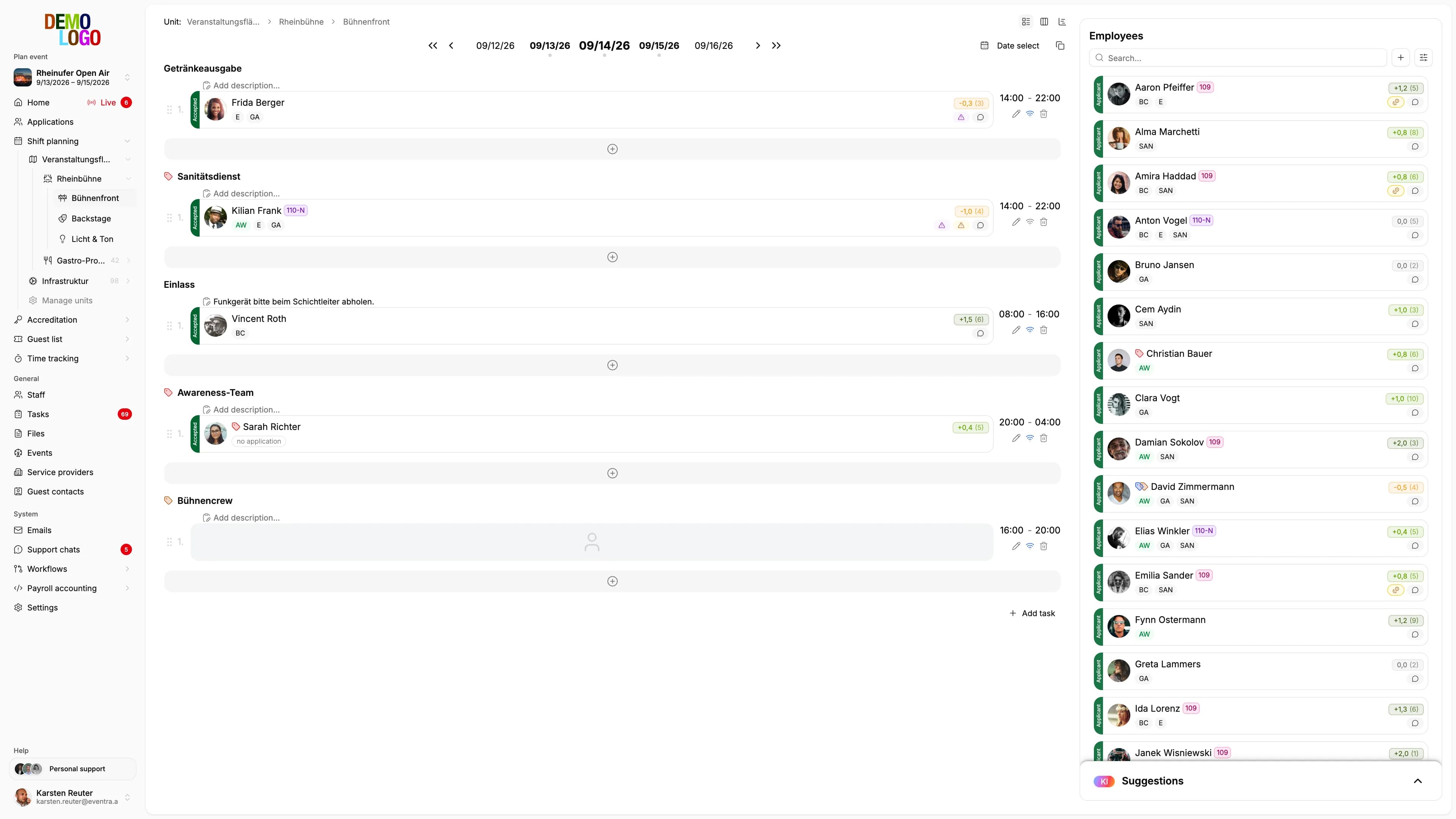
The grid shows every area and every day, the checks run alongside. You see conflicts while planning, not in payroll.
Areas, tasks, days in one grid
Every stage is an area, every area has tasks, every task has shifts per event day. Drag, copy, carry over days.
- Shifts by drag-and-drop
- Copy day to day
- Team leads per area
Matching crew and one suggestion per shift
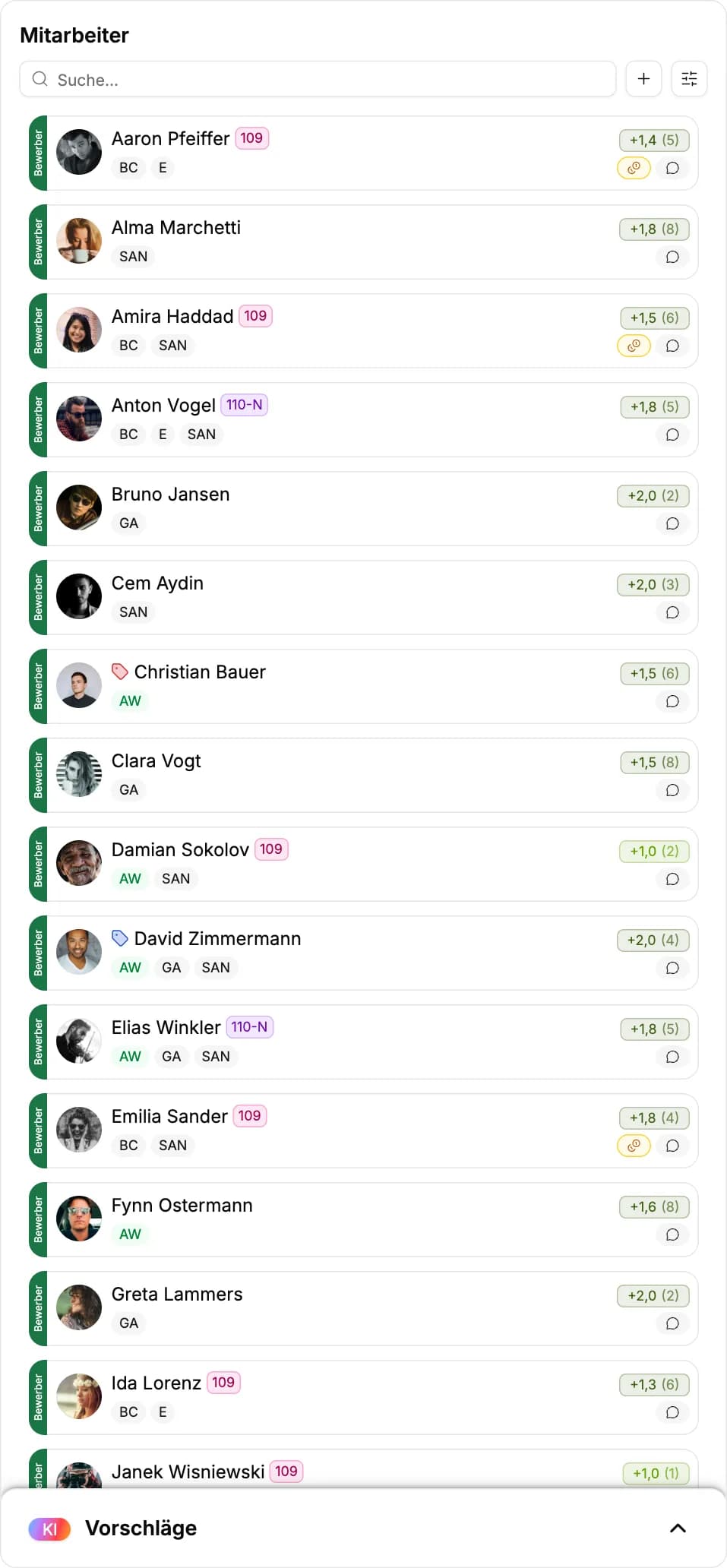
The staff list shows qualification tags, rating and availability. For every open shift the AI suggests a person, with a reason and a confidence level, as a suggestion in the grid until you take it over.
- Filter by qualification
- Suggestion with its reason on the shift
- Team preferences from the application feed in
Conflicts before they happen
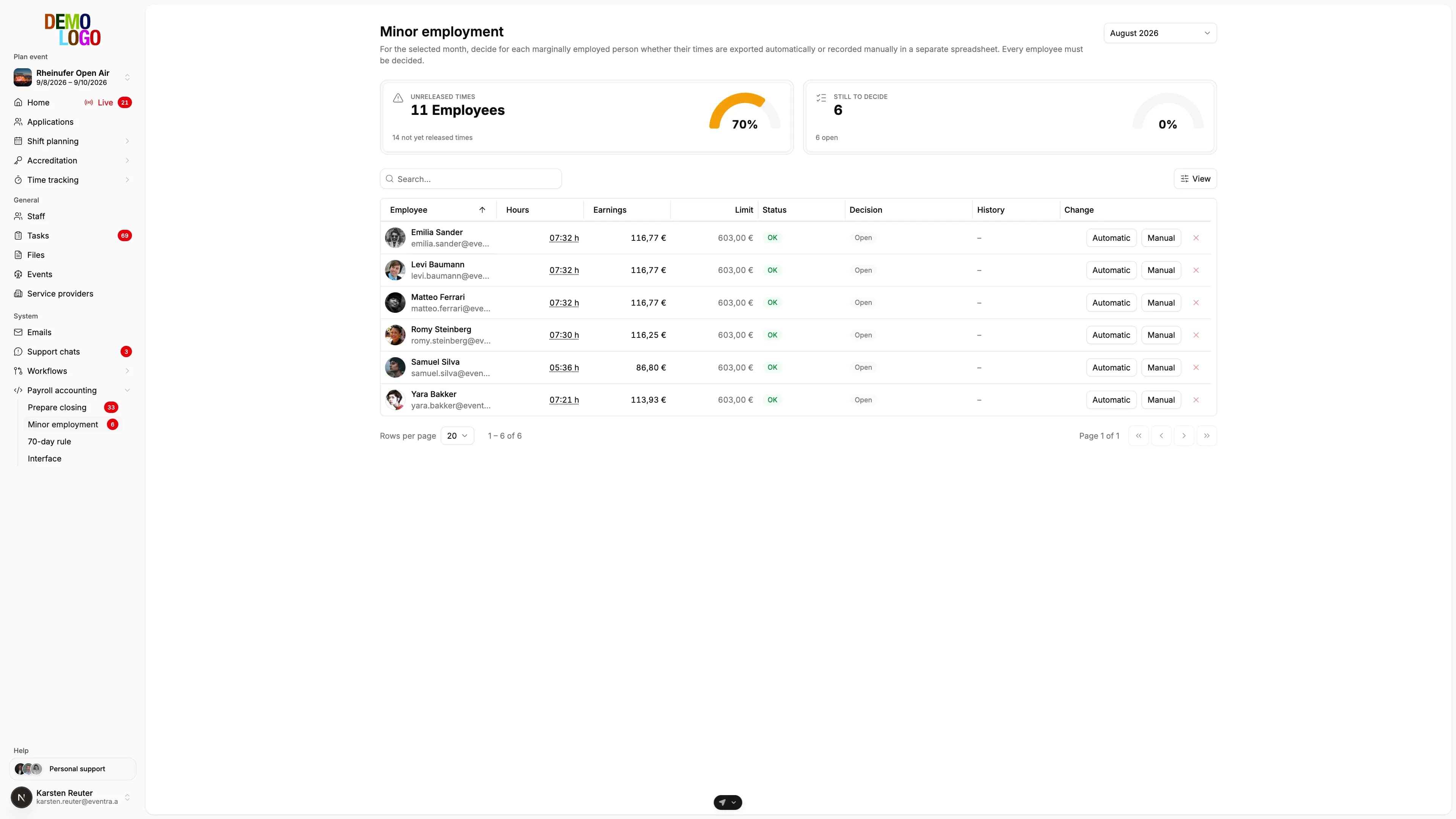
Rest period under eleven hours, double booking, Minijob limit in reach: the warning appears on the shift, not weeks later at the payroll office.
- Rest-period warning on the shift
- Double booking across areas
- Minijob limit per month
One click, and the area is staffed
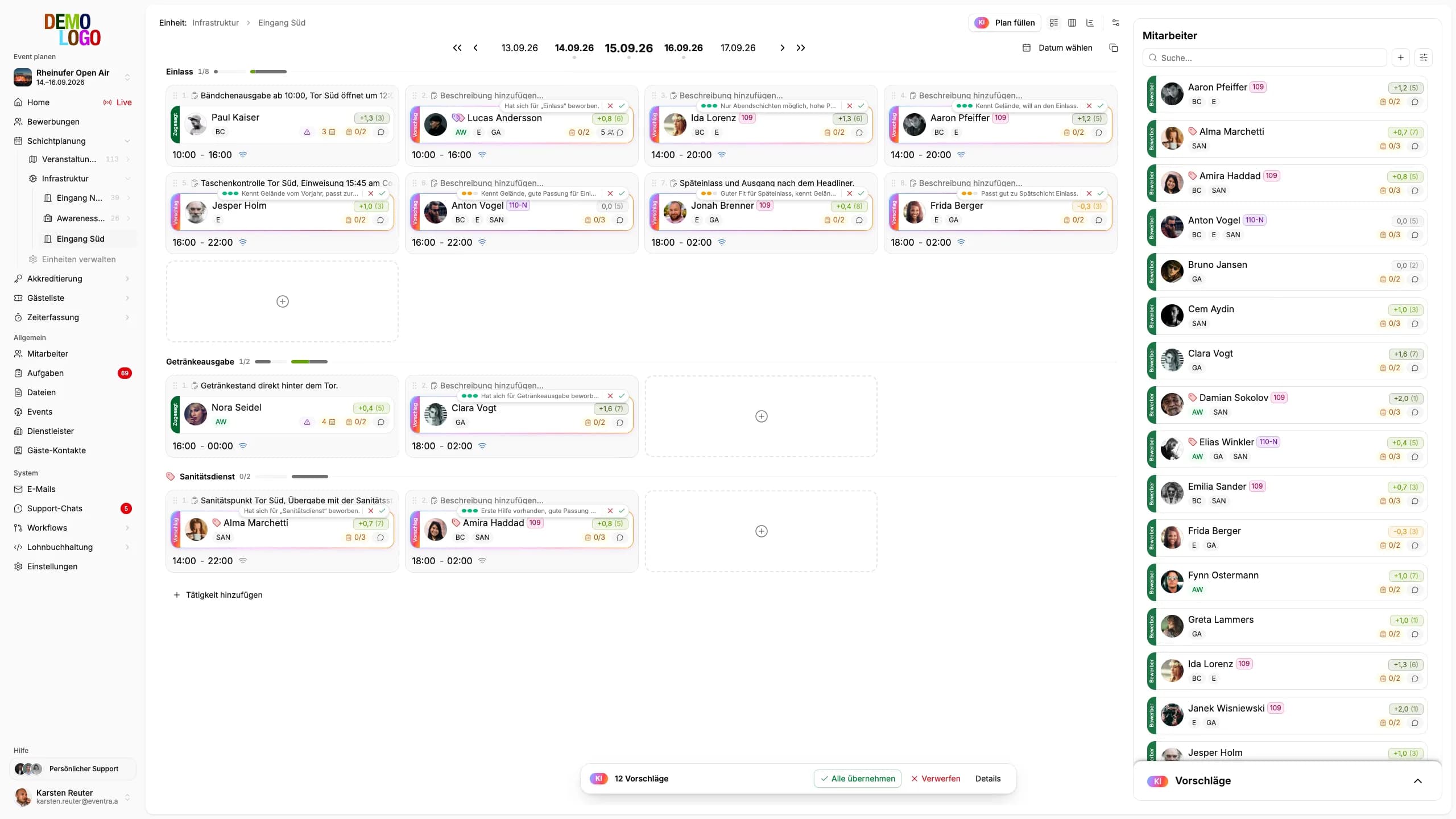
Ten open shifts, one click on “Fill plan”. The AI gathers the free applicants, filters by qualification, availability, rest period and limits, and places a suggestion with reason and confidence on every shift as a ghost card. You read, accept all at once or discard individual ones.
- Whole areas and sub-units in seconds, not shift by shift
- You weight criteria such as team wish, rating or distance yourself
- Every card states its reason and its confidence
- Nothing is booked until you accept
Drag, and the shift is set
Create a shift, drag it to the next day, assign crew. The app immediately shows the crew where and when they are scheduled, with area, task and contact.
- Drag shifts between days and areas
- Times, breaks and pay on the shift
- Crew confirmations and cancellations flow back into the grid
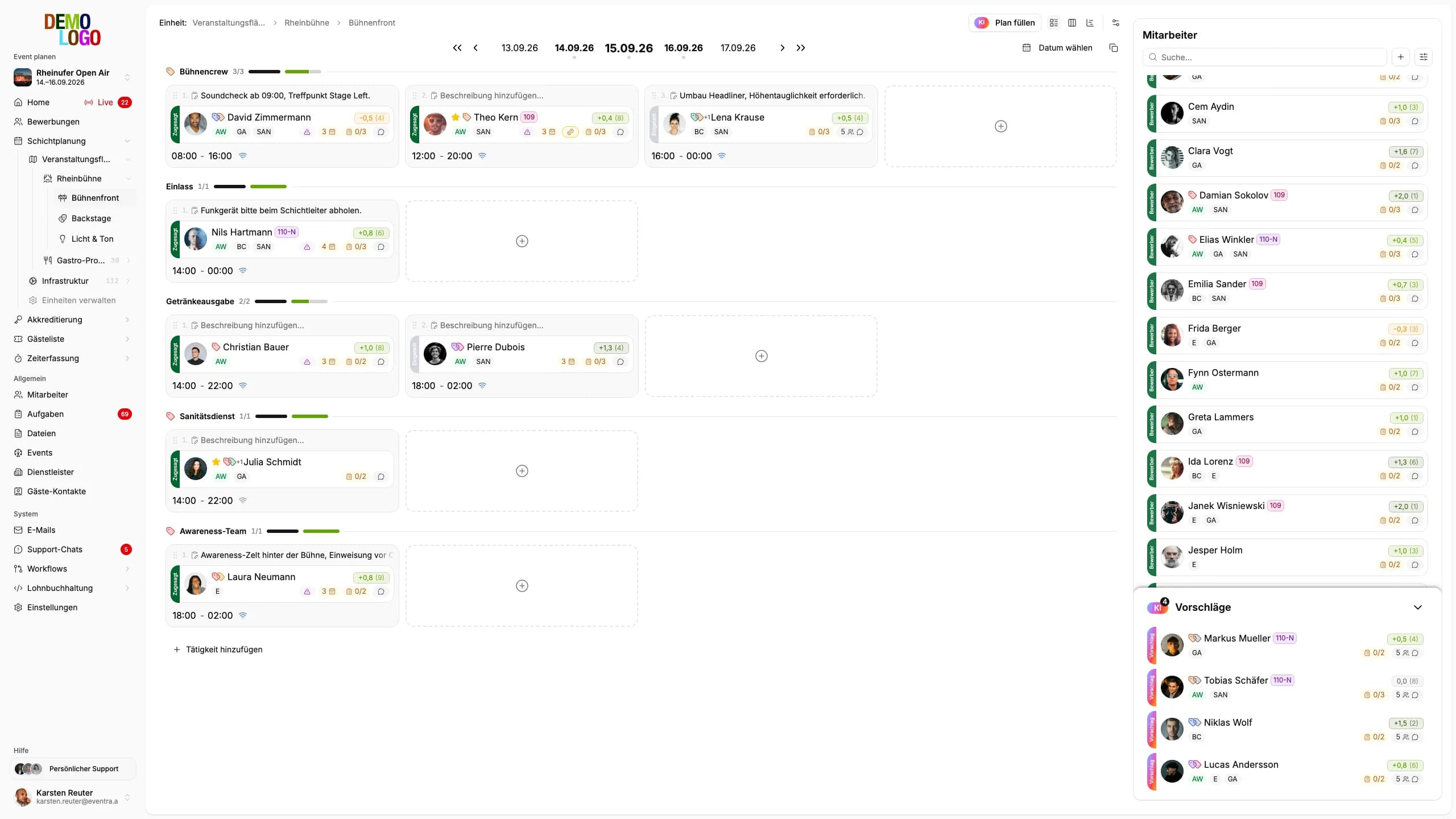

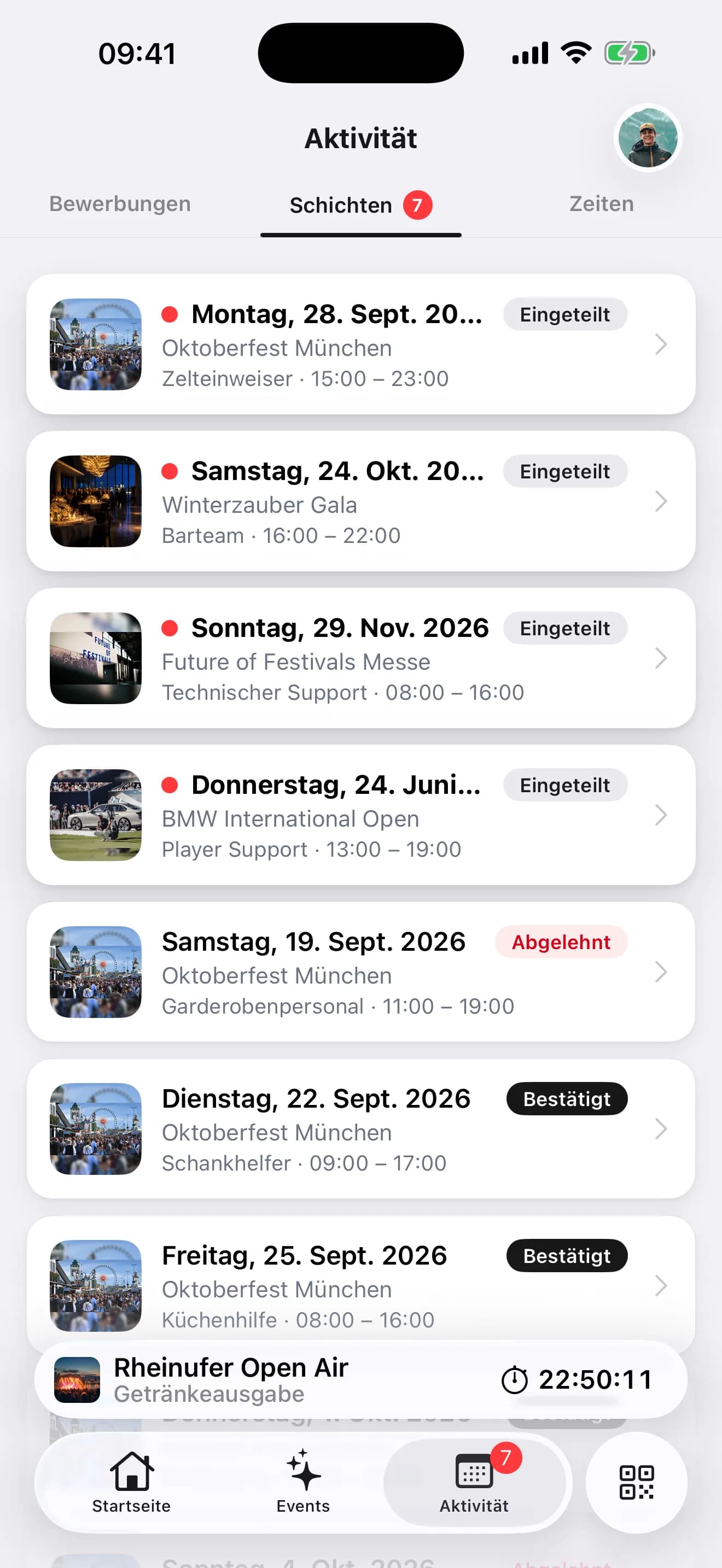
The open shift gets a suggestion, not a guess
The model only sees candidates that are filtered beforehand: qualification, availability, rest period, Minijob and 70-day limit. It suggests a person, states the reason and its confidence and places it as a ghost card on the shift. Team preferences from the application text feed in. You take the card over or discard it.
- A suggestion on the shift, with reason and confidence
- People who want to work together are suggested together
- Nothing is booked until you take the card over
From area to staffed shift
Four steps that repeat per event and get faster with every event.
Create areas and tasks
Stages, catering, entrance: every area gets tasks with qualification and pay.
Set shifts per day
Times and headcount per event day, with express shifts for whole areas at once.
Assign crew
Drag from the filtered list or take over the AI's suggestion. Conflicts appear on the shift immediately.
Publish and follow up
Crew confirm in the app, cancellations show as a gap in the grid, team leads see their area.

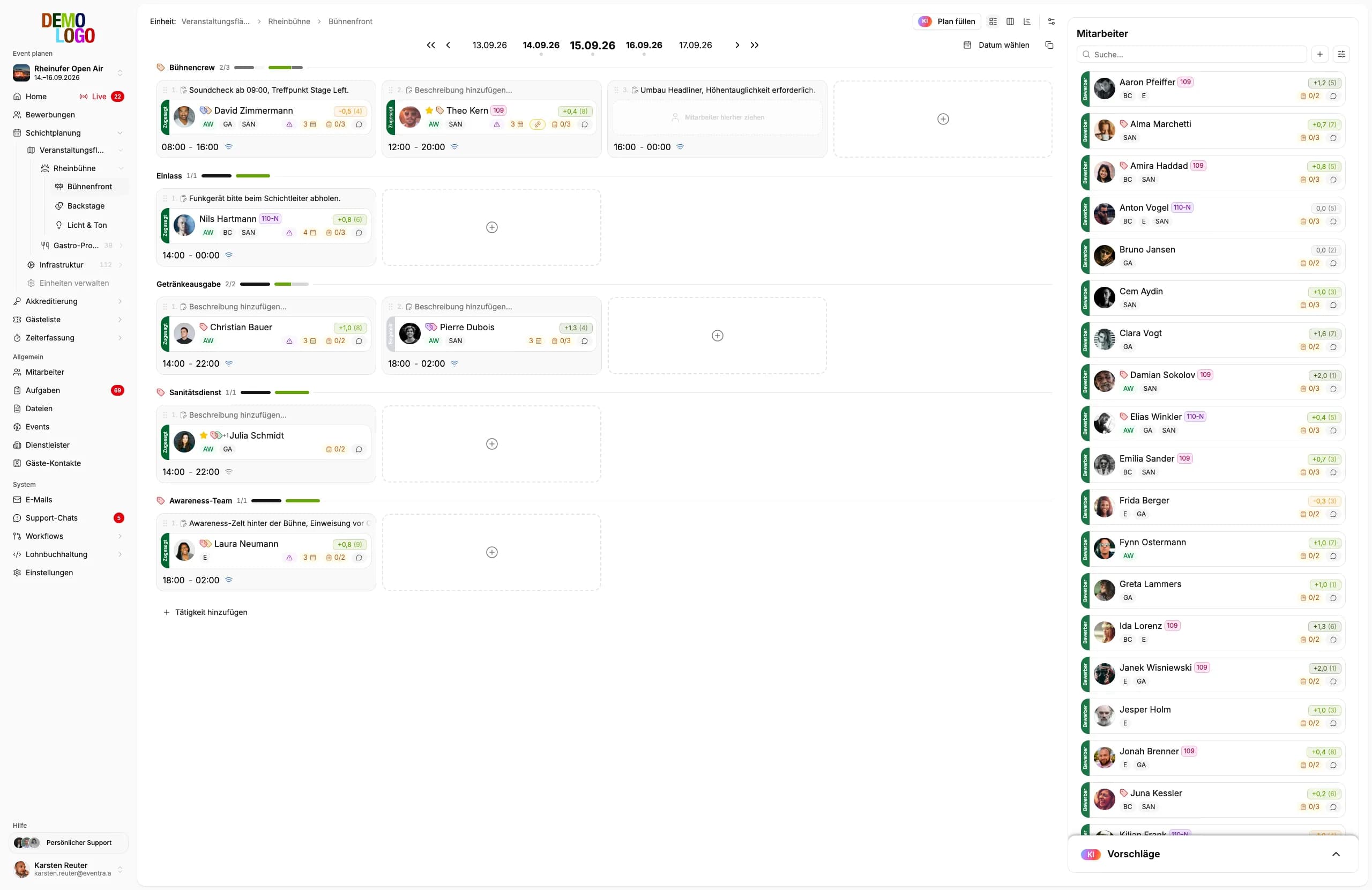
What runs alongside the plan
Checks that run while planning, not at the payroll office.
- Rest period
- 11 h
- Minijob limit 2026
- €603
- Short-term employment
- 70 days
- Double bookings
- 0
Common questions about shift planning
Answered briefly, so you know what you will see in the demo.
How are rest-period conflicts detected?
How does the staffing suggestion come about?
Can I copy a day to the following days?
Does the crew see changes immediately?
How many areas and shifts can I create?
Read next
Practitioner answers to the questions that come up next.
Fill plan: one click, and the AI staffs the whole area
Since 15 September EVENTRA fills an area with one click: the AI gathers the free applicants, checks qualification, availability, rest periods and limits,…
ReadAI shift planning for events: what the model proposes, what rules check and what a person decides
What AI shift planning really delivers at festivals and events: rules filter qualification, availability, rest periods, Minijob and the 70-day limit, the…
ReadRest periods at events: the 11 hours, the exceptions, and the 4 am strike
The Working Hours Act (Arbeitszeitgesetz) requires 11 hours of rest (Ruhezeit) between two shifts.
ReadStaff Deployment Planning in the Event Industry: Combining Efficiency and Flexibility
Staff deployment planning for events: the three dimensions of planning, typical challenges with crews and shifts, and practical tips for implementation.
Read
See your shift plan in EVENTRA
30 minutes with the founder. Bring your areas and event days, we rebuild the plan live.
Your own test environment in minutes. No credit card, ends automatically.
See pricing