Background checks (ZVÜ) at events: what the reliability check requires
The reliability check, ZVÜ for short, matches the personal data of crew and contractors against police records before those people get access to security-relevant areas of an event. For festivals and stadiums in Germany there is no single federal law for it. The obligation comes from the conditions of the licensing authority, from the security concept or from the contract with the organiser. No clearance, no pass, and the list has to be complete weeks in advance.
In short
- The ZVÜ is not one nationwide rule but a condition set by the licensing authority or the organiser for people in security-relevant areas: backstage, stage, access control, tech, security.
- Usually required: name, date and place of birth, nationality, address and ID data, a few weeks before the event, as a list per contractor. No clearance, no pass.
- The organisational problem is not the authority but the data collection: 30 contractors, 600 people, Excel lists in five formats. The fix is a form the person fills in themselves, with an export in the authority's format.
Legal basis: conditions of the licensing authority under state law, § 7 LuftSiG for airports only, Art. 6(1)(c) GDPR. Last reviewed 9 September 2026.
When a ZVÜ is required
Four typical triggers. Affected are your own crew, contractor and subcontractor staff and volunteers as soon as they work in the areas concerned. Public entry is usually not affected, backstage entry is.
- A condition in the licence for major events, often above a visitor count or in a heightened threat situation.
- A police requirement for areas with access to stage, backstage, artist area, power supply and access control.
- The organiser's own rule for security, tech and everyone with all-area access.
- A requirement by artists or sponsors in their contracts.
Which data the authority needs
Requirements differ by state and authority, the core is the same.
| Field | Purpose |
|---|---|
| Surname, first name, birth name | Identification |
| Date and place of birth | Matching |
| Nationality | Matching |
| Registered address | Matching |
| ID type and number | Identity check at the entrance |
| Company, role, area | Assignment to the access area |
Some authorities also require a signed consent from the person, some a copy of the ID. Clarify both beforehand, because they change the data collection.
How the ZVÜ runs without Excel
The authority receives a list and replies. The work before that is the data collection, and it can be organised in five steps.
- 1
The person fills it in
Every person, own crew or contractor, gets a link and enters their data in a form with required fields. No transcription errors, no missing places of birth.
- 2
The contractor sees their status
How many of their people are complete, who is missing. They add people instead of asking.
- 3
The organiser exports
One list in the authority's format, per event, with status and date.
- 4
The result controls the pass
Cleared means the pass is printed or sent to the wallet. Rejected means no pass, and the contractor is informed.
- 5
Deadline with a buffer
List complete two weeks before the authority's deadline, so late additions are still possible.
ZVÜ data per event, entered by the person
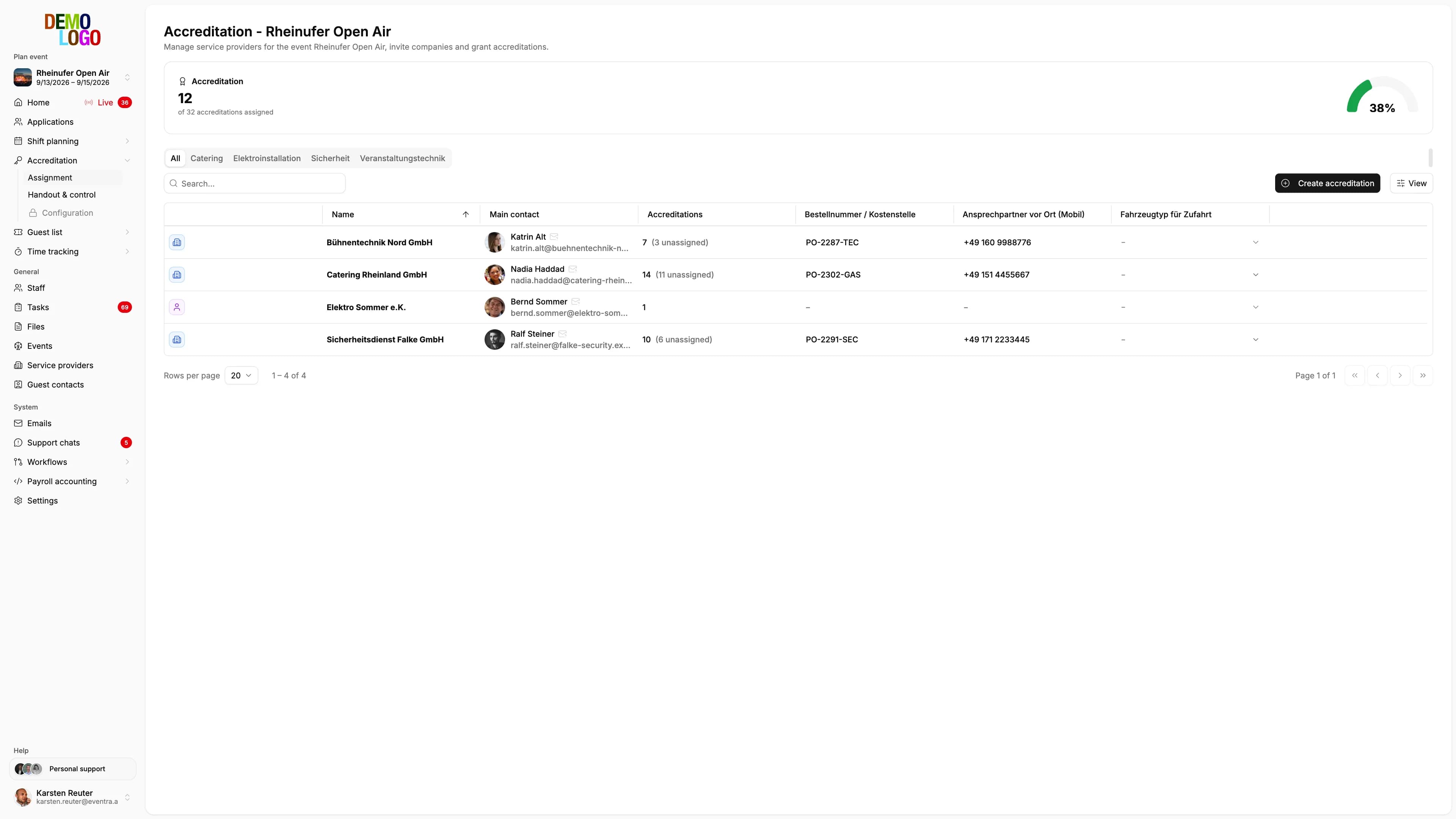
The ZVÜ is an optional part of accreditation that you switch on per event. Crew and contractor staff then enter their ID data themselves, the organiser sees status and missing fields per company, exports the list for the authority in one run, and the result controls accreditation and the wallet pass.
- Form per person with required fields
- Status per contractor, late additions without chasing
- Export for the authority per event
- Clearance controls pass and wallet pass
- Optional per event, accreditation also works without ZVÜ

Common questions about the ZVÜ
Is the ZVÜ required by law?
Who carries out the check?
May I store the crew's ID data?
What happens to people who are not cleared?
See your event in EVENTRA
30 minutes with the founder. We rebuild your event live, from the application form to the export file for your payroll office.
Your own test environment in minutes. No credit card, ends automatically.
See pricing