The crew app that offers shifts
Application, shift offer, check-in, documents and support, on the crew's phone. Whoever gets a shift sees it as a push, accepts it with one tap and checks in by QR code on the event day, even without signal.
Your own test environment in minutes. No credit card, ends automatically.

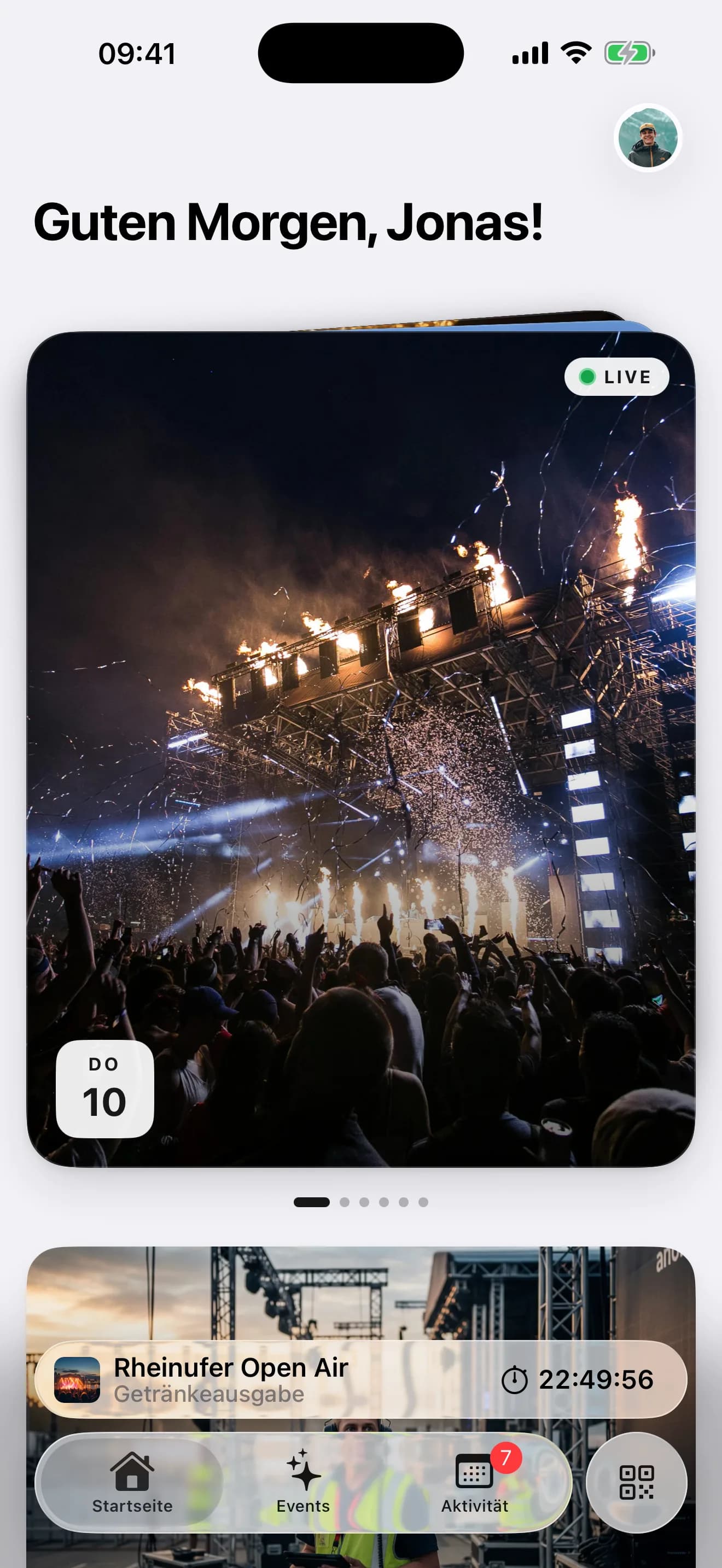
Everything the crew needs before, during and after the shift
No group chat, no Excel list via WhatsApp. The app shows each person exactly what concerns them.
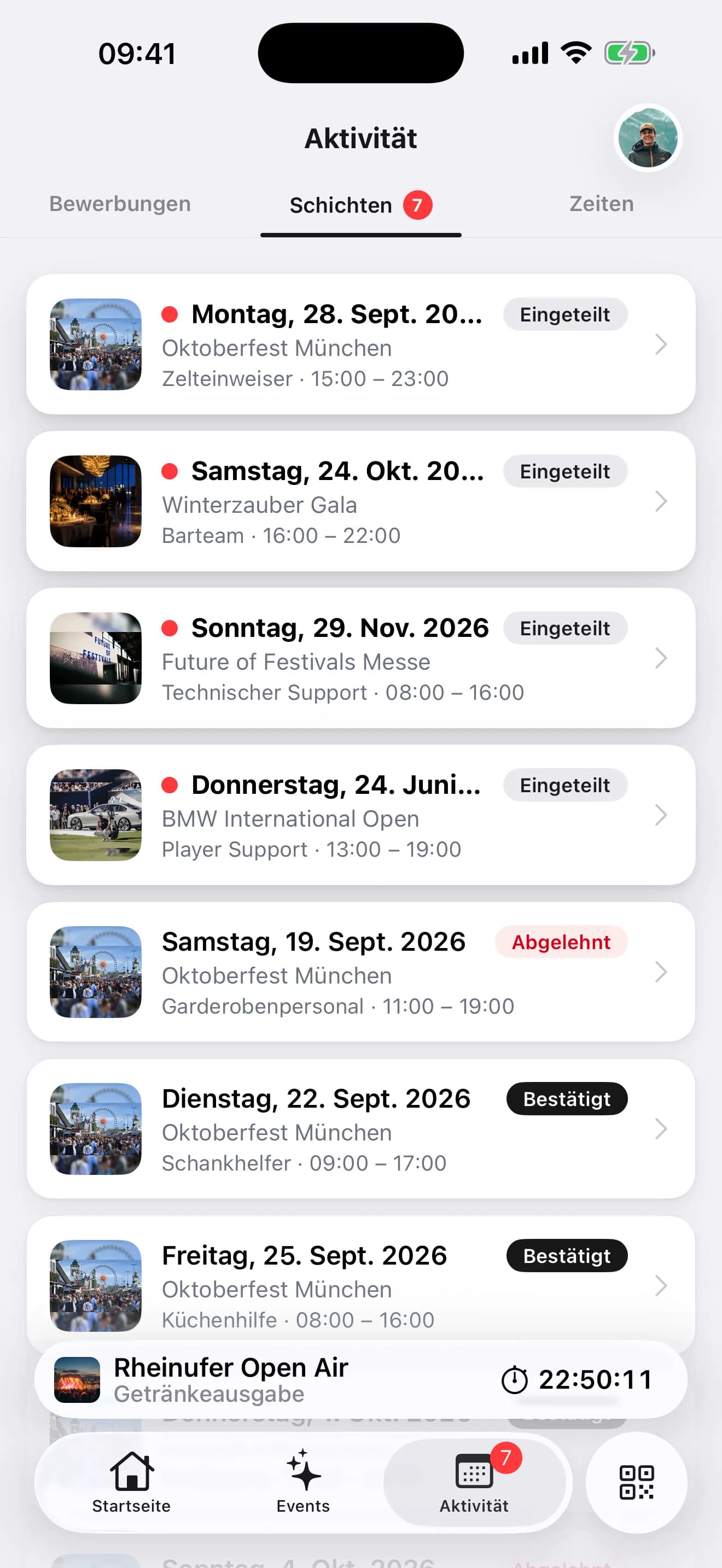
Accept or decline shifts
Every assigned shift arrives as an offer: date, time, area, task, meeting point. Accept or decline with one tap, the status is in the plan immediately. The app icon counts open offers.
- Push for every new offer
- Accept, decline, answer in the plan
- Open offers on the app icon
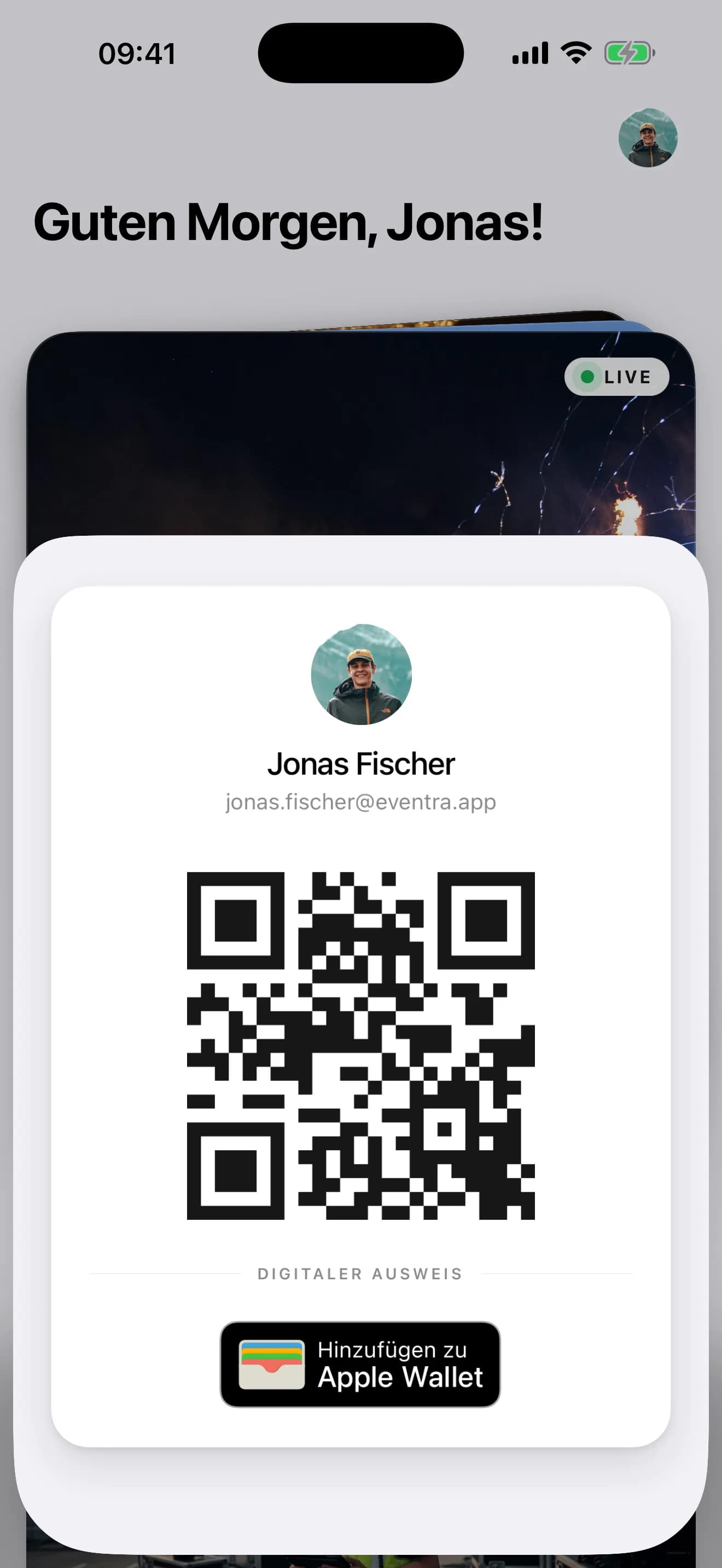
Check-in by QR code, even offline
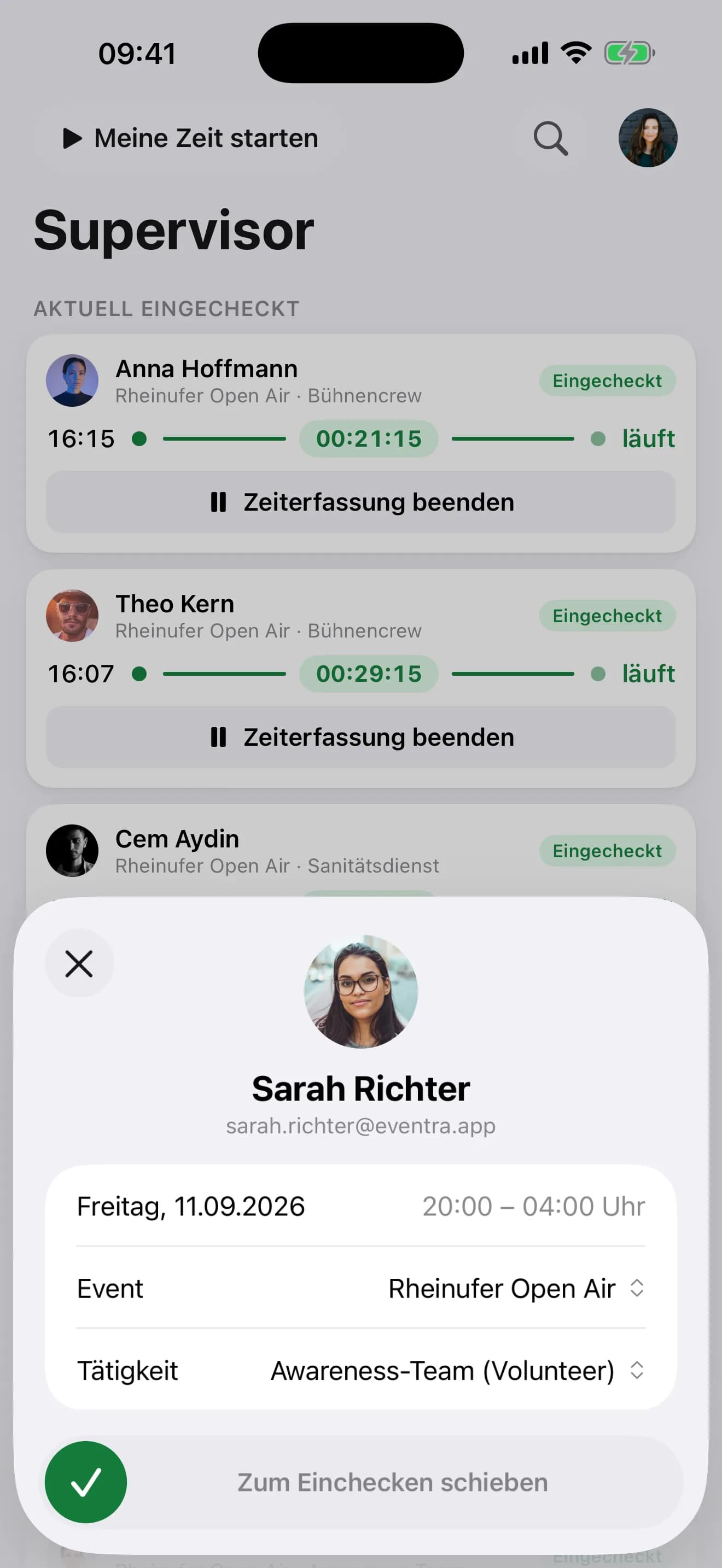
On the event day the app shows the personal QR code. The supervisor scans, the clock runs. Without signal the scan is stored on the device and transmitted later, with the time of the scan.
- Personal QR code in the app
- Scan without signal, transmission later
- Recorded times visible per shift
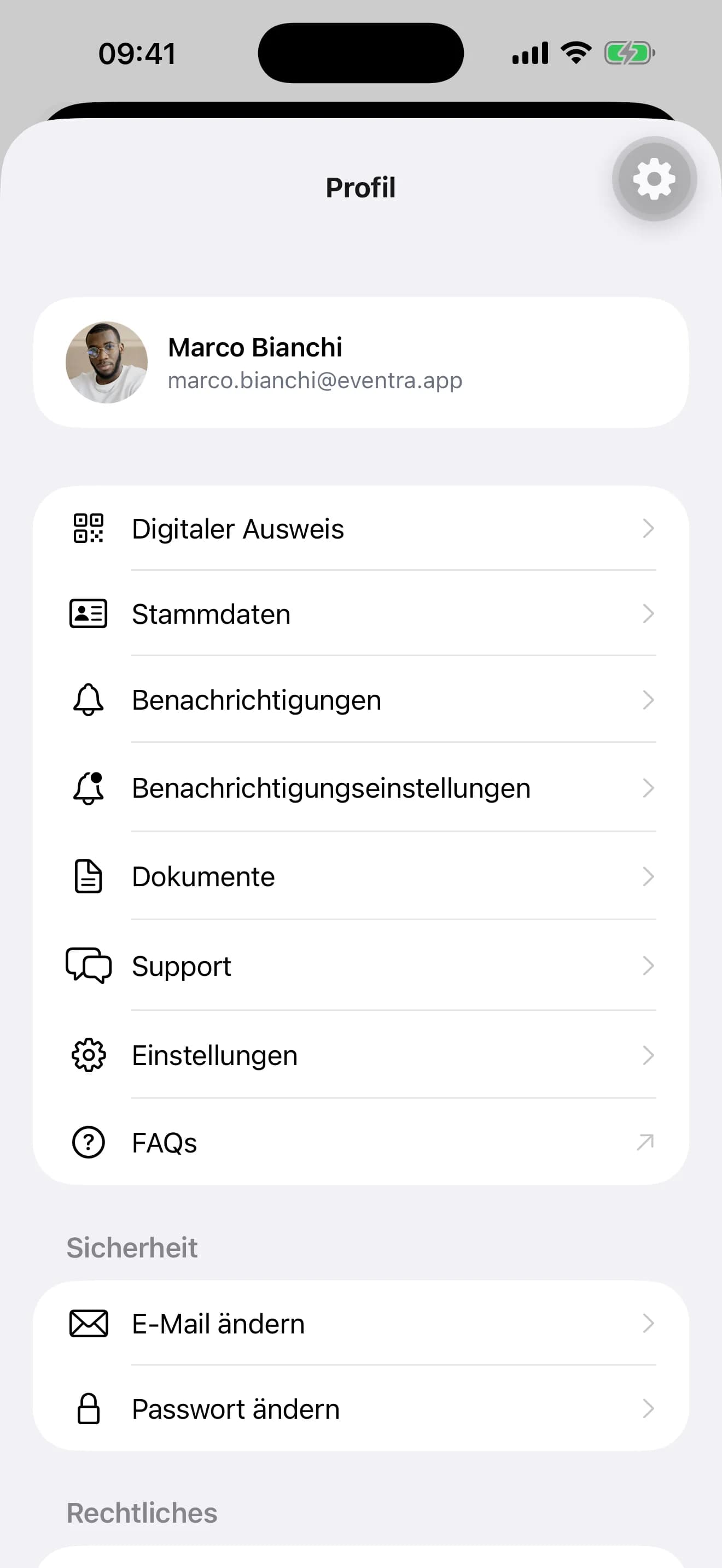
Personal data, documents and support
Address, bank details, tax ID and certificates are maintained by each person themselves. If a document is missing, the app says so. Questions go to the support chat and reach HR, not the group chat.
- Personal data without a mail back and forth
- Upload certificates as a photo
- Support chat with HR
The offer goes to the person who fits
For an open shift, the planner sees a suggestion: qualified, available, rest period and 70-day limit respected, with reason and confidence. One drag into the plan, and the offer goes as a push to exactly that person. They see area, time and meeting point, accept or decline, and the answer is in the plan without a call back. What is left open, the app icon counts.
- Suggestion with reason, decision in the planner
- Push to the person, answer in the plan
- Open offers on the app icon
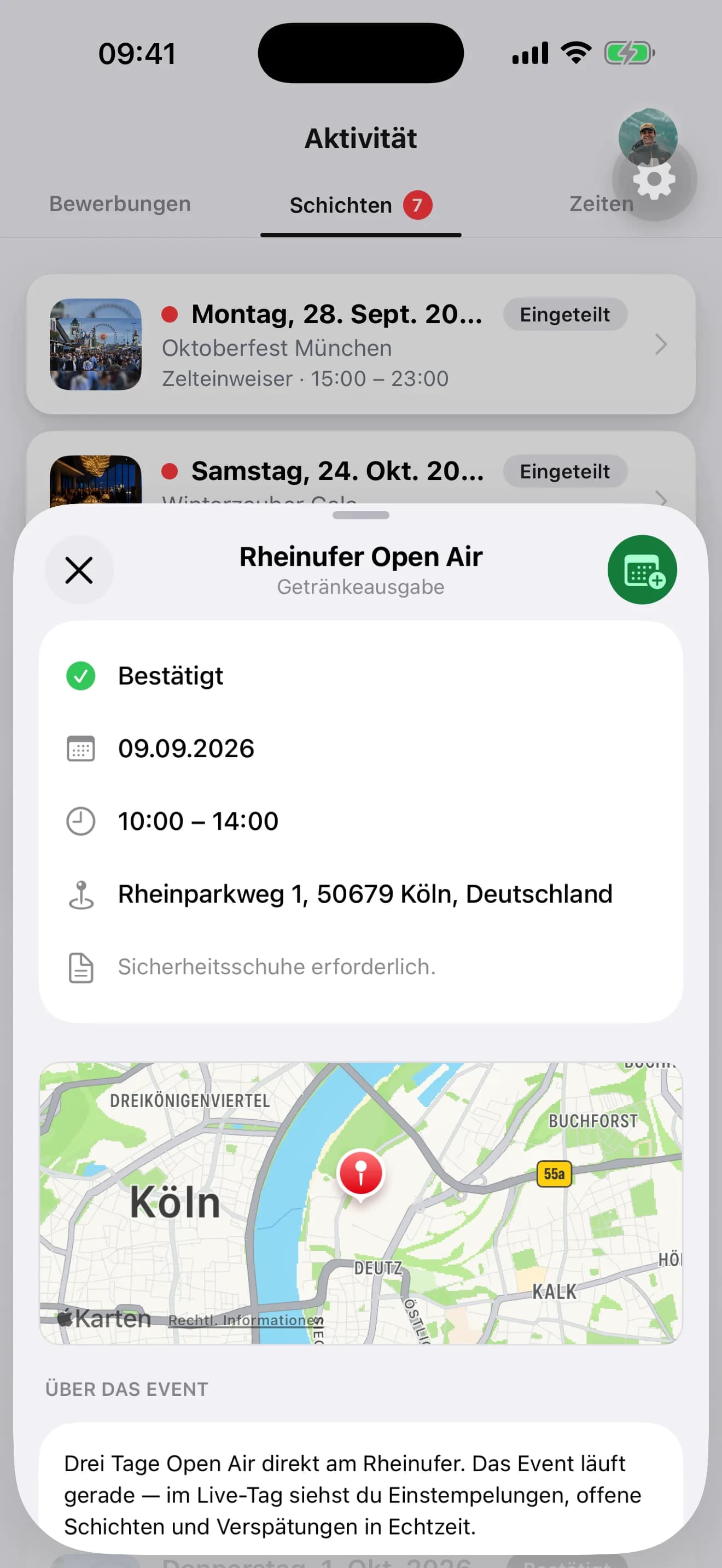
Check in by scan, whatever the signal
The app shows the personal QR code, the supervisor scans it with the same app. No signal at the build-up site? The scan is stored locally and transmitted at the next connection, with the time of the scan, not the transmission. Afterwards the crew sees their recorded times per shift.
- One QR code per person, in the app
- Offline scan with timestamp
- Recorded times visible in the app
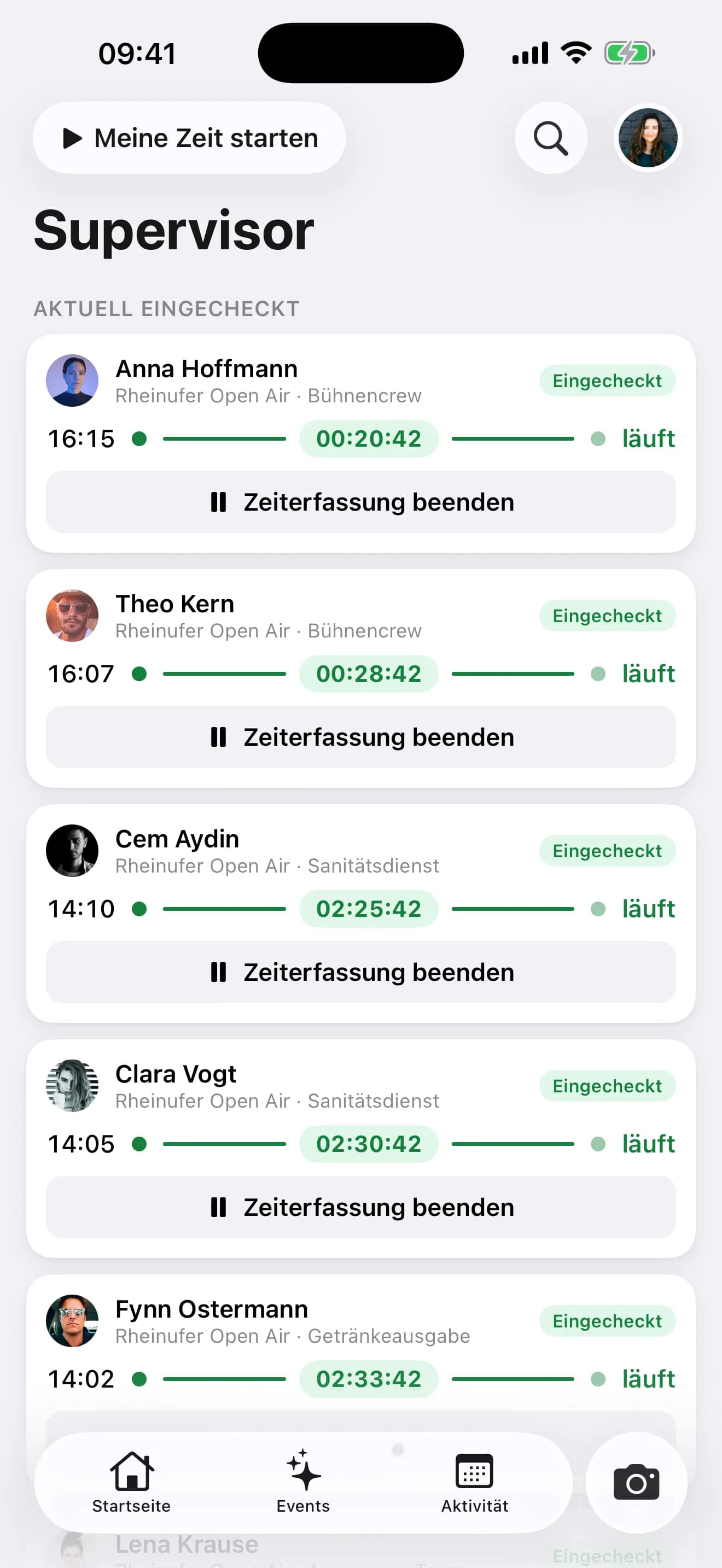
The team lead sees their area, live
Whoever is entered as team lead of an area sees in the app who is checked in, who is running and who is missing. No admin access, no laptop. Scanning and corrections happen from the same view.
- Checked-in crew in real time
- Only their own area
- Scan from the same view
How an event runs from the crew's point of view
From the application form to the recorded time, without a mail to HR.
Apply by link
The application link leads into the app: fill in your form, pick days, enter personal data once. Whatever is missing, the AI requests right away.
Accept the offer
The shift arrives as a push. One tap, and the spot is confirmed.
Check in by QR
At the meeting point the supervisor scans, even without signal. The clock runs.
Certificates and times
Upload missing documents, check recorded times, ask HR in the chat.
What the app takes off the crew
And off HR with it.
- Native app
- iOS + Android
- Accept a shift
- 1 tap
- Check-in
- Offline
- App icon
- Badge
Frequently asked questions about the crew app
Answered briefly, so you know what you will see in the demo.
What is the crew app for event staff?
How does the crew get their shifts?
Does check-in work without mobile signal?
Can the crew maintain their own personal data?
What does a team lead see in the app?
Do volunteers and external staff need the app too?
Read next
Practitioner answers to the questions that come up next.
Live board in the crew app: team leads see their crew, gaps and check-ins at the post
Since 8 September team leads have the live board in the crew app: who is checked in, who is missing, which shift starts next, right at their area.
ReadGuest list: companions on one ticket, duplicate warning, invitations on autopilot
What landed in the EVENTRA guest list in September: plus-one guests sit on the inviter's ticket, the list warns about duplicate guests, contingents can…
ReadBookZuck POS and crew planning: POS codes come out of the shift confirmation
How the BookZuck integration in EVENTRA turns a confirmed bar shift into a POS account with a role and a login code, what the crew receives by email, and…
Read
See the crew app on the phone, not on a slide
30 minutes with the founder, with shift offer, push and check-in on a real festival day.
Your own test environment in minutes. No credit card, ends automatically.
See pricing