DATEV and StoTax without rework
Monthly closure, wage types and surcharges from rules, export for DATEV LODAS, Lohn und Gehalt or StoTax, via API on request. The 70-day and Minijob limits are checked before the export, not after.
- DATEV
Your own test environment in minutes. No credit card, ends automatically.
From check-in to the payroll office in one run
Approved hours become wage types, limits are checked, the file goes into the payroll system. Nothing is entered again at the payroll office.
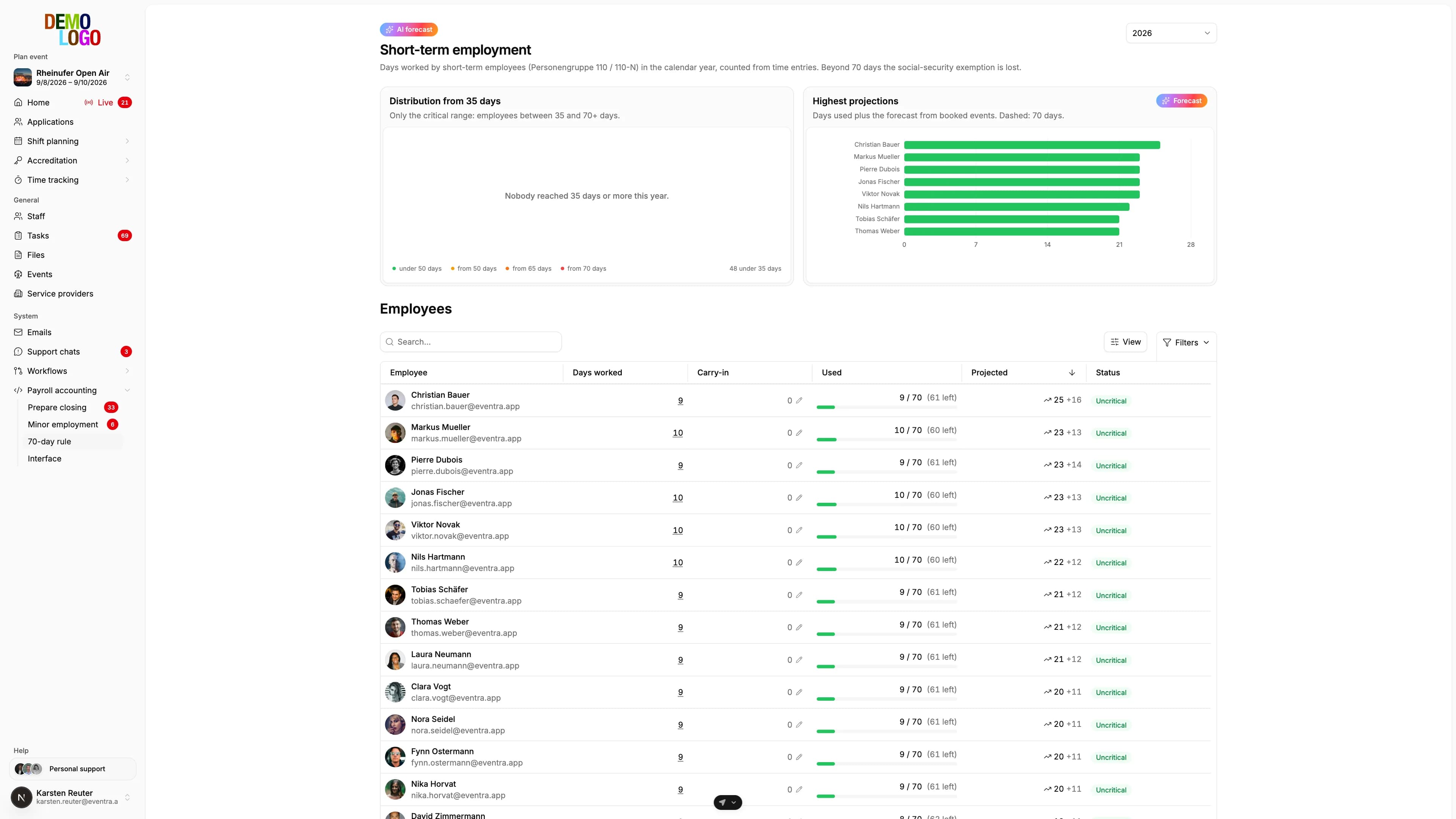
70-day limit per person
Worked days from recorded hours, across all events of the year. Whoever approaches the limit is in the list before the export.
- Days from hours, not from the plan
- Across all events and clients
- Forecast to year end
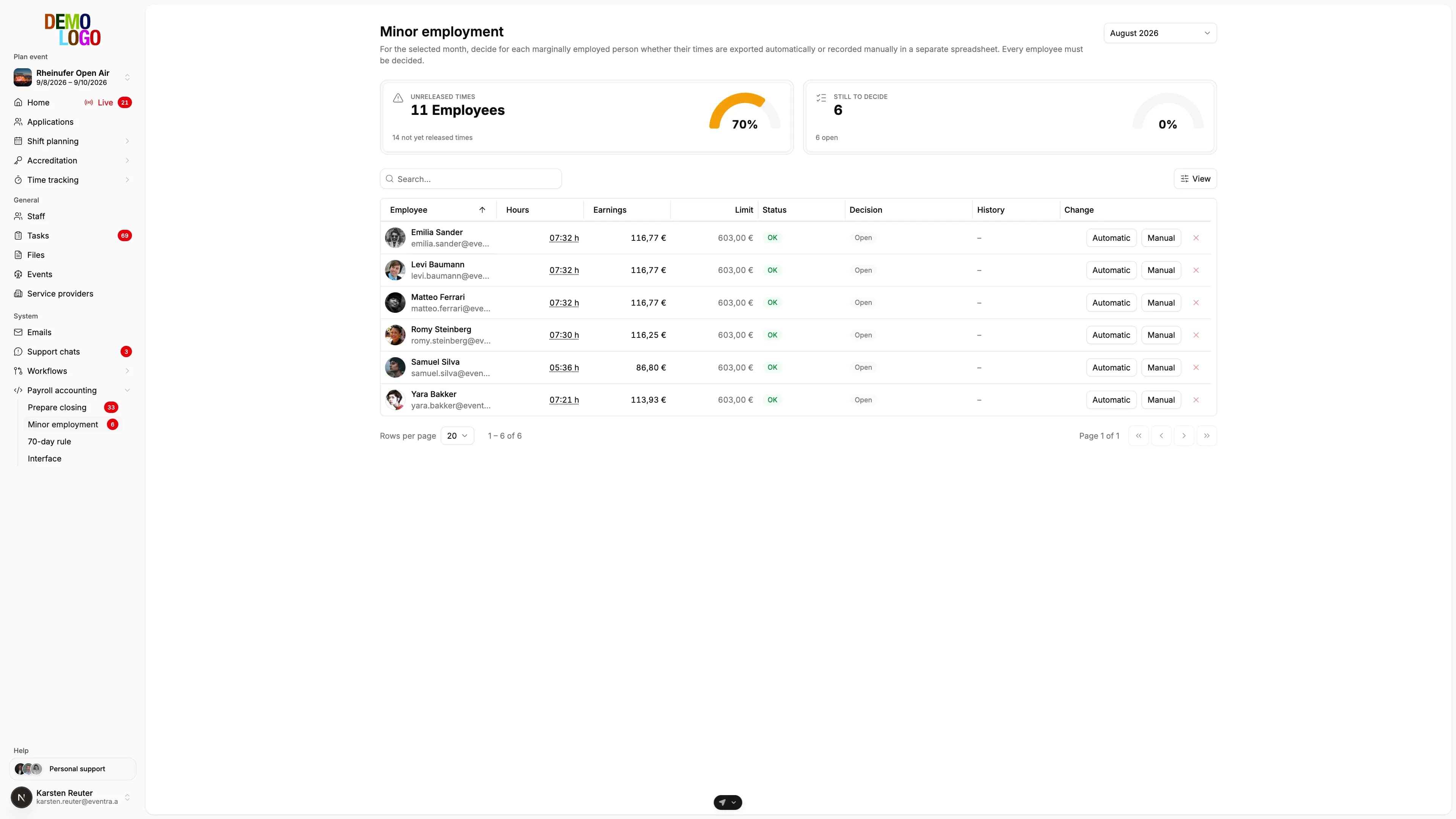
Minijob limit per month
Earnings per month against the limit, decided per person: export automatically or review manually. The decision stays documented.
- €603 limit in 2026
- Decision per person
- History across the months
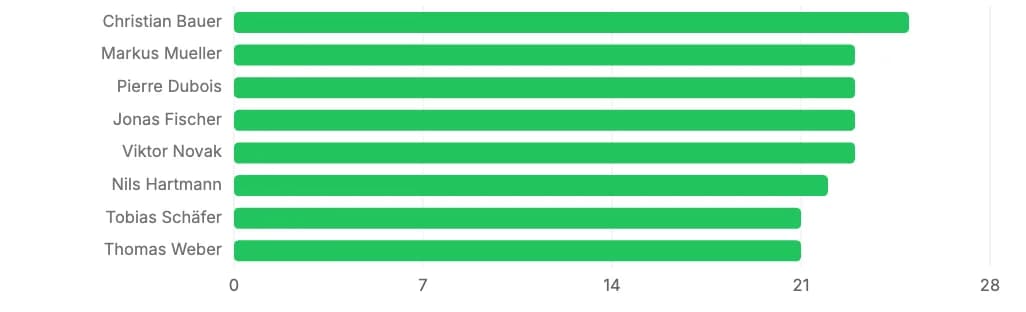
Forecast instead of surprise
Planned shifts and recorded days produce a forecast per person. Whoever would break the limit by season end is visible today.
- Planned days included
- Per person and event
- Warning already in the shift plan
The limit is in the list before it is broken
The 70-day view shows per person the worked days of the year, the planned days and the forecast. Whoever runs over the limit is flagged in the shift plan and before the export. The payroll office never receives a file it has to send back.
- Worked and planned days per person
- Forecast to season end
- Warning in the plan and before the export
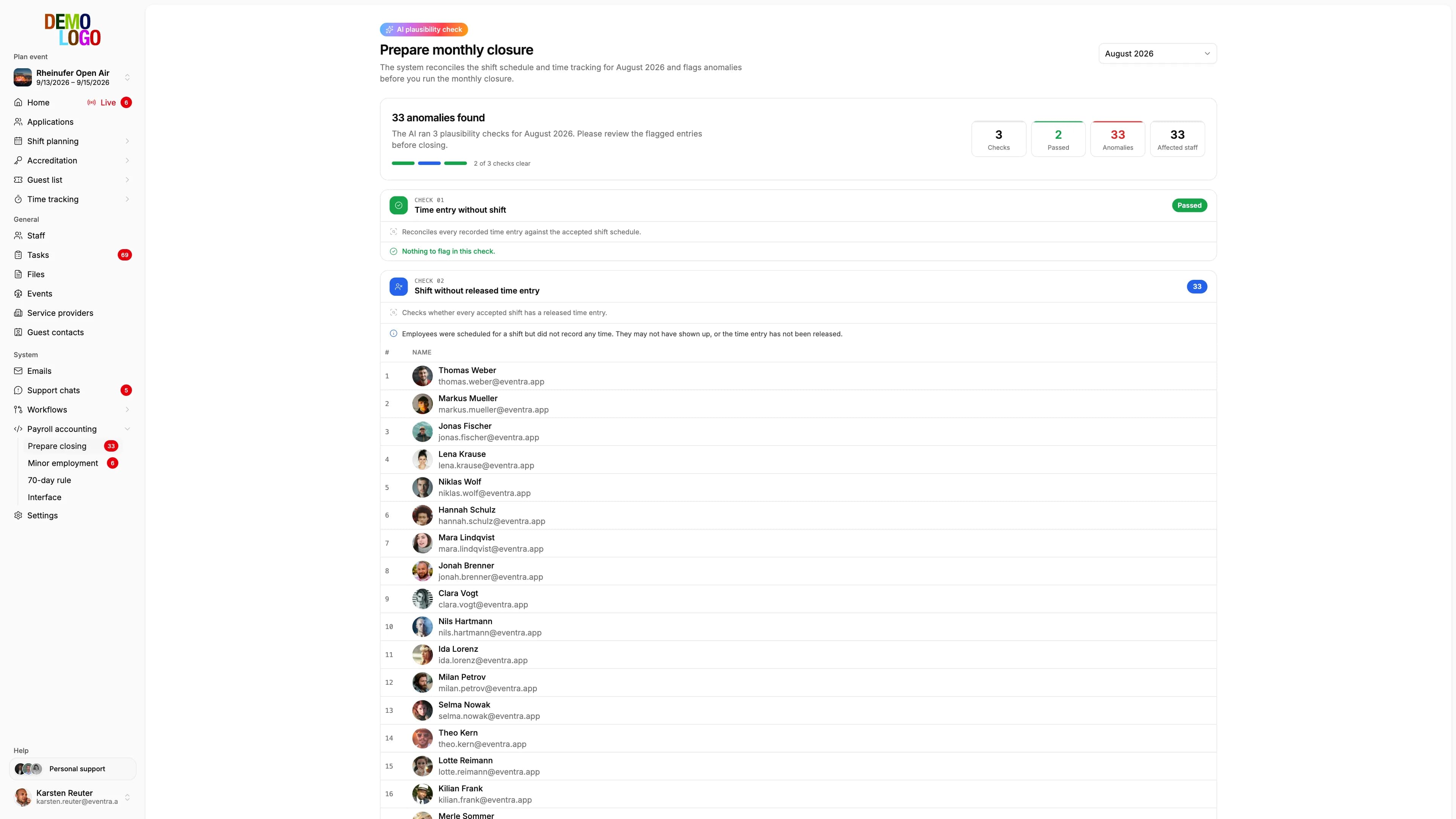
The month is read before it goes to payroll
At the press of a button EVENTRA computes seventeen markers and two drift values per time entry: night work, missing break, overlap, start and duration against the plan. The model reads which combinations matter for payroll and names three solid findings rather than twelve weak ones, each with evidence, pseudonymised. The Minijob decision per person stays yours alongside.
- Markers deterministic, findings from the model
- M1, M2, M3 instead of names in the prompt
- Minijob decision per person, documented
Two payroll systems, one month-end
Map wage types once per payroll system. From then on your payroll office gets exactly what it works with: a DATEV file, a push via API or a StoTax file.
DATEV LODAS and Lohn und Gehalt
Master data and payroll data leave separately, as a file or straight into the client via the DATEV API. Missing personnel numbers, IBANs or activity keys are flagged before the export.
- Both products, wage types mapped per product
- Push via API, no file and no upload
- Master data and payroll data separated
- Missing mandatory fields flagged before the export
StoTax
Master data, changes and times go to the payroll office as a StoTax file. You enter the employer number once, EVENTRA assigns the personnel numbers, and the payroll type applies per payroll month.
- File for the StoTax import
- Personnel numbers assigned consecutively
- Payroll type per month, not per person
- Mandatory fields checked before the export
From check-in to the payroll office
Every check-in becomes a time entry, rules turn it into wage types and supplements, limits and patterns are checked before the export, and the payroll office receives its file or the data via API.
The monthly closure in four steps
From the approved hours to the file in the payroll system.
Approve hours
Only approved hours go into the closure, open entries stay visible.
Check limits and patterns
70-day and Minijob limit per person, plus the findings of the month-end review. Decisions documented.
Map wage types
Surcharges and wage types from rules, stored once per payroll system.
Export or push
File for LODAS, Lohn und Gehalt or StoTax, or straight into DATEV via API.
What the payroll office receives
The facts of the export.
- Payroll systems
- 3
- DATEV push
- API
- Limits before the export
- 2
- per person and payroll month
- €3
Common questions about the export
Answered briefly, so you know what you will see in the demo.
Which payroll systems are supported?
How is the 70-day limit counted?
What does the AI check before the export?
What happens when a person is above the Minijob limit?
Can the payroll office export by itself?
Read next
Practitioner answers to the questions that come up next.
Automating payroll for event staff: from check-in to the payroll office
How payroll for temps, mini-jobbers and short-term employees at festivals and events gets automated under German law: master data from the person, hours…
ReadDATEV LODAS and Lohn und Gehalt: getting time-tracking data to the payroll office without retyping it
Which files DATEV LODAS and DATEV Lohn und Gehalt expect for movement data and master data, how Lohnarten (wage types), Personengruppen (person groups)…
ReadShort-term employment 2026: the 70-day rule for event staff
When festival casual staff stay exempt from social insurance, how the 70 days and 3 months are counted, what 'occupational' (berufsmäßig) means, and where…
ReadDATEV Integration in Event Management: Automated Payroll for Event Professionals
Read
See the export for your payroll office
30 minutes with the founder. You leave with a sample file for your payroll software.
Your own test environment in minutes. No credit card, ends automatically.
See pricing