The live board for your event day
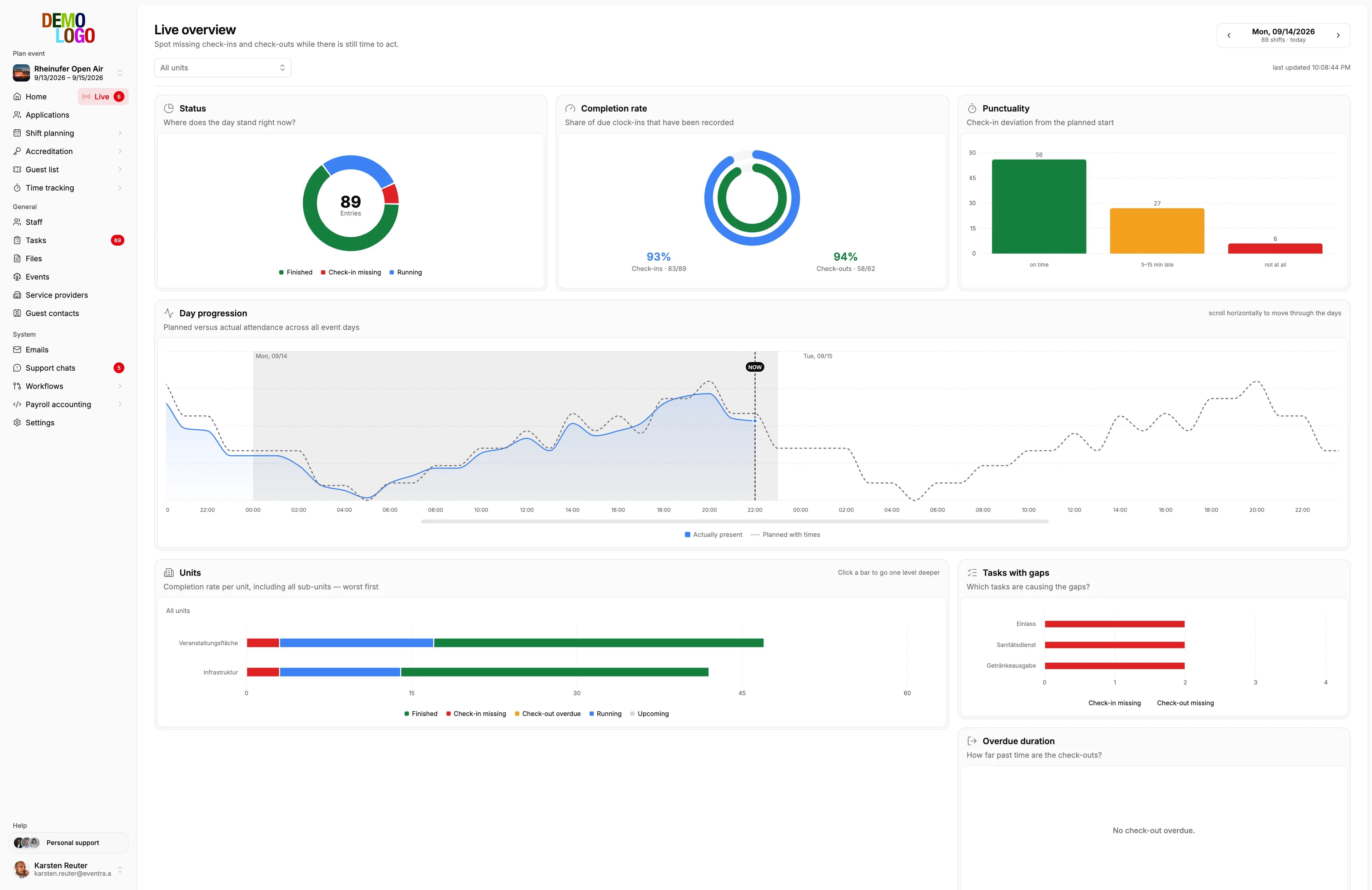
Who is here, who is missing, where a check-out is overdue. Per area, per shift, in real time, on the control room screen and on the team lead's phone.
Your own test environment in minutes. No credit card, ends automatically.
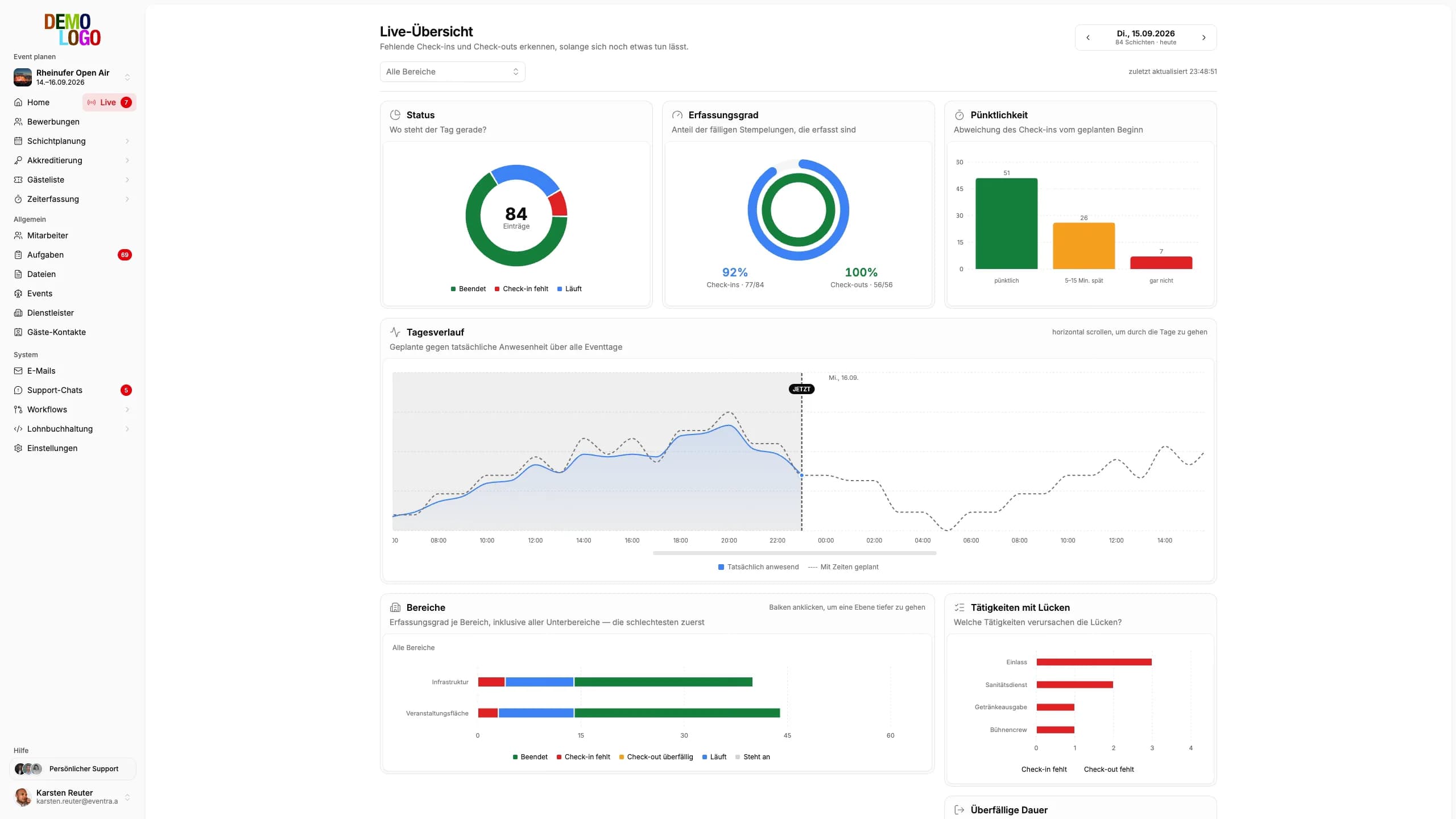
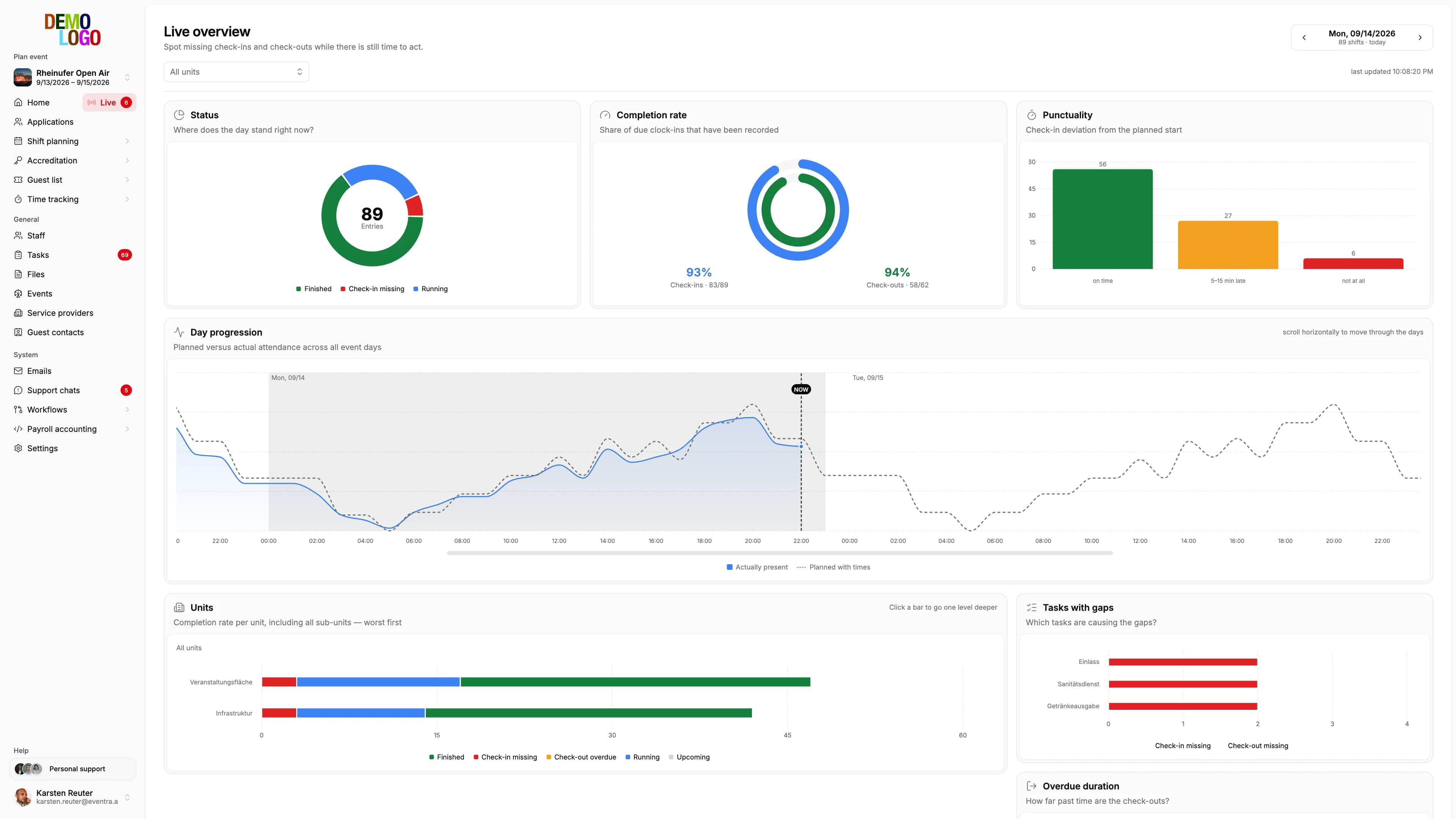
The event day, while it runs
Instead of finding out in the evening what was missing: see who is missing right now, and still be able to react.
Status per area
Checked in, planned, missing, overdue: every area shows its numbers for the running shift, the control room sees them all on one screen.
- All areas on one screen
- Automatic refresh
- Day and shift selectable
Missing check-ins as a signal
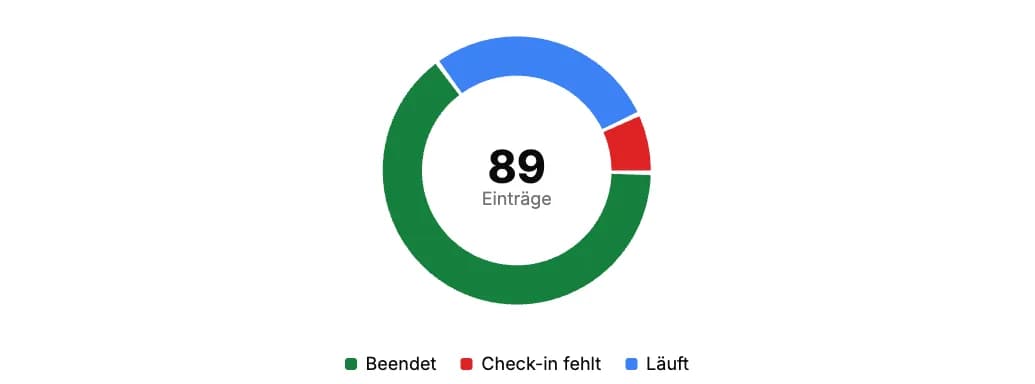
Anyone not checked in at shift start is flagged. So is a check-out that takes too long, and lateness against the plan.
- Check-in missing
- Check-out overdue
- Punctuality per area
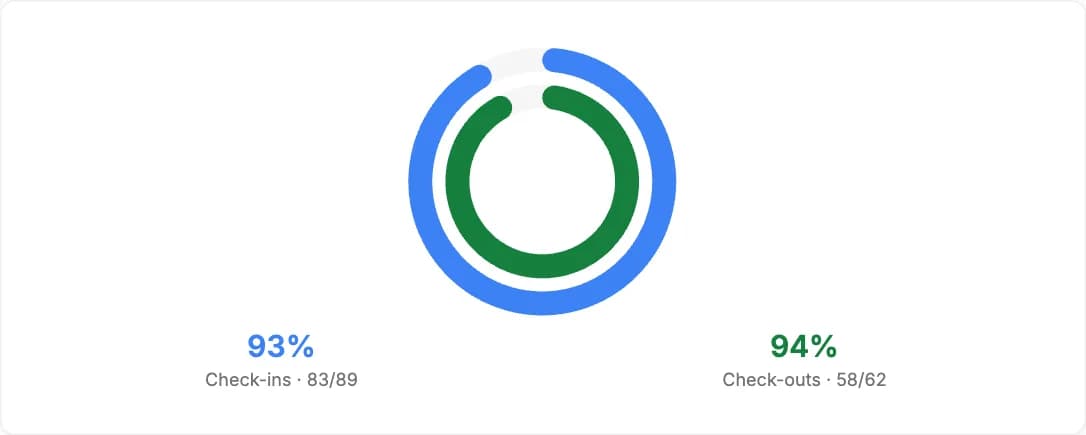
Completeness across the day
The share of recorded hours per area and shift. What is missing in the evening is already visible in the afternoon.
- Recorded against planned
- Per area and task
- Basis for the monthly closure
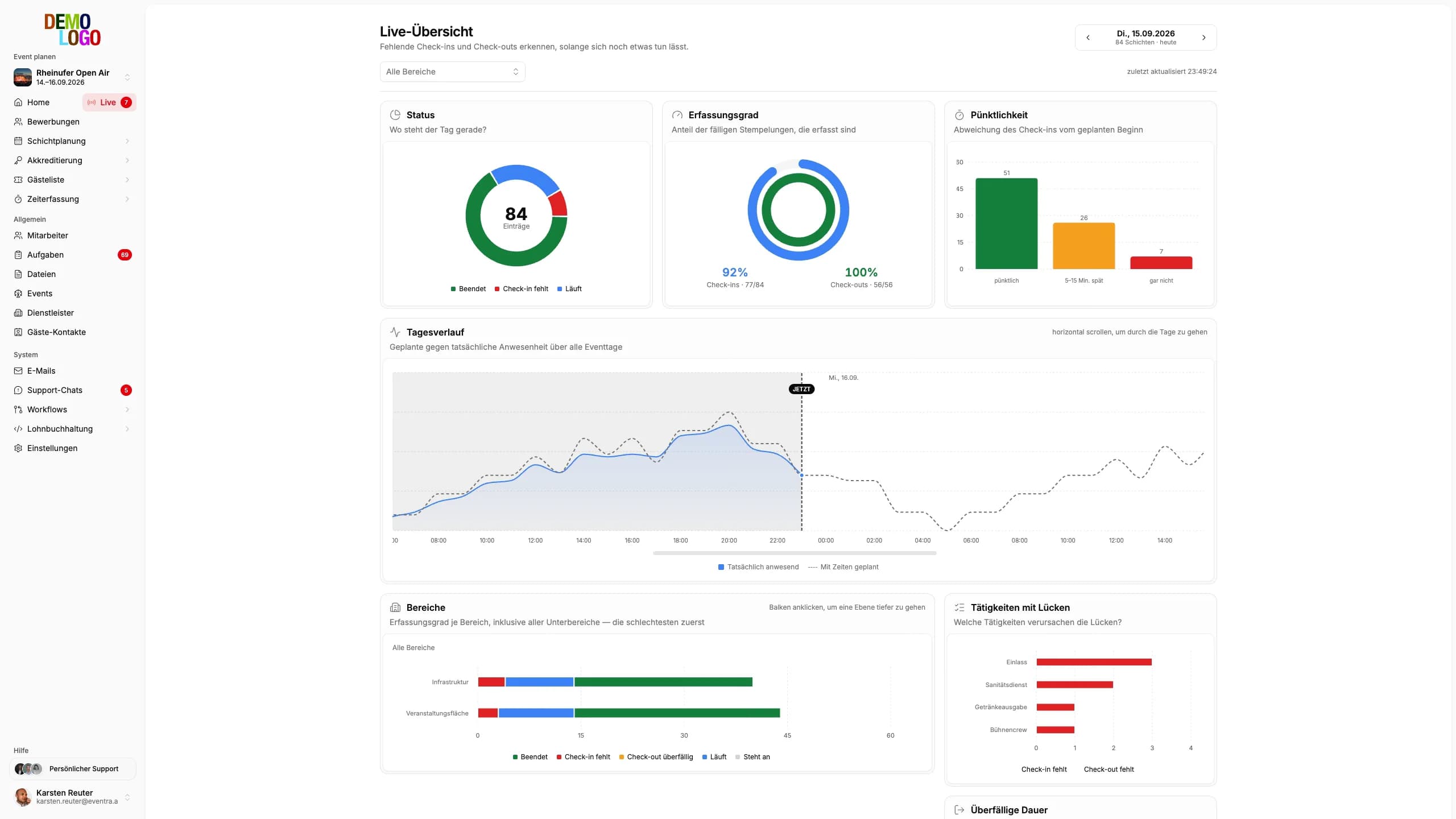
The list tells you who to call
The board computes three signals from plan and check-ins: check-in missing, check-out overdue, late arrival. A click into any chart adds a filter chip, chips stack, and what is left is exactly the group you care about. Behind every row there is a real person: status, planned and recorded time, deviation, assignment, task, area and phone number.
- Three signals from plan and check-ins, no action needed
- Filter chips from every chart
- Phone number right in the row
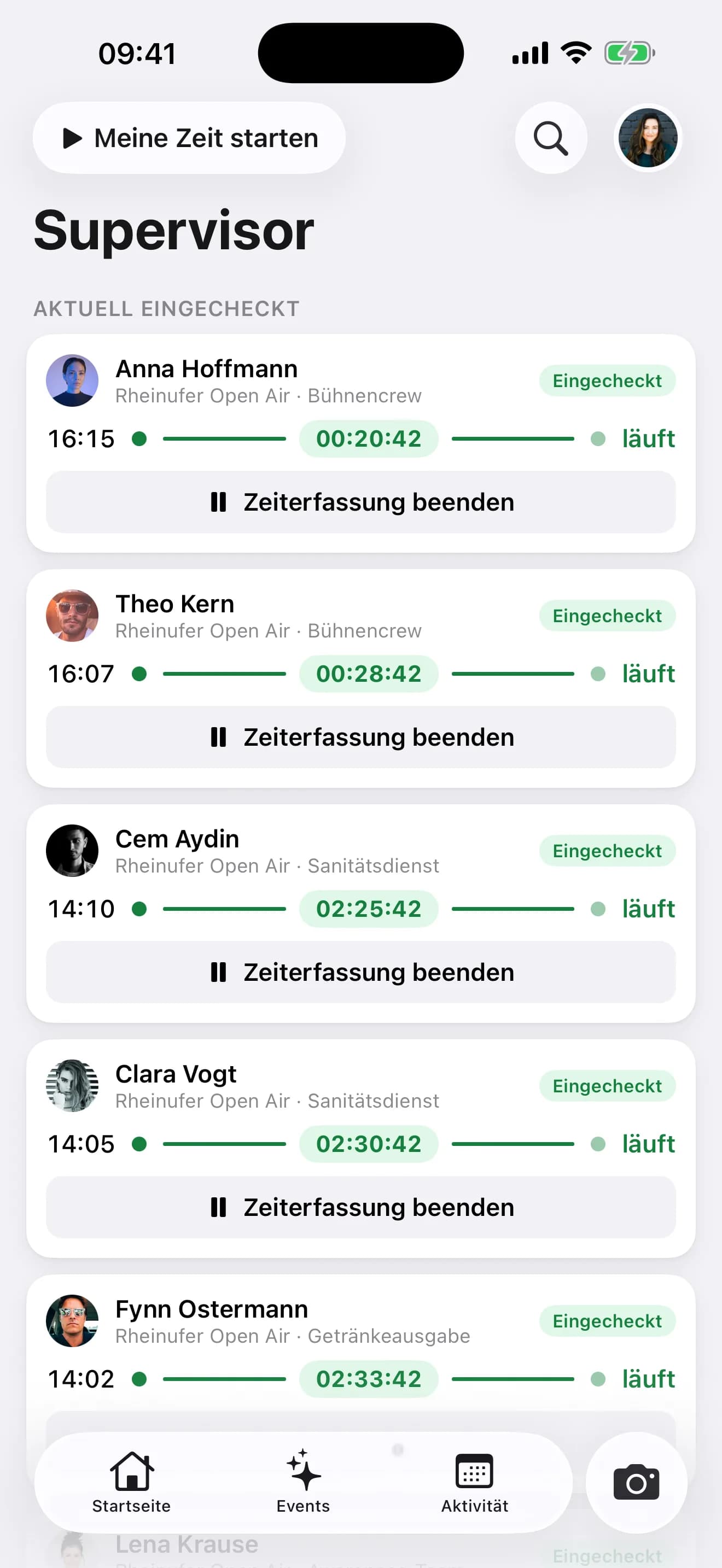
The team lead sees their area
Anyone set as team lead of an area sees in the crew app who is checked in, who is running and who is missing. No admin access, no laptop.
- Checked-in crew in real time
- Only their own area
- Check-in by scan from the same view
How the event day runs with the live overview
Four moves between “something is off” and “sorted”.
Pick day and shift
The board shows the running shift, other days and shifts are one click away.
Spot gaps
Missing check-ins and overdue check-outs show in red in the area.
Filter down to the people
One click into the chart, and the list shows exactly this group with phone numbers.
Call, replace, correct
Stand-in from the waitlist, add the time or adjust the shift, straight from the list.
What the board shows in real time
The signals derived from check-ins.
- Refresh
- 30 sec
- Signals
- 3
- Resolution
- Area
- Team-lead view
- App
Common questions about the live board
Answered briefly, so you know what you will see in the demo.
How does the board know who is missing?
Who can see the live board?
Can I correct hours straight from the board?
Does the board work with several events on the same day?
Read next
Practitioner answers to the questions that come up next.
Live board in the crew app: team leads see their crew, gaps and check-ins at the post
Since 8 September team leads have the live board in the crew app: who is checked in, who is missing, which shift starts next, right at their area.
ReadTime-tracking obligation at festivals: what applies since the BAG ruling, and how to track 800 crew
Since 2022, employers have had to record the entire working time; for Minijob workers and casual staff, that already applied earlier.
ReadPlanning: fill rate per area and day, events with start and end, charts above the crew
The planning changes of August and September in EVENTRA: a planning overview that shows the fill rate per area and day, events with a start and end date…
Read
See your next event day while it runs
30 minutes with the founder, on the live board of a real festival day.
Your own test environment in minutes. No credit card, ends automatically.
See pricing